
Lenovo
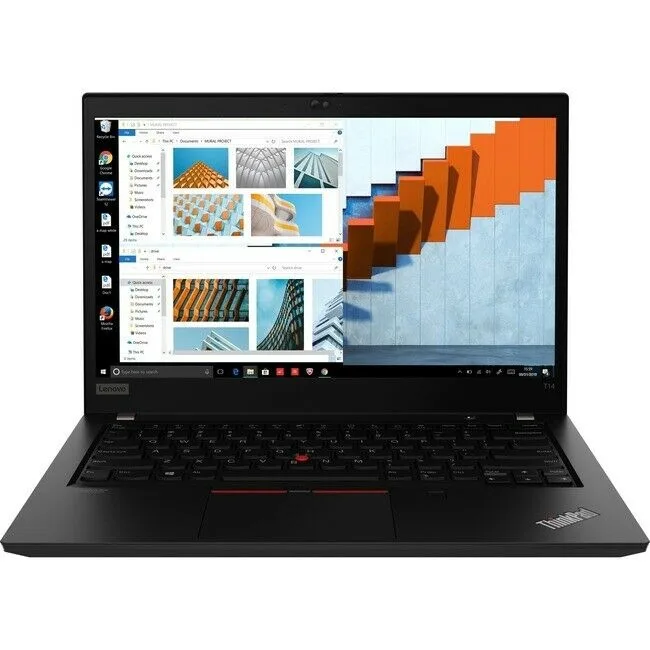
Lenovo ThinkPad T14 20UD000HUS laptop R5-4650U 8GB 256GB 14
14-inch business laptop with Ryzen 5 processor, 8 GB RAM and 256 GB SSD running Windows 10 Pro
- Screen Size14.0"
- Ryzen 5 4650U at 2.10 GHz powers daily workloads
- 8 GB RAM keeps multiple apps responsive
- 256 GB SSD stores files and boots fast
- 0 inch 1920 x 1080 display shows crisp detail
- Backlit keyboard, Touch ID, USB 3.0, HDMI, Gigabit Ethernet connect peripherals securely
ThinkPad T14 with Ryzen 5 Pro
This 14.0 inch laptop runs on an AMD Ryzen 5 Pro processor at 2.10 GHz with 8 GB of memory and a 256 GB SSD. It ships with Windows 10 Pro and a 1920 x 1080 display. The chassis includes a backlit keyboard and Touch ID for login.
Step up from dual-core ultraportables
The six-core design handles multitasking and light creative work that overwhelms older two-thread machines. The jump is worth it when you regularly run virtual machines, compile code or edit documents while video calls are active. Integrated graphics limit 3D tasks.
256 GB SSD and 8 GB RAM headroom
The solid-state drive boots the OS and loads typical office suites in seconds, leaving room for project files and a modest media library. Eight gigabytes keeps dozens of browser tabs and background services responsive. Large video timelines or heavy datasets will exhaust both capacity and memory.
商品特色
- Ryzen 5 4650U at 2.10 GHz powers daily workloads
- 8 GB RAM keeps multiple apps responsive
- 256 GB SSD stores files and boots fast
- 0 inch 1920 x 1080 display shows crisp detail
- Backlit keyboard, Touch ID, USB 3.0, HDMI, Gigabit Ethernet connect peripherals securely
商品規格
| Screen Size | 14.0" |
|---|
商品問答
What screw pattern does the 14.0" ThinkPad T14 use for VESA mounting?
The T14 is a notebook with no VESA mount; it sits on a desk or fits a 14" sleeve.
Which screw must be removed first to reach the internal SSD?
Remove the bottom-case Torx screws, lift the cover, then unscrew the single M.2 retention screw before sliding the drive out.
When should the 256 GB SSD be replaced?
Replace the SSD when SMART tools report reallocated sectors or when free space drops below 10 % and the drive is full.
同類商品
顧客也比較過
同一分類,同一套結帳流程 — 支援八種加密貨幣,匯率鎖定 30 分鐘。


Microsoft
Microsoft Surface 3 1657 128GB CRB 2-in-1 laptop
- Silver
- Windows 10 Pro
US$244.99
0.00318562BTC
現貨
Microsoft
Microsoft Surface Pro FGG-2D-00001-RFB 2-in-1 laptop 16 GB 512 GB 12.0" touchscreen 2736 x 1824 refurbished
- 12.0"
- Touch Screen
US$687.99
0.00894597BTC
現貨
Lenovo
Lenovo Chromebook 500e Gen 5 M89 83TA0004US 12.2" MediaTek 8GB 64GB
- 12.2"
US$392.99US$420.99−7%
0.00511007BTC
現貨