

SanDisk
SanDisk Cruzer Blade 8 GB USB 2.0 USB flash drive Black SDCZ50-008G-B35
USD 391.99
0.005016BTC
Ada stokKami menerima kripto — jadi koin yang anda simpan boleh membeli perkakasan sebenar.Bayar dengan kripto, belanjakannya untuk perkakasan sebenar. Penghantaran berinsurans percuma ke seluruh dunia untuk belian melebihi USD 399. Kotak biasa tanpa jenama, dihantar dari Jerman.Penghantaran berinsurans percuma untuk belian melebihi USD 399. Kadar anda dikunci selama 30 minit sebaik sahaja proses pesanan bermula.Kadar dikunci selama 30 minit. Setiap item disegel, nombor sirinya disemak, dan dilindungi waranti 24 bulan.Disegel, waranti 24 bulan.
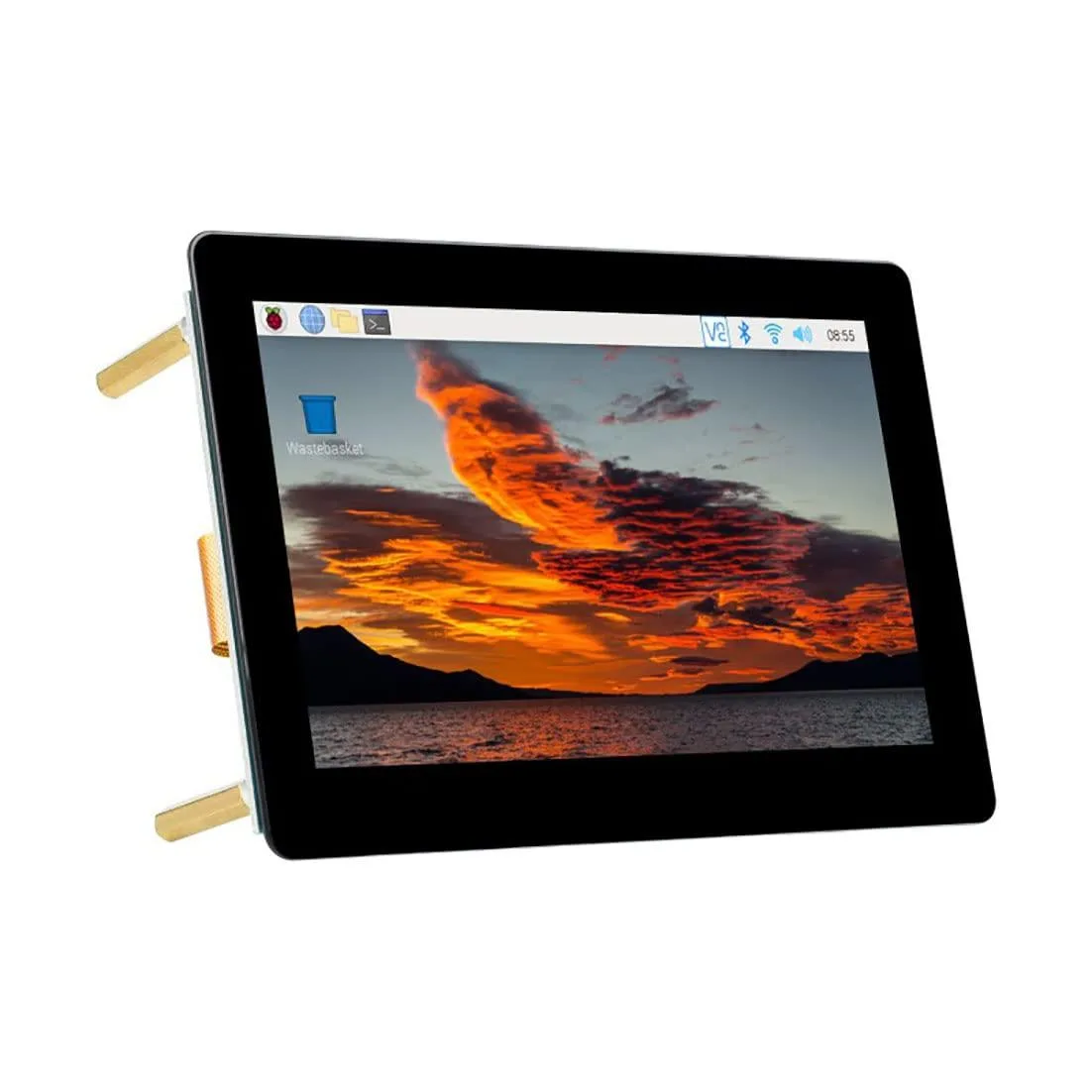


LORDWORLD
A 5-inch capacitive IPS touch display with 800×480 resolution and DSI interface for Raspberry Pi boards
The LORDWORLD panel is a 5-inch capacitive IPS touch display with an 800×480 resolution designed for Raspberry Pi development boards. It connects through the DSI interface and provides 5-point touch input on Raspberry Pi OS without requiring additional drivers. The board integrates directly with compatible Pi models for embedded projects.
This display suits makers building Raspberry Pi projects that need 5-point touch on Raspberry Pi OS, Ubuntu, Kali or Windows 10 IoT with single-touch fallback. It also works with RetroPie for gaming handhelds. Builders using hosts without a DSI connector or requiring touch on unsupported operating systems should look at alternative display solutions.
The panel attaches to the Raspberry Pi DSI port, leaving USB ports and GPIO pins free for other peripherals. Compatible models include Pi 4B, 3B+, 3A+, 3B, 2B, B+, A+ and Compute Modules 3, 3+ and 4 when used with the required extra adapter board. No separate driver installation is needed for supported operating systems.
| Brand | LORDWORLD |
|---|
Pi 4B, 3B+, 3A+, 3B, 2B, B+ and A+ connect directly; CM3, CM3+ and CM4 need an additional adapter board.
Single-point touch works driver-free on those operating systems.
Open a multi-touch test or drag five fingers simultaneously — all contact points should register on the 800×480 IPS panel.
Juga di rak ini
Rak yang sama, checkout yang sama — lapan koin kripto dan kunci kadar 30 minit.
Apa yang anda hantar untuk membayar, dan mata wang yang anda guna untuk membaca harga.
Dihantar daripada dompet anda semasa semak keluar
Untuk paparan sahaja — katalog diberi harga dalam USD
Tiada mata wang yang sepadan.
Pilih bahasa yang digunakan oleh laman web ini.
Tiada bahasa yang sepadan.
Pengguna baharu?
Sudah mempunyai akaun?
Tiada set semula automatik: kedai ini tidak menghantar sebarang e-mel, jadi tiada pautan sekali guna untuk diminta. Biarkan alamat pada akaun tersebut, ia akan diuruskan secara manual.
Permintaan direkodkan
Tiada apa-apa akan sampai ke peti masuk anda — kedai ini tidak menghantar sebarang e-mel. Seseorang akan menguruskannya secara manual.
Sudah teringat?



