MSI
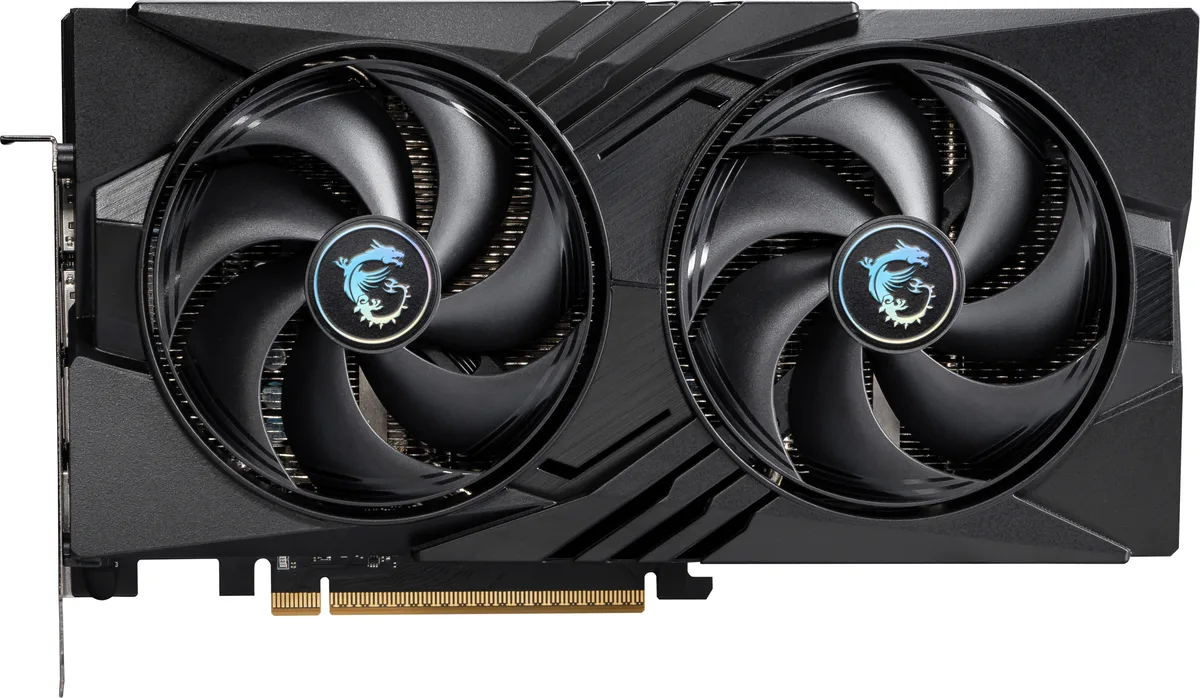
MSI RTX 5060 8G VENTUS 3X OC graphics card
- PCI Express 5.0 x 1…
- NVIDIA
US$ 365,99
0.00457682BTC
Op voorraadWij accepteren cryptovaluta — zo kunnen de munten die u bezit echte hardware kopen.Betaal in crypto, besteed het aan echte hardware. Gratis verzekerde verzending wereldwijd vanaf $399. Neutrale dozen zonder merk, verzonden vanuit Duitsland.Gratis verzekerde verzending vanaf $399. Uw koers wordt 30 minuten vastgezet zodra het afrekenen begint.Koers 30 minuten vastgezet. Elk artikel is verzegeld, het serienummer wordt gecontroleerd, en het valt onder 24 maanden garantie.Verzegeld, 24 maanden garantie.


MSI
GeForce RTX 5060 graphics card with 8 GB GDDR7 memory, 3840 CUDA cores and a 2527 MHz boost clock for 1440p gaming
Edition VENTUS 2X OC
Doorgestreepte varianten bestaan wel, maar zijn hier niet op voorraad.
This card carries 8 GB of GDDR7 memory on a 128-bit bus running at 28 Gbps. The configuration feeds the RTX 5060 GPU with enough bandwidth for 1440p gaming and creative workloads. The 3840 CUDA cores operate at a 2527 MHz boost clock. A PCIe 5.0 x16 interface running at x8 completes the data path.
The memory capacity and bus width suit players targeting high-refresh 1440p and creators starting with GPU-accelerated apps. Builds that need more VRAM for 4K textures, heavy 3D scenes or large language models should consider cards with wider buses and larger buffers. The dual-fan Ventus cooler fits standard mid-tower cases without special clearance planning.
The card plugs into a PCIe 5.0 x16 slot but negotiates an x8 electrical link. On platforms that only wire the primary slot for x8, performance remains unchanged. Systems limited to PCIe 4.0 will see the link drop to 4.0 x8, which may marginally affect bandwidth-heavy titles. Verify your motherboard lane allocation before purchase.
| Brand | MSI |
|---|---|
| Series | Ventus |
| Model | RTX 5060 8G VENTUS 2X OC |
| Part Number | RTX 5060 8G VENTUS 2X OC |
| Interface | PCI Express 5.0 x 16 (use x8) |
| Chipset Manufacturer | NVIDIA |
| GPU Series | NVIDIA GeForce RTX 50 Series |
| GPU | GeForce RTX 5060 |
| Boost Clock | 2527 MHz |
| CUDA Cores | 3840 |
| Effective Memory Clock | 28 Gbps |
| Memory Size | 8GB |
| Memory Interface | 128-Bit |
| Memory Type | GDDR7 |
| DirectX | DirectX 12 Ultimate |
| OpenGL | OpenGL 4.6 |
| Multi-Monitor Support | 4 |
| HDMI | 1 x HDMI 2.1b |
| DisplayPort | 3 x DisplayPort 2.1b |
| Color | Silver |
| Max Resolution | 7680 x 4320 |
| SLI Support | No |
| Cooler | Double Fans |
| Thermal Design Power | 145W |
| Recommended PSU Wattage | 550W |
| Power Connector | 8-Pin |
| HDCP Ready | Yes |
| Max GPU Length | 197 mm |
| Card Dimensions (L x H) | 197 x 120 x 41 mm |
| Verzendgewicht | 0.89 kg |
| Pakketafmetingen | 279 × 203 × 76 mm |
Andere versies van dit model
Dezelfde familie, met ander geheugen, andere koeler of kloksnelheid — vergelijk voordat u beslist.
The card uses a PCI Express 5.0 x16 interface that operates at x8, so it works in any PCIe x16 slot from version 3.0 upwards.
Yes, the single HDMI 2.1b port is backward compatible with HDMI 2.0 displays, and the three DisplayPort 2.1b ports also support older DisplayPort versions.
Open the NVIDIA overlay or a monitoring tool like GPU-Z while a 3D load is running; the reported boost clock should show 2527 MHz.
Ook in deze afdeling
Dezelfde afdeling, dezelfde kassa — acht munten en een koers die 30 minuten vaststaat.
Waarmee u betaalt, en waarin u de prijzen leest.
Verzonden vanuit uw wallet bij het afrekenen
Alleen ter weergave — de catalogus is geprijsd in USD
Geen valuta gevonden.
Kies de taal waarin de site met u spreekt.
Nieuw hier?
Al een account?
Er is geen automatisch herstel: deze winkel verstuurt geen e-mail, dus er is geen eenmalige link om aan te vragen. Laat het adres op het account achter en het wordt handmatig opgepakt.
Verzoek genoteerd
Er is niets onderweg naar uw inbox — deze winkel verstuurt helemaal geen e-mail. Iemand pakt dit handmatig op.
Weet u het weer?