

Raywego
Raywego 24" Curved Gaming Monitor 200Hz FHD 1ms VA 3000R Black
- 24"
- 200Hz
US$ 69,99
0.00087442BTC
Op voorraadWij accepteren cryptovaluta — zo kunnen de munten die u bezit echte hardware kopen.Betaal in crypto, besteed het aan echte hardware. Gratis verzekerde verzending wereldwijd vanaf $399. Neutrale dozen zonder merk, verzonden vanuit Duitsland.Gratis verzekerde verzending vanaf $399. Uw koers wordt 30 minuten vastgezet zodra het afrekenen begint.Koers 30 minuten vastgezet. Elk artikel is verzegeld, het serienummer wordt gecontroleerd, en het valt onder 24 maanden garantie.Verzegeld, 24 maanden garantie.


Raywego
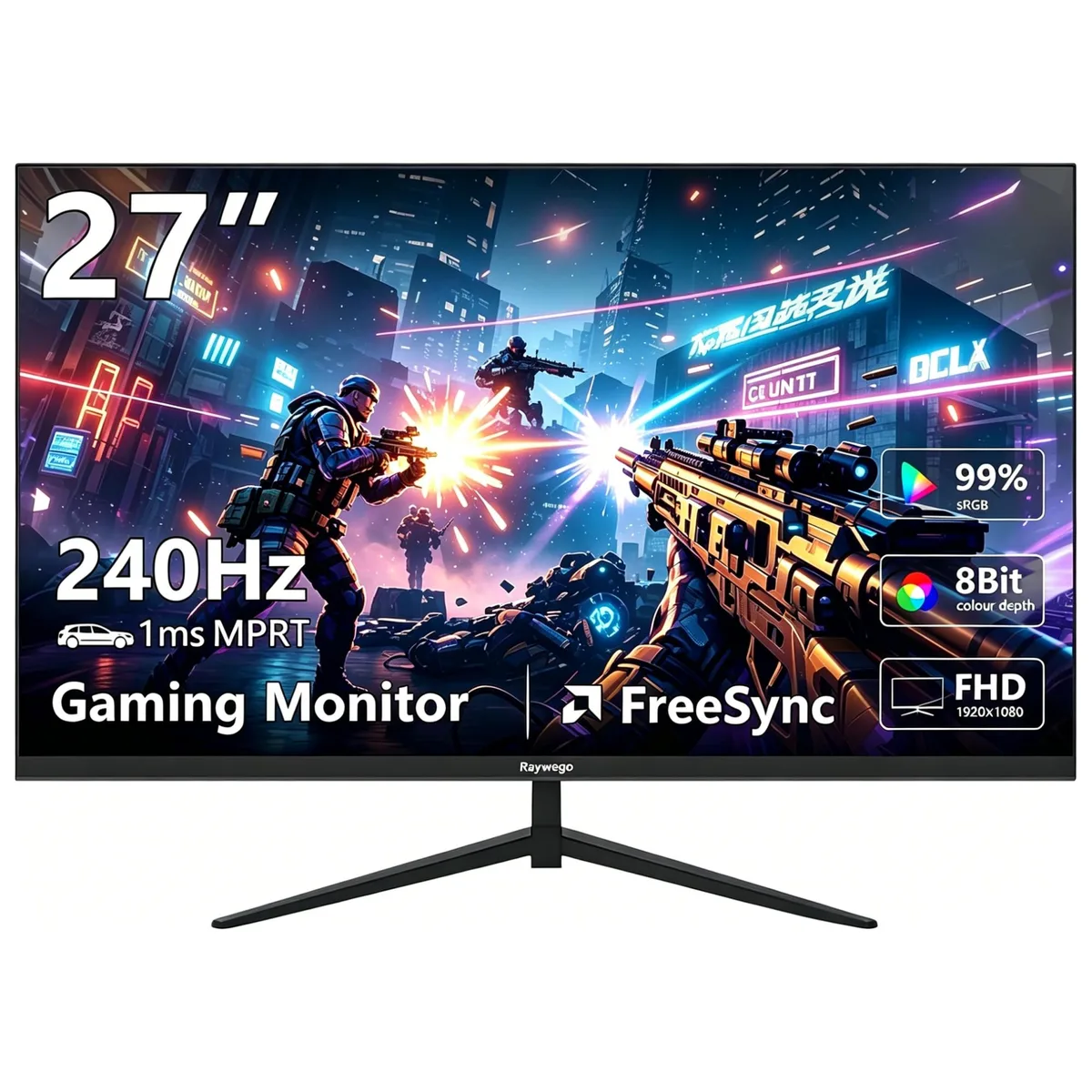
A 27-inch flat VA gaming monitor with 240Hz refresh rate, 1ms response time, 99% sRGB coverage, HDR10 support, 400 cd/m² brightness, FreeSync and G-Sync compatibility, plus VESA 100mm mounting
Raywego 27 inch 240Hz
The Raywego 27 inch flat VA panel delivers a 1920 x 1080 resolution at a 240Hz refresh rate with 1ms MPRT response time. It covers 99 percent sRGB colour gamut and supports HDR10 for vivid visuals. Competitive gamers seeking high frame rates in fast-paced titles will benefit from the smooth motion clarity and adaptive sync compatibility.
The monitor includes two HDMI 2.0 ports and two DisplayPort 1.4 inputs plus an AC power connection for flexible device hookup. A 100mm x 100mm VESA pattern allows standard arm or wall mounting on a flat panel. Users must select DisplayPort 1.4 to reach the full 240Hz refresh rate as HDMI 2.0 may limit the maximum frame rate at this resolution.
DisplayPort 1.4 provides the necessary bandwidth for 240Hz at 1920 x 1080 while HDMI 2.0 may not sustain the top refresh rate. The VA panel offers 178 degree viewing angles with a typical 1000:1 contrast ratio and 400 cd/m2 brightness. Buyers needing higher pixel density for detailed productivity work or wider colour volumes beyond sRGB should consider alternative specifications.
| Screen Size | 27" |
|---|---|
| Refresh Rate | 240Hz |
| Resolution | 1920 x 1080 |
| Response Time | 1 ms |
| Display Colors | 16.7 Million |
| Panel | VA |
| Aspect Ratio | 16:9 |
| Curved Surface Screen | Flat Panel |
| Widescreen | Yes |
| Brightness | 400 cd/m2 |
| Contrast Ratio | 1000:1 |
| Glare Screen | Anti-glare |
| Maximum Resolution | 1920 x 1080 |
| Viewing Angle | 89° (H) / 89° (V) |
| Horizontal Refresh Rate | 240 Hz |
| Display Type | FHD |
| Adaptive Sync Technology | FreeSync & G-Sync Compatible |
| Color Gamut | sRGB 99% |
| HDR Standard | HDR10 |
| Brand | Raywego |
| Model | Z27 |
| Series | Z27B15 |
| Cabinet Color | Black |
| Bezel Design | 3 Sided Frameless |
| Cosmetic Condition | Grade A |
| HDMI | 2 x HDMI 2.0 |
| Connectors | HDMI, DisplayPort |
| DisplayPort | 2 x DisplayPort 1.4 |
| Stand Adjustments | Tilt |
| Power Supply | 100-240 VAC |
| Power Consumption | 21 W |
| Humidity Range | 20~80% (non-condensation) |
Andere versies van dit model
Dezelfde familie, met ander geheugen, andere koeler of kloksnelheid — vergelijk voordat u beslist.
Open Windows display settings or the GPU control panel and verify the refresh rate is set to 240 Hz; the on-screen menu also shows the current 240 Hz signal when a compatible cable is used.
The package contains the 27 inch monitor, a stand with base, an AC power cable, one HDMI 2.0 cable and one DisplayPort 1.4 cable.
Use the DisplayPort 1.4 connection to reach the full 240 Hz refresh rate; HDMI 2.0 is limited to lower refresh rates at this resolution.
Ook in deze afdeling
Dezelfde afdeling, dezelfde kassa — acht munten en een koers die 30 minuten vaststaat.
Waarmee u betaalt, en waarin u de prijzen leest.
Verzonden vanuit uw wallet bij het afrekenen
Alleen ter weergave — de catalogus is geprijsd in USD
Geen valuta gevonden.
Kies de taal waarin de site met u spreekt.
Nieuw hier?
Al een account?
Er is geen automatisch herstel: deze winkel verstuurt geen e-mail, dus er is geen eenmalige link om aan te vragen. Laat het adres op het account achter en het wordt handmatig opgepakt.
Verzoek genoteerd
Er is niets onderweg naar uw inbox — deze winkel verstuurt helemaal geen e-mail. Iemand pakt dit handmatig op.
Weet u het weer?





