


myVolts
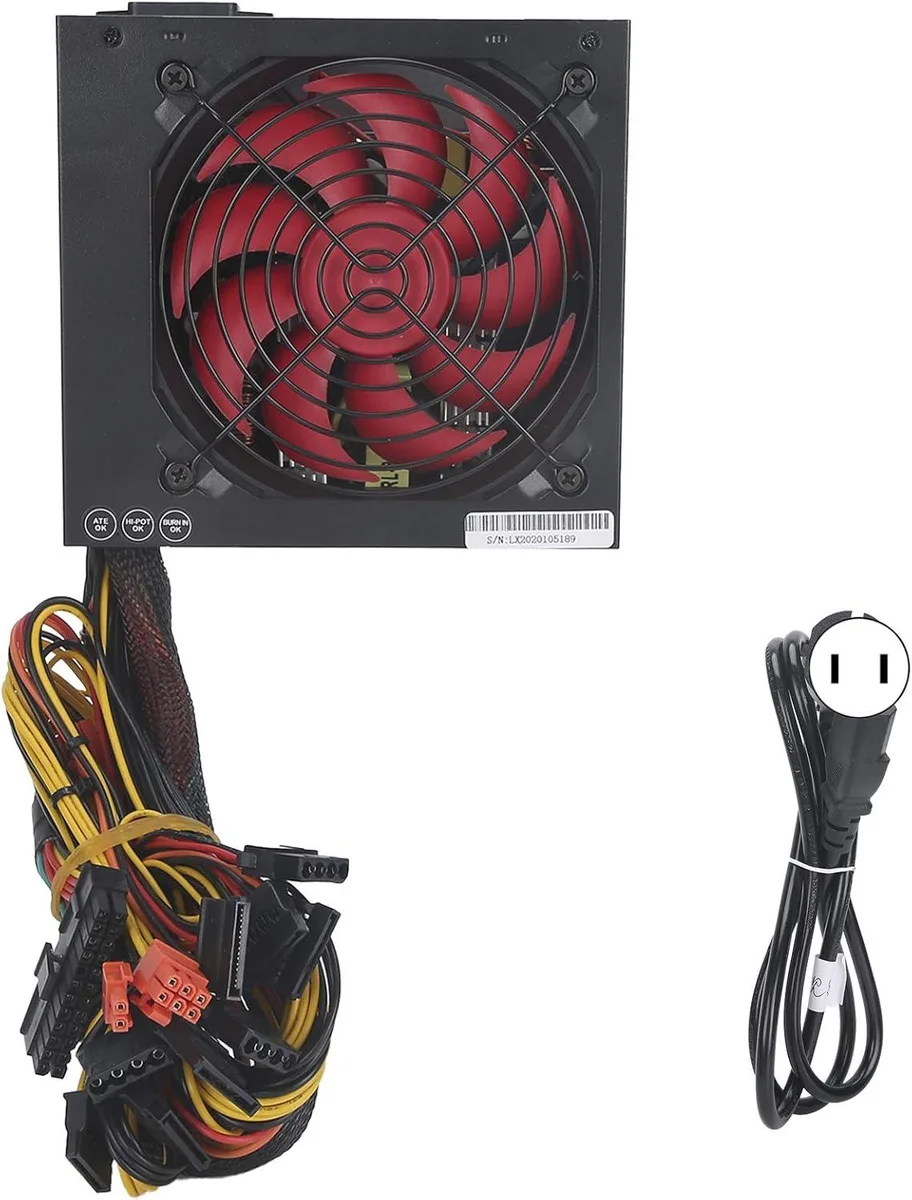
myVolts ATX-600W 600W power supply red fan 14cm 115/230V
A 600 W ATX power supply with a 14 cm fan, 80 % efficiency, 20+4 pin motherboard connector, six SATA ports, dual 6+2 pin GPU leads and manual 115/230 V switching
- TypeAT
- Clear connector labels speed up installation
- 14 cm fan with thermal sensor adjusts speed for quiet operation
- Manual 115/230 V switch suits global mains
- 600 W output with >80 % efficiency powers basic desktops
- Double magnetic ring design follows Intel ATX12V 2.31 spec
600 W ATX power supply for basic desktops
This unit delivers 600 W of rated power in a standard ATX form factor. It targets builders assembling low-energy, low-noise office or home PCs. Clearly marked connectors simplify cable routing during assembly. The manual 115/230 V switch lets the supply operate worldwide without extra hardware.
Thermal sensor fan control and double magnetic ring
A 14 cm fan spins under automatic thermal control, so speed rises only when internal temperature demands it. The double magnetic ring design follows the Intel ATX12V 2.31 specification for stable output. Efficiency exceeds 80 percent, keeping waste heat and acoustic output low in typical desktop workloads. Hold-up time is rated above 10 ms for brief mains interruptions.
Connectors for motherboard CPU drives and graphics
The supply provides a 20+4 pin motherboard connector, a 4+4 pin CPU connector, six SATA connectors and two 6+2 pin PCIe connectors. Three fan headers are available for case cooling. Dimensions are approximately 150 x 160 x 86 mm with a 1.1 metre mains lead. Builds needing more than six SATA devices or additional PCIe power cables will require a different unit.
Najważniejsze cechy
- Clear connector labels speed up installation
- 14 cm fan with thermal sensor adjusts speed for quiet operation
- Manual 115/230 V switch suits global mains
- 600 W output with >80 % efficiency powers basic desktops
- Double magnetic ring design follows Intel ATX12V 2.31 spec
Specyfikacja
| Type | AT |
|---|
Pytania dotyczące tego produktu
How do I connect the 20+4 pin motherboard connector and the 4+4 pin CPU cable, and which step do builders often miss?
Match the keyed 20+4 pin plug to the motherboard socket and the 4+4 pin plug to the CPU 12 V header; the step most often missed is flipping the manual 115/230 V switch to match the local mains before first power-on.
What component will likely need replacement first, and after how many hours?
The 14 cm cooling fan is the only moving part; the unit is rated for 100000 hours of operation, so the fan is the component most likely to require replacement after extended use.
At what load does the thermal sensor ramp the fan to maximum speed under sustained operation?
The internal thermal sensor automatically increases fan speed as temperature rises; sustained loads approaching the 600 W rating will cause the fan to run at its highest speed to maintain cooling.
Także w tym dziale
Klienci porównywali też te produkty
Ten sam dział, ta sama kasa — osiem kryptowalut i 30-minutowa blokada kursu.


Mushkin Enhanced
Mushkin Enhanced 4GB DDR2-800 CL6 SoDIMM Apple 971741A memory upgrade
104,99 USD
0.00134829BTC
Dostępny

SK hynix
SK hynix HYMD232M646C6-J 256MB DDR 333MHz PC2700 CL2.5 SODIMM laptop RAM
- 4GB (2 x 2GB)
7,99 USD
0.00010261BTC
Dostępny