


Uperfect
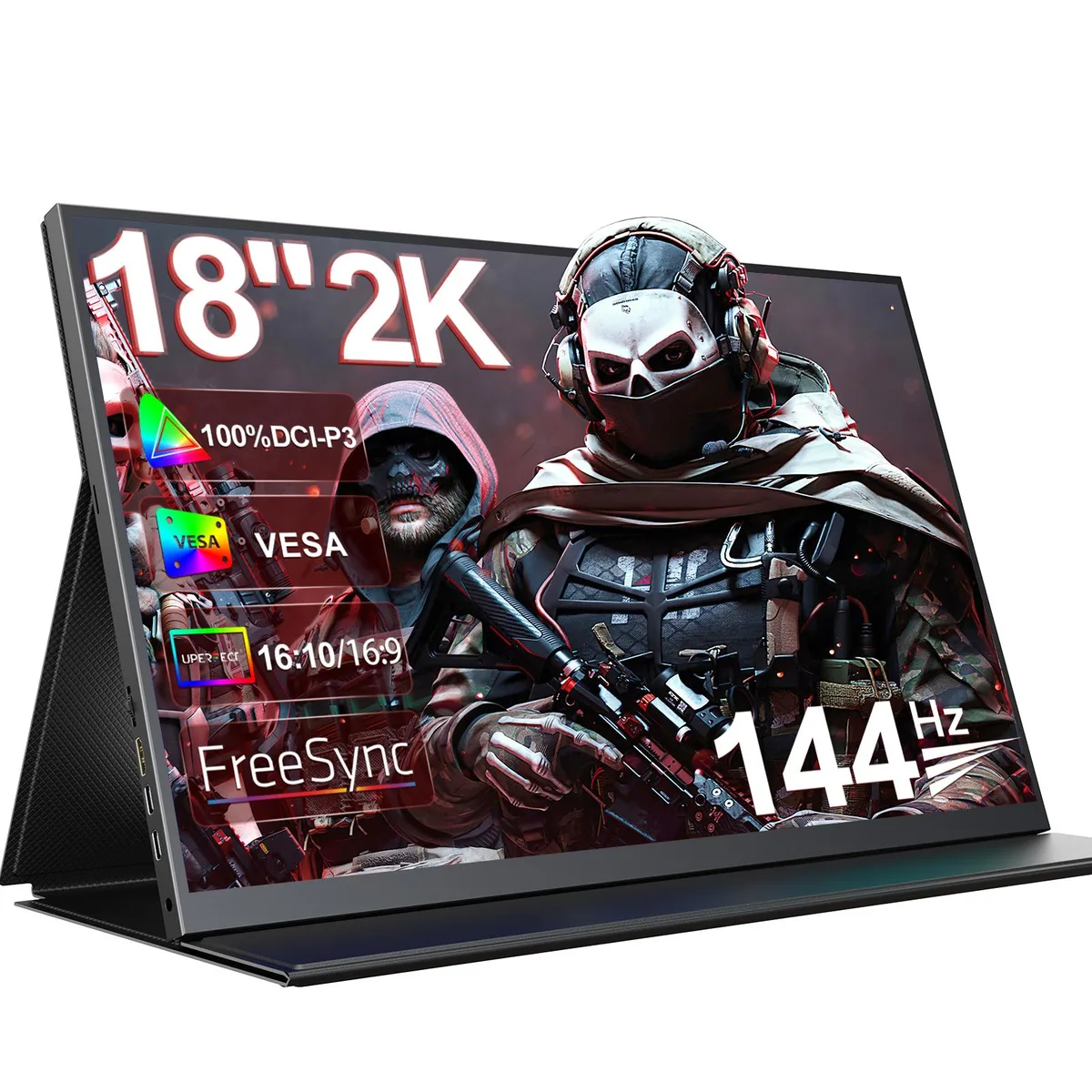
Uperfect UGame K118 18" 2K 144Hz Portable Gaming Monitor
An 18‑inch portable IPS monitor with 2K resolution, 144 Hz refresh, FreeSync and 100 % DCI‑P3 colour for gaming or creative work on the move
- Screen Size18"
- PanelIPS
- Maximum Resolution2560 x 1600
- Resolution2560 x 1600 (2K)
- Viewing Angle178° (H) / 178° (V)
- Aspect Ratio16:10
- Spacious 18-inch screen with blue-light filter, anti-glare and flicker-free tech reduces eye strain during long sessions
- 2560 x 1600 resolution at 144 Hz with FreeSync and HDR delivers smooth, responsive gameplay
- 100% DCI-P3 colour gamut on a matte IPS panel gives accurate colours and 178° viewing angles for creative work
- Two USB-C ports, Mini HDMI and 75 x 75 mm VESA mount connect consoles, laptops and phones flexibly
- On-screen black equalizer, backlight control and picture presets let you tailor the image to each game
18-Inch Portable Gaming Monitor
The Uperfect UGame K118 is an 18-inch portable gaming monitor built around a 2560 x 1600 IPS panel with a 144Hz refresh rate and AMD FreeSync. It covers 100% DCI-P3 colour volume and includes HDR support, a matte anti-glare coating, and integrated eye-care features such as blue-light filter and flicker-free operation. Connectivity uses one Mini HDMI and two USB Type-C ports alongside a 3.5mm headphone jack and built-in speakers.
Suits Mobile Gamers And Colour-Critical Work
This display suits users who need a large 18-inch 16:10 canvas for gaming or creative tasks while travelling or working in tight spaces. The 144Hz rate and FreeSync deliver smooth motion, and the 100% DCI-P3 gamut aids photo editing. Buyers who require multiple full-size HDMI or DisplayPort inputs, a higher peak brightness than 300 cd/m2, or a larger desktop replacement screen should consider other models.
144Hz Refresh Rate Decides Gaming Fit
The single specification that determines whether this monitor fits your needs is the 144Hz maximum refresh rate paired with 2560 x 1600 resolution. If your games or workflow demand higher frame rates or a different resolution, this panel will not meet that requirement. For 144Hz gaming and 2K clarity in a portable 18-inch form factor, the refresh rate is the deciding factor.
Najważniejsze cechy
- Spacious 18-inch screen with blue-light filter, anti-glare and flicker-free tech reduces eye strain during long sessions
- 2560 x 1600 resolution at 144 Hz with FreeSync and HDR delivers smooth, responsive gameplay
- 100% DCI-P3 colour gamut on a matte IPS panel gives accurate colours and 178° viewing angles for creative work
- Two USB-C ports, Mini HDMI and 75 x 75 mm VESA mount connect consoles, laptops and phones flexibly
- On-screen black equalizer, backlight control and picture presets let you tailor the image to each game
Specyfikacja
| Brand | Uperfect |
|---|---|
| Screen Size | 18" |
| Panel | IPS |
| Maximum Resolution | 2560 x 1600 |
| Resolution | 2560 x 1600 (2K) |
| Viewing Angle | 178° (H) / 178° (V) |
| Aspect Ratio | 16:10 |
| Brightness | 300 cd/m2 |
| Contrast Ratio | 1000:1 |
| Display Colors | 16.7 Million |
| Refresh Rate | 144Hz |
| Video Ports | 1 x Mini HDMI |
| USB 3.0 | 2 |
| Headphone | 1*3.5mm headphone jack |
| Built-in Speakers | Yes |
| VESA Compatibility - Mountable | 75 x 75mm |
| Dimensions | 16.9 x 10.33 x 0.5 |
| Weight | 3.3 |
Pytania dotyczące tego produktu
What VESA mounting pattern and screw size does the 18" UGame K118 require?
The monitor uses a 75 x 75 mm VESA pattern with M4 screws. The chassis is 0.5 inches thick and weighs 3.3 lb, so any arm or bracket rated for that pattern and weight will fit.
Which cable should I plug in first when connecting the UGame K118 to a laptop, and what common step is missed?
Connect a USB-C cable that carries both video and power to one of the two Type-C ports, or use the Mini HDMI plus a separate power source. The step often missed is confirming the laptop’s USB-C port supports DisplayPort Alt Mode; otherwise no signal appears.
What user-serviceable parts or maintenance will the UGame K118 need over time?
No internal parts are user-serviceable. Maintenance is limited to cleaning the matte IPS panel with a microfibre cloth and checking that the Mini HDMI, two USB-C, two USB 3.0 and 3.5 mm jack ports stay free of dust and debris.
Także w tym dziale
Klienci porównywali też te produkty
Ten sam dział, ta sama kasa — osiem kryptowalut i 30-minutowa blokada kursu.




