

EN-Labs
EN-Labs 11-001-366 PCIe x4 USB 3.2 10Gbps 5-port card
- no
- 12CM Case fan,screw…
31,99 USD
0.00041018BTC
În stocAcceptăm criptomonede — astfel, criptomonedele pe care le dețineți pot cumpăra echipamente reale.Plătiți în cripto, cheltuiți-o pe echipamente reale. Livrare asigurată gratuită oriunde în lume peste 399 $. Cartoane neutre, fără marcă, expediate din Germania.Livrare asigurată gratuită peste 399 $. Cursul dumneavoastră este blocat timp de 30 de minute de la deschiderea paginii de plată.Curs blocat 30 de minute. Fiecare articol este sigilat, numărul de serie este verificat, iar produsul este acoperit de o garanție de 24 de luni.Sigilat, garantat 24 de luni.


KEHIPI
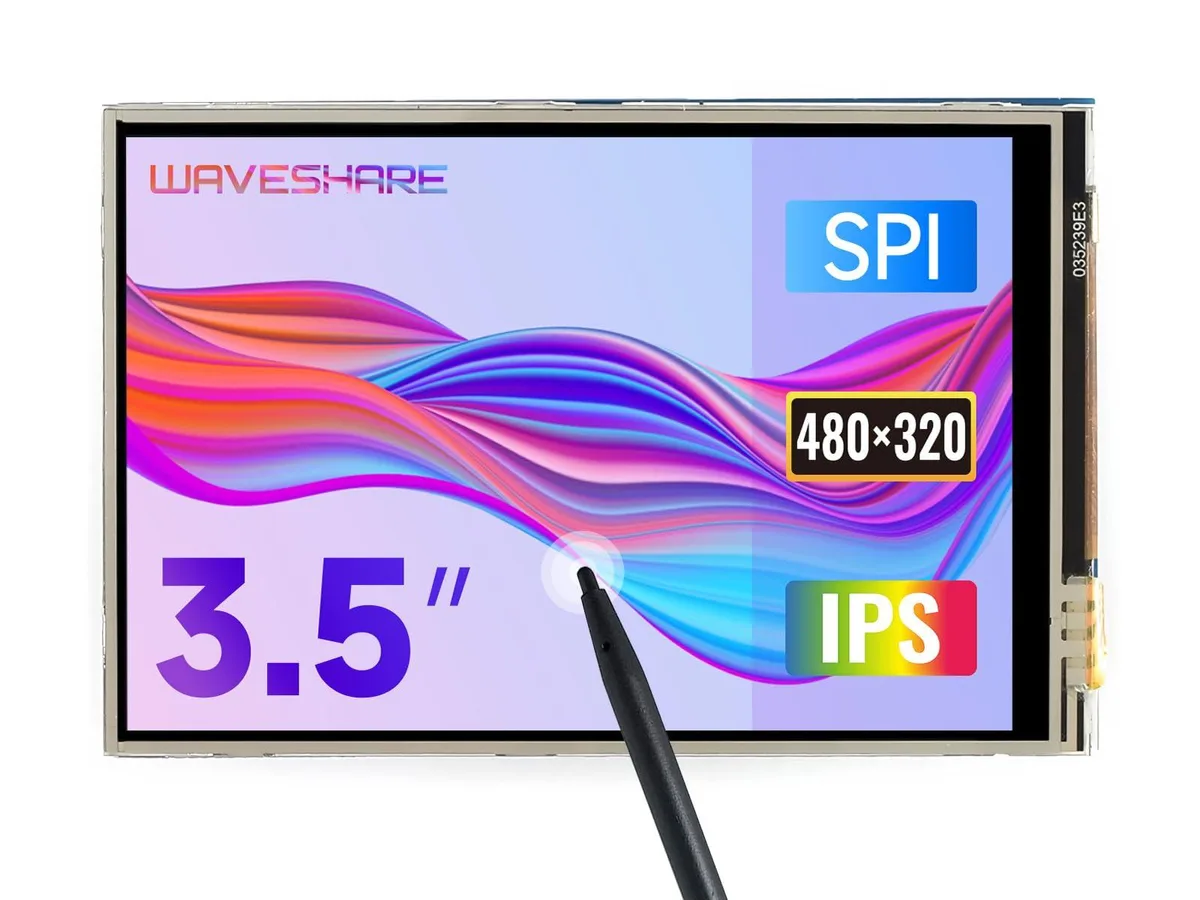
A 3.5 inch TFT LCD with 480x320 resolution and resistive touch, compatible with Raspberry Pi 5, 4B, 3B, Zero and Pico boards
This 3.5 inch TFT LCD adds a 480x320 resistive touchscreen to Raspberry Pi 5, 4B, 3B, Zero, Zero W, Zero 2W, Pico, Pico W and Pico WH boards. It targets makers and developers who need a small interactive display for embedded projects. The hardware resolution suits simple graphical interfaces and status panels.
The board uses an immersion gold surface finish on its connector for reliable contact with the Raspberry Pi GPIO header. Resistive touch control operates with a stylus or gloved finger, useful in workshop or outdoor environments. Drivers integrate with Raspbian, Ubuntu and Kali without kernel recompilation.
Supplied drivers support FBCP software configuration, letting users adjust the software resolution and mirror or extend the desktop to a second HDMI monitor. An online manual details installation steps and calibration. No separate power adapter or mounting hardware is included in the package.
| Brand | waveshare |
|---|---|
| Model | 3.5inch RPi LCD (A) |
| Part Number | 3.5inch RPi LCD (A) |
The board connects through the Raspberry Pi 40-pin GPIO header and is limited to its native 480x320 hardware resolution.
It aligns with the standard 40-pin header and matches the footprint of Pi B+, 2B, 3B, 3B+ and 4B boards, so no extra mounting holes or spacers are required.
Enable the SPI interface in raspi-config, then run the vendor’s driver install script; the step most people skip is rebooting after enabling SPI before launching the installer.
Tot din acest raion
Același raion, aceeași finalizare a comenzii — opt monede și un curs blocat 30 de minute.
În ce monedă plătiți și în ce monedă citiți prețurile.
Trimis din portofelul dumneavoastră la finalizarea comenzii
Doar pentru afișare — catalogul este exprimat în dolari
Nicio monedă nu corespunde.
Alegeți limba în care vă vorbește site-ul.
No language matches that.
Prima vizită?
Aveți deja un cont?
Nu există o resetare automată: acest magazin nu trimite niciun e-mail, deci nu există niciun link de unică folosință de solicitat. Lăsați adresa în cont. Va fi tratată manual.
Cerere înregistrată
Nu veți primi nimic în căsuța de e-mail — acest magazin nu trimite niciun e-mail. Cineva se ocupă de asta manual.
V-ați amintit-o?



