Arozzi
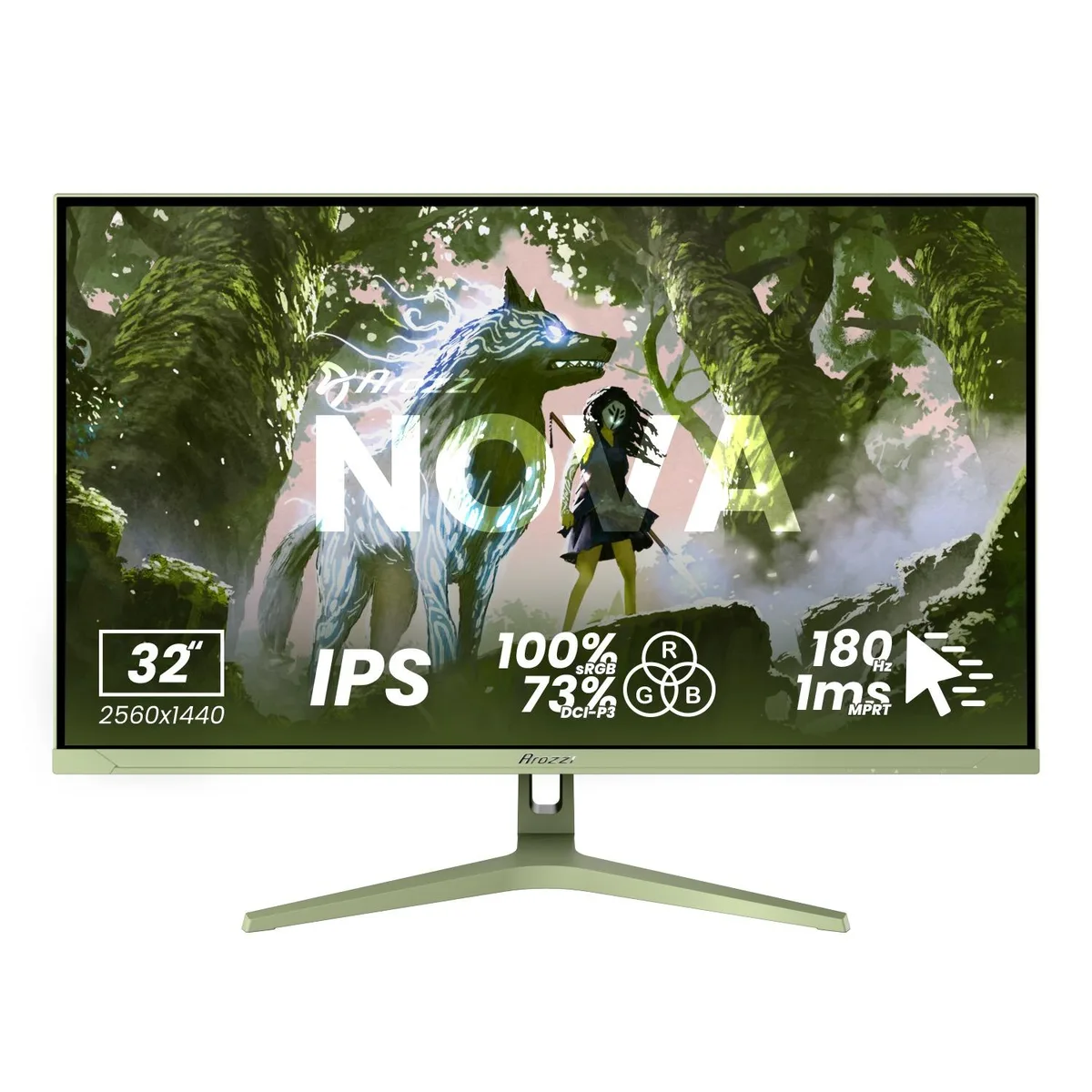
Arozzi Nova 27" 1440p 180Hz IPS Gaming Monitor - Black
- 27"
- 2560 x 1440 (2K)
US$172.99
0.00221025BTC
มีสินค้าเรารับชำระด้วยคริปโต — เหรียญที่คุณถืออยู่จึงนำมาซื้อฮาร์ดแวร์ของจริงได้จ่ายด้วยคริปโต แล้วนำไปซื้อฮาร์ดแวร์ของจริง จัดส่งฟรีพร้อมประกันภัยทั่วโลก เมื่อสั่งซื้อเกิน US$399 กล่องพัสดุเรียบไม่มีตราสินค้า จัดส่งจากประเทศเยอรมนีจัดส่งฟรีพร้อมประกันภัย เมื่อสั่งซื้อเกิน US$399 อัตราแลกเปลี่ยนของคุณจะถูกล็อกไว้ 30 นาที ทันทีที่เปิดหน้าชำระเงินล็อกอัตราแลกเปลี่ยน 30 นาที สินค้าทุกชิ้นปิดผนึกจากโรงงาน ตรวจสอบหมายเลขซีเรียล และรับประกัน 24 เดือนปิดผนึกจากโรงงาน รับประกัน 24 เดือน


Arozzi
A 27-inch IPS gaming monitor with 2560 x 1440 resolution, 180Hz refresh rate, 1ms response time, and 350 nits brightness
Size Nova 27"
Color White
The Arozzi Nova is a 27-inch IPS gaming monitor built for players who want sharp 2560 x 1440 resolution and fluid motion. Its 180Hz refresh rate and 1ms response time keep fast-paced action clear, while the 178-degree viewing angles preserve colour consistency across the screen.
This display suits anyone gaming on PC or console who values high refresh rates and tear-free adaptive sync at QHD. Buyers who need 4K resolution, higher peak brightness than 350 nits, or built-in USB hubs should look at other models.
The single specification that determines whether this monitor fits your needs is the 180Hz refresh rate combined with 1ms response. If your graphics card or console cannot push high frame rates at 1440p, a lower-refresh panel may offer better value.
| Screen Size | 27" |
|---|---|
| Resolution | 2560 x 1440 (2K) |
| Aspect Ratio | 16:9 |
| Response Time | 1 ms |
| Refresh Rate | 180Hz |
รุ่นอื่นในตระกูลเดียวกัน
ตระกูลเดียวกัน แต่หน่วยความจำ คูลเลอร์ หรือสัญญาณนาฬิกาต่างกัน — เปรียบเทียบก่อนตัดสินใจ
The monitor provides two HDMI and two DisplayPort connections, supporting the full 180 Hz refresh rate at 2560×1440 resolution.
The screen measures 27 inches diagonally with a 16:9 aspect ratio; the stand offers tilt adjustment and the rear includes a VESA mounting interface.
Connect a DisplayPort cable, select 180 Hz in your OS display settings, enable adaptive sync in the monitor menu, and turn on HDR10 if desired.
อื่น ๆ ในหมวดนี้
หมวดเดียวกัน การชำระเงินแบบเดียวกัน — แปดสกุลเงินคริปโตและอัตราแลกเปลี่ยนที่ล็อกไว้ 30 นาที
สิ่งที่คุณใช้ชำระ และสิ่งที่คุณใช้อ่านราคา
ส่งจากกระเป๋าเงินของคุณเมื่อชำระเงิน
แสดงผลเท่านั้น — แคตตาล็อกสินค้าตั้งราคาเป็นดอลลาร์สหรัฐ
ไม่พบสกุลเงินที่ตรงกัน
เลือกภาษาที่ต้องการให้เว็บไซต์แสดงผล
ไม่พบภาษาที่ตรงกัน
ยังไม่เคยใช้งานใช่ไหม
มีบัญชีอยู่แล้วใช่ไหม
ไม่มีการรีเซ็ตแบบอัตโนมัติ ร้านนี้ไม่ส่งอีเมลใด ๆ จึงไม่มีลิงก์ใช้ครั้งเดียวให้ขอ ปล่อยที่อยู่อีเมลนี้ไว้ในบัญชี แล้วเจ้าหน้าที่จะดำเนินการให้ด้วยตนเอง
รับคำขอแล้ว
ไม่มีอะไรถูกส่งไปยังกล่องจดหมายของคุณ — ร้านนี้ไม่ส่งอีเมลใด ๆ เลย มีคนดำเนินการเรื่องนี้ให้ด้วยมือ
นึกออกแล้วใช่ไหม