
SK hynix
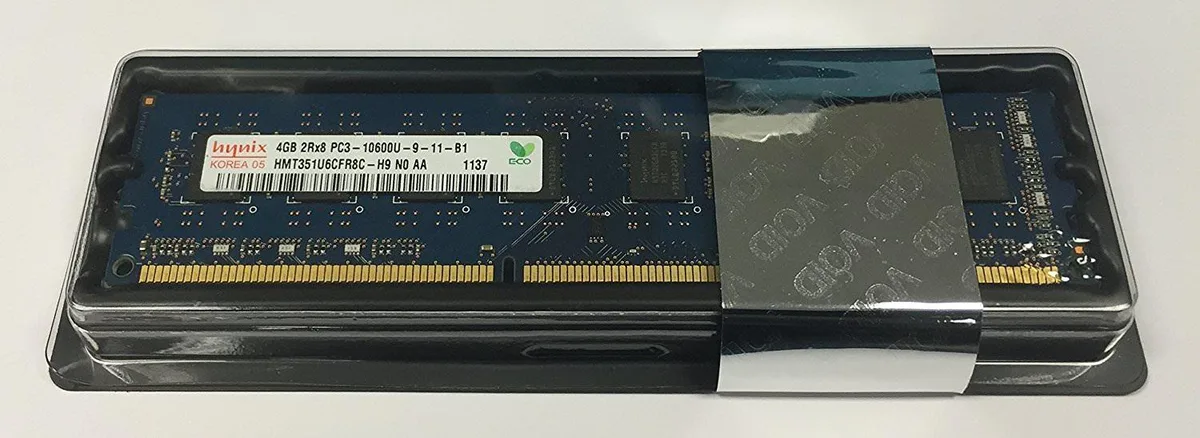
SK hynix 4GB DDR3 1333MHz CL9 1.5V 240-Pin Desktop RAM
Adds 4 GB of DDR3 desktop memory running at 1333 MHz with CL9 latency and 1.5 V operation
- Capacity4GB
- SpeedDDR3 1333 (PC3 10600)
- CAS LatencyCL9
- 4GB capacity adds responsive multitasking headroom
- DDR3 1333MHz speed delivers reliable data throughput
- CL9 latency reduces command wait cycles
- 5V operation matches standard desktop DIMM voltage
4GB DDR3 desktop module
This 4 GB DDR3 DIMM runs at 1333 MHz with CL9 latency and 1.5 V operation. It uses a 240-pin unbuffered layout suitable for standard desktop motherboards. The non-ECC design targets everyday office and home systems. It installs directly into compatible DDR3 slots.
Capacity and headroom
Four gigabytes handles light multitasking, web browsing and older applications without pressure. Memory-intensive workloads such as modern gaming, video editing or virtual machines will exceed the available space. The single module leaves no room for dual-channel bandwidth gains. Buyers needing more capacity or ECC error correction should look elsewhere.
จุดเด่น
- 4GB capacity adds responsive multitasking headroom
- DDR3 1333MHz speed delivers reliable data throughput
- CL9 latency reduces command wait cycles
- 5V operation matches standard desktop DIMM voltage
ข้อมูลจำเพาะ
| Capacity | 4GB |
|---|---|
| Speed | DDR3 1333 (PC3 10600) |
| CAS Latency | CL9 |
คำถามเกี่ยวกับสินค้านี้
Will this DDR3 1333MHz CL9 module run alongside my existing DDR3 memory?
This module operates at DDR3 1333 (PC3-10600) with CL9 timing and 1.5V. Mixing speeds will cause all modules to run at the slowest installed speed.
How can I confirm the 1333MHz speed and CL9 latency are active after installation?
Open the BIOS or use a tool such as CPU-Z; the memory tab should show DDR3-1333 frequency and 9-9-9-24 timings at 1.5V.
อื่น ๆ ในหมวดนี้
ลูกค้ามักเปรียบเทียบสินค้าเหล่านี้
หมวดเดียวกัน การชำระเงินแบบเดียวกัน — แปดสกุลเงินคริปโตและอัตราแลกเปลี่ยนที่ล็อกไว้ 30 นาที


Mushkin Enhanced
Mushkin Enhanced 4GB DDR2-800 CL6 SoDIMM Apple 971741A memory upgrade
US$104.99
0.00134817BTC
มีสินค้า

SK hynix
SK hynix HYMD232M646C6-J 256MB DDR 333MHz PC2700 CL2.5 SODIMM laptop RAM
- 4GB (2 x 2GB)
US$7.99
0.0001026BTC
มีสินค้า