

Axiom
Axiom AXG72095858/1 16 GB DDR4 SoDIMM 260-pin 2133 MHz CL15 ECC server RAM
324.99 US$
0.00414766BTC
متوفرنقبل الدفع بالعملة المشفرة — لذلك يمكن للعملات الرقمية التي تملكها أن تشتري أجهزة حقيقية.ادفع بالعملة المشفرة، وأنفقها على أجهزة حقيقية. شحن مؤمن مجانا إلى كل أنحاء العالم لما يتجاوز 399 US$. صناديق شحن بسيطة بلا علامة تجارية، ترسل من ألمانيا.شحن مؤمن مجانا لما يتجاوز 399 US$. يُقفل سعرك لمدة 30 دقيقة بمجرد فتح صفحة الدفع.السعر مقفل لمدة 30 دقيقة. كل قطعة مختومة، ورقمها التسلسلي متحقق منه، ومشمولة بضمان 24 شهرا.مختوم، وبضمان 24 شهرا.
SK hynix
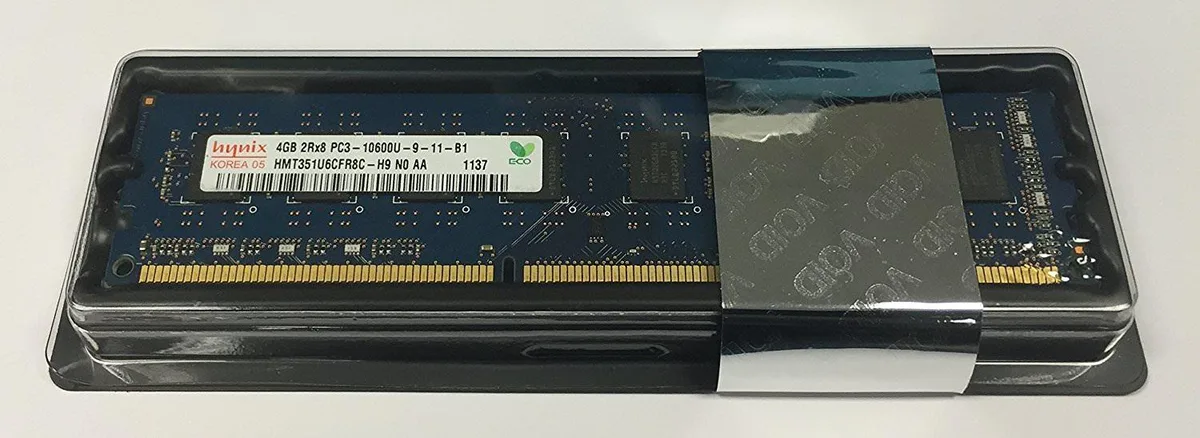
Adds 4 GB of DDR3 desktop memory running at 1333 MHz with CL9 latency and 1.5 V operation
This 4 GB DDR3 DIMM runs at 1333 MHz with CL9 latency and 1.5 V operation. It uses a 240-pin unbuffered layout suitable for standard desktop motherboards. The non-ECC design targets everyday office and home systems. It installs directly into compatible DDR3 slots.
Four gigabytes handles light multitasking, web browsing and older applications without pressure. Memory-intensive workloads such as modern gaming, video editing or virtual machines will exceed the available space. The single module leaves no room for dual-channel bandwidth gains. Buyers needing more capacity or ECC error correction should look elsewhere.
| Capacity | 4GB |
|---|---|
| Speed | DDR3 1333 (PC3 10600) |
| CAS Latency | CL9 |
This module operates at DDR3 1333 (PC3-10600) with CL9 timing and 1.5V. Mixing speeds will cause all modules to run at the slowest installed speed.
Open the BIOS or use a tool such as CPU-Z; the memory tab should show DDR3-1333 frequency and 9-9-9-24 timings at 1.5V.
أيضًا في هذا القسم
نفس القسم، ونفس صفحة الدفع — ثماني عملات رقمية وقفل سعر لمدة 30 دقيقة.
ما تدفعه، وما تُعرض به الأسعار.
يُرسَل من محفظتك عند إتمام الطلب
للعرض فقط — أسعار الكتالوج بالدولار الأمريكي
لا توجد عملة مطابقة.
اختر اللغة التي يخاطبك بها الموقع.
لا توجد لغة مطابقة.
هل أنت جديد هنا؟
لديك حساب بالفعل؟
لا توجد إعادة تعيين تلقائية: هذا المتجر لا يُرسل أي بريد، فلا يوجد رابط لمرة واحدة يمكن طلبه. اترك العنوان في الحساب، وسيُعالَج الأمر يدويًا.
تم تسجيل الطلب
لا شيء في طريقه إلى بريدك الوارد — هذا المتجر لا يُرسل أي بريد إطلاقًا. يتولّى أحدهم معالجة هذه الطلبات يدويًا.
تذكّرتها؟


