

ASUS
ASUS CR1104FTA-YZ84T Chromebook 11.6" Touch N150 8GB 64GB Mineral Gray
- 11.6"
414.99 US$
0.00533009BTC
متوفرنقبل الدفع بالعملة المشفرة — لذلك يمكن للعملات الرقمية التي تملكها أن تشتري أجهزة حقيقية.ادفع بالعملة المشفرة، وأنفقها على أجهزة حقيقية. شحن مؤمن مجانا إلى كل أنحاء العالم لما يتجاوز 399 US$. صناديق شحن بسيطة بلا علامة تجارية، ترسل من ألمانيا.شحن مؤمن مجانا لما يتجاوز 399 US$. يُقفل سعرك لمدة 30 دقيقة بمجرد فتح صفحة الدفع.السعر مقفل لمدة 30 دقيقة. كل قطعة مختومة، ورقمها التسلسلي متحقق منه، ومشمولة بضمان 24 شهرا.مختوم، وبضمان 24 شهرا.


ASUS
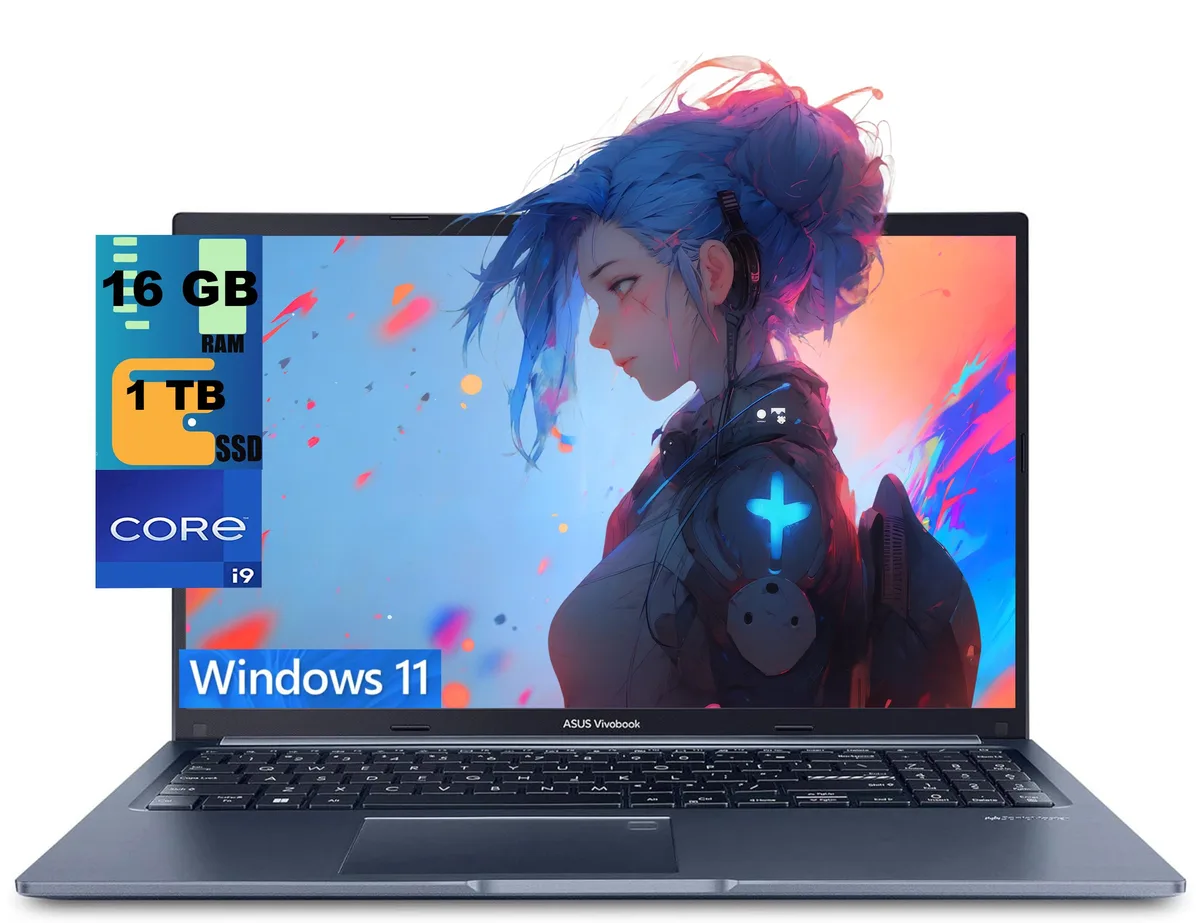
15.6-inch FHD laptop with a 14-core i9-13900H, 16GB DDR4, 1TB PCIe SSD, Wi-Fi 6E, backlit keyboard and fingerprint reader
The ASUS Vivobook 15 is a 15.6-inch laptop powered by an Intel Core i9-13900H processor with 14 cores and 20 threads. It comes with 16GB of DDR4 memory and a 1TB PCIe solid-state drive running Windows 11 Home. The blue chassis houses a non-touch FHD display with a 1920 x 1080 resolution. Integrated Intel Iris Xe graphics handle visual output for everyday productivity and media consumption.
The 14-core processor operates at a 2.6GHz base frequency and can reach 5.0GHz with Intel Turbo Boost Technology, drawing more power under heavy multi-threaded loads. Sustained performance will raise internal temperatures and activate the cooling system, producing audible fan noise during demanding tasks. Lighter workloads such as web browsing or document editing run cooler and quieter. The 0.78-inch profile limits thermal headroom compared to thicker designs.
Connectivity includes one USB 3.2 Gen 1 Type-C port with Power Delivery, two USB 3.2 Gen 1 Type-A ports, one USB 2.0 Type-A port, an HDMI 1.4 output and a headphone combo jack. Wi-Fi 6E and Bluetooth provide wireless links. The memory and storage are not user-accessible after the factory upgrade process, so the 16GB RAM and 1TB SSD capacities are fixed. Buyers who need more memory or a second drive should consider a different platform.
| Series | Raider |
|---|---|
| Model | Vivobook 15 |
| Color | Blue |
| Operating System | Windows 11 Home |
| CPU Type | Intel Core i9 13th Gen |
| Processor Name | 2.60GHz |
| Turbo Frequency | 5.0 GHz |
| Number of Cores | 14-cores Processor |
| Screen Size | 15.6" |
| Touchscreen | Non-Touch Screen |
| Display Type | FHD |
| Resolution | 1920 x 1080 |
| GPU/VPU | Intel Iris Xe Graphics |
| Graphic Type | Integrated Card |
| SSD | 1 TB PCIe |
| HDD | No |
| Memory | 16GB |
| Optical Drive Type | No |
| WLAN | Yes |
| Bluetooth | Yes |
| USB | 2 |
| HDMI | 1 x HDMI |
| Audio Ports | 1 x Headphone/Microphone Combo Jack |
| Audio | Integrated Sound card |
| Speaker | Internal Speakers |
| Touchpad | Yes |
| Keyboard | Yes |
| Backlit Keyboard | Backlit |
| Webcam | Yes |
| Style | Standard |
| Type | Home / Personal |
| Usage | Consumer |
| Weight | 3 - 3.9 lbs. |
| Package Content | Laptop, Charger |
The laptop uses a 1 TB PCIe SSD; adding a second M.2 drive requires opening the bottom panel, inserting the stick at an angle into the spare slot, and securing it with the tiny screw — the step most people miss is re-enabling the new drive in the BIOS before Windows sees it.
The 16 GB DDR4 is soldered to the board, so it cannot be upgraded or replaced; the only memory-related maintenance is keeping the OS and drivers current to avoid unnecessary paging to the 1 TB PCIe SSD.
The integrated Intel Iris Xe shares the 16 GB DDR4 and hits its thermal ceiling before the 5.0 GHz turbo can be sustained, so frame rates drop once the cooling system saturates.
أيضًا في هذا القسم
نفس القسم، ونفس صفحة الدفع — ثماني عملات رقمية وقفل سعر لمدة 30 دقيقة.
ما تدفعه، وما تُعرض به الأسعار.
يُرسَل من محفظتك عند إتمام الطلب
للعرض فقط — أسعار الكتالوج بالدولار الأمريكي
لا توجد عملة مطابقة.
اختر اللغة التي يخاطبك بها الموقع.
لا توجد لغة مطابقة.
هل أنت جديد هنا؟
لديك حساب بالفعل؟
لا توجد إعادة تعيين تلقائية: هذا المتجر لا يُرسل أي بريد، فلا يوجد رابط لمرة واحدة يمكن طلبه. اترك العنوان في الحساب، وسيُعالَج الأمر يدويًا.
تم تسجيل الطلب
لا شيء في طريقه إلى بريدك الوارد — هذا المتجر لا يُرسل أي بريد إطلاقًا. يتولّى أحدهم معالجة هذه الطلبات يدويًا.
تذكّرتها؟


