Tripp Lite
Tripp Lite SMART2200RM2U 1950VA 1950W 120V UPS 7 Outlets 2U Rack/Tower
- 120V
- 80 - 151V; adjustab…
1,094.99 US$
0.01411324BTC
متوفرنقبل الدفع بالعملة المشفرة — لذلك يمكن للعملات الرقمية التي تملكها أن تشتري أجهزة حقيقية.ادفع بالعملة المشفرة، وأنفقها على أجهزة حقيقية. شحن مؤمن مجانا إلى كل أنحاء العالم لما يتجاوز 399 US$. صناديق شحن بسيطة بلا علامة تجارية، ترسل من ألمانيا.شحن مؤمن مجانا لما يتجاوز 399 US$. يُقفل سعرك لمدة 30 دقيقة بمجرد فتح صفحة الدفع.السعر مقفل لمدة 30 دقيقة. كل قطعة مختومة، ورقمها التسلسلي متحقق منه، ومشمولة بضمان 24 شهرا.مختوم، وبضمان 24 شهرا.

Fans
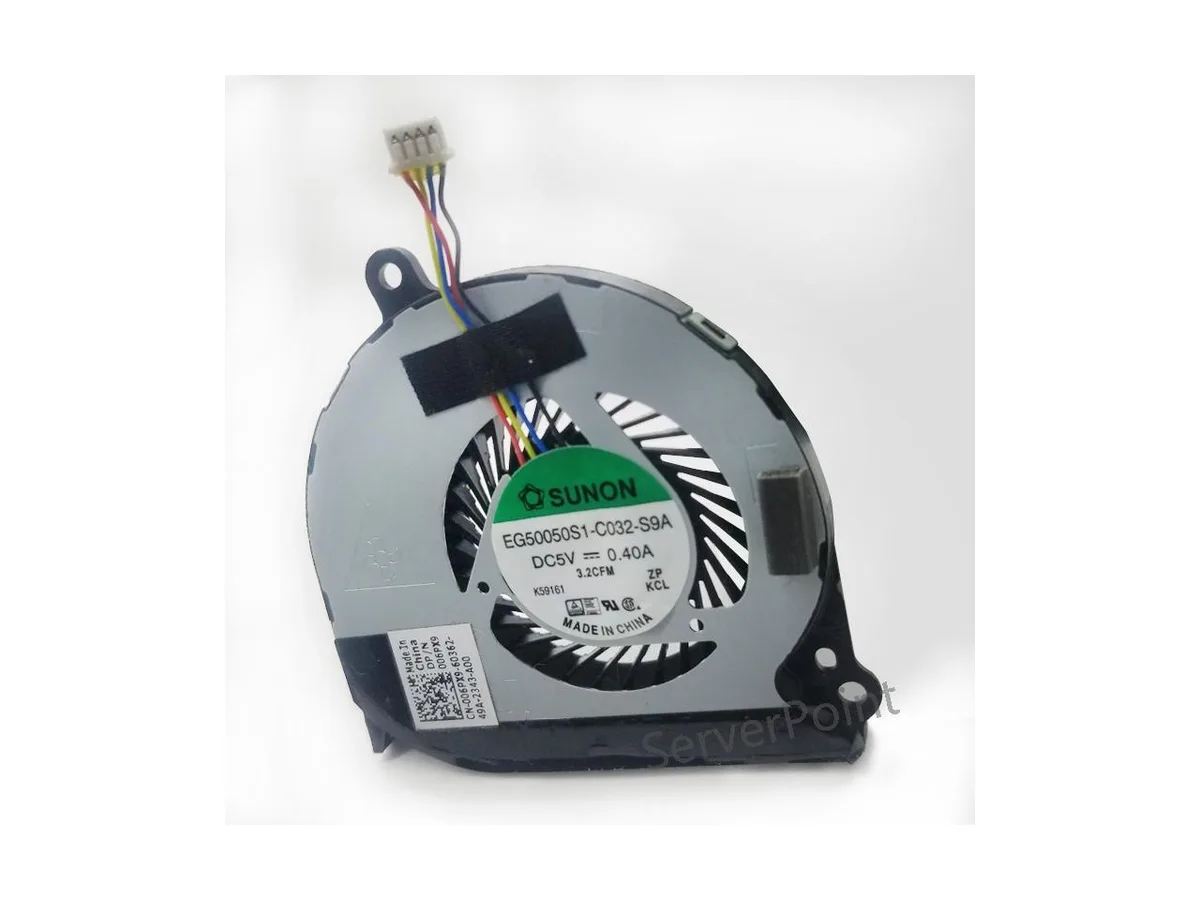
Replacement CPU cooler for Dell Latitude E7440 laptops, part EG50050S1-C032-S9A
This new air cooler is an original component built for the DELL Latitude E7440 notebook. It matches the EG50050S1-C032-S9A specification and DP/N 0HMWC7 part number exactly. The part is intended for owners or technicians servicing that specific laptop model.
The cooler is designed to manage the thermal output of the Latitude E7440 processor under standard workloads. It draws power from the system fan header at the voltage the laptop provides. Acoustic output stays within the original equipment baseline for this chassis.
لا توجد مواصفات منشورة لهذا المنتج بعد.
Remove the bottom case, disconnect the old fan cable from the motherboard, unscrew the heatsink assembly, fit the new EG50050S1-C032-S9A unit, reattach the heatsink screws in a cross pattern, reconnect the 4-pin connector, then reassemble; the step most often missed is the cross-pattern tightening.
Clean dust from the heatsink fins and fan blades periodically with compressed air; replace the unit if bearing noise appears or RPM drops noticeably.
أيضًا في هذا القسم
نفس القسم، ونفس صفحة الدفع — ثماني عملات رقمية وقفل سعر لمدة 30 دقيقة.
ما تدفعه، وما تُعرض به الأسعار.
يُرسَل من محفظتك عند إتمام الطلب
للعرض فقط — أسعار الكتالوج بالدولار الأمريكي
لا توجد عملة مطابقة.
اختر اللغة التي يخاطبك بها الموقع.
هل أنت جديد هنا؟
لديك حساب بالفعل؟
لا توجد إعادة تعيين تلقائية: هذا المتجر لا يُرسل أي بريد، فلا يوجد رابط لمرة واحدة يمكن طلبه. اترك العنوان في الحساب، وسيُعالَج الأمر يدويًا.
تم تسجيل الطلب
لا شيء في طريقه إلى بريدك الوارد — هذا المتجر لا يُرسل أي بريد إطلاقًا. يتولّى أحدهم معالجة هذه الطلبات يدويًا.
تذكّرتها؟