ASUS
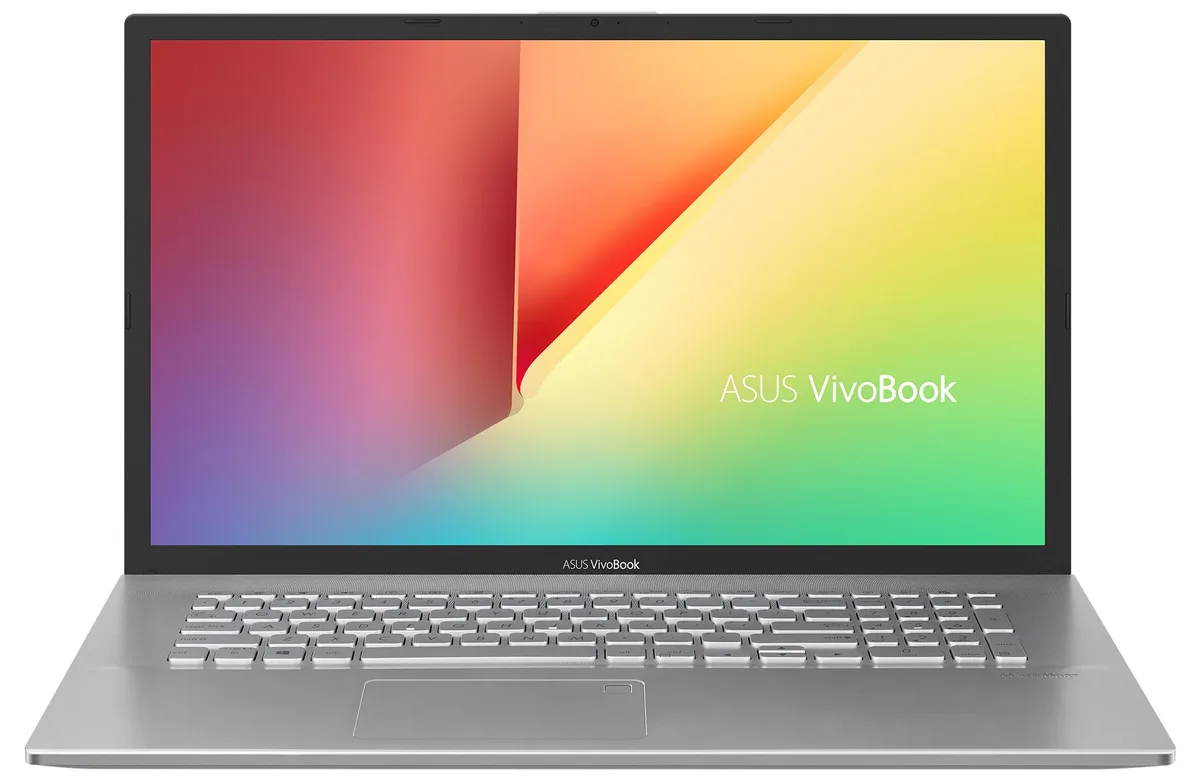
ASUS VivoBook 17.3" laptop i5-1035G1 12GB 512GB SSD 1TB HDD
- Silver
- Windows 11 Pro
774,99 US$
0.00999845BTC
En stockAceptamos criptomonedas — así, las criptos que usted tiene pueden comprar hardware real.Pague en cripto y gástela en hardware real. Envío asegurado gratis a nivel mundial a partir de $399. Cajas neutras, sin marca, enviadas desde Alemania.Envío asegurado gratis a partir de $399. Su cotización queda bloqueada 30 minutos en cuanto se abre el pago.Cotización bloqueada 30 minutos. Todos los artículos vienen sellados, con el número de serie verificado y cubiertos por una garantía de 24 meses.Sellado, con 24 meses de garantía.


ASUS
17.3-inch Full HD IPS laptop with Intel Core i5-1035G1, 12GB DDR4 RAM, 512GB PCIe SSD plus 2TB HDD, fingerprint reader, backlit keyboard, WiFi 6 and Windows 10 Pro
Options 12GB/512GB+2TB W10P
The ASUS VivoBook S712JA-WH54 is a 17.3-inch Full HD laptop powered by a 10th Gen Intel Core i5-1035G1 processor and 12GB DDR4 memory. It combines a 512GB PCIe NVMe SSD with a 2TB hard drive for fast boot and large capacity. Integrated Intel UHD Graphics drive the 60Hz IPS panel. Windows 10 Pro 64-bit is pre-installed.
This laptop suits users who want a spacious 17.3-inch display for documents, spreadsheets or streaming and need both responsive SSD speed and multi-terabyte HDD space. The backlit keyboard, fingerprint reader and Wi-Fi 6 support daily productivity. Buyers who want a touchscreen, discrete graphics for gaming or creative rendering, or a lighter chassis for frequent travel should look elsewhere.
Verify that integrated Intel UHD graphics meet the demands of the applications you run. Confirm the port selection — one USB 3.2 Gen1 Type-A, two USB 2.0, one HDMI, one USB 3.2 Type-C Gen1 and a micro SD reader — covers your external devices. Ensure Windows 10 Pro aligns with your software licensing and that the 47 Whr battery life fits your mobility requirements.
| Brand | ASUS |
|---|---|
| Series | VivoBook |
| Color | Silver |
| Operating System | Windows 10 Pro |
| CPU Type | Intel Core i5 10th Gen |
| Processor Name | 1.00GHz |
| Turbo Frequency | 3.6 GHz |
| CPU L3 Cache | 6MB Cache |
| Screen Size | 17.3" |
| Touchscreen | Non-Touch Screen |
| Resolution | 1920 x 1080 |
| GPU/VPU | Intel UHD Graphics |
| Graphic Type | Integrated Card |
| SSD | 512GB |
| HDD | 2TB |
| Storage Spec | 512GB PCIe SSD + 2TB HDD |
| Memory | 12GB |
| Memory Speed | DDR4 |
| Optical Drive Type | No |
| WLAN | Wi-Fi 6 AX201 |
| Bluetooth | Bluetooth 5.1 |
| HDMI | 1 x HDMI |
| Audio Ports | 1 x Headphone/Microphone Combo Jack |
| Backlit Keyboard | Backlit |
| Other Input Devices | No |
| Webcam | Yes |
| Card Reader | Yes |
| Style | Standard |
| Type | Home / Personal |
Otras versiones de este modelo
Misma familia, con memoria, disipador o frecuencia diferentes — compare antes de decidirse.
The 12 GB configuration uses 4 GB soldered on the board and an 8 GB SO-DIMM, so the single SO-DIMM slot is already occupied.
Yes, the two USB 2.0 ports run natively at USB 2.0 speeds, and the USB 3.2 Gen1 Type-A and Type-C ports are backward compatible with USB 2.0 devices.
Open Settings > System > Storage; the 512 GB drive will appear as the C: partition with the Windows logo, while the 2 TB HDD shows as a second data volume.
También en este pasillo
Mismo estante, mismo pago — ocho criptomonedas y un tipo de cambio fijado 30 minutos.
Lo que usted paga, y la moneda en la que lee los precios.
Se envía desde su billetera al finalizar la compra
Solo informativo — el catálogo está en dólares
Ninguna moneda coincide.
Elija el idioma en el que el sitio le habla.
Ningún idioma coincide.
¿Es nuevo aquí?
¿Ya tiene una?
No existe ningún restablecimiento automático: esta tienda no envía correos electrónicos, así que no hay ningún enlace de un solo uso que solicitar. Deje la dirección asociada a la cuenta y se atenderá de forma manual.
Solicitud registrada
No hay nada de camino a su bandeja de entrada: esta tienda no envía correos en absoluto. Alguien se encarga de esto manualmente.
¿La recordó?