HP
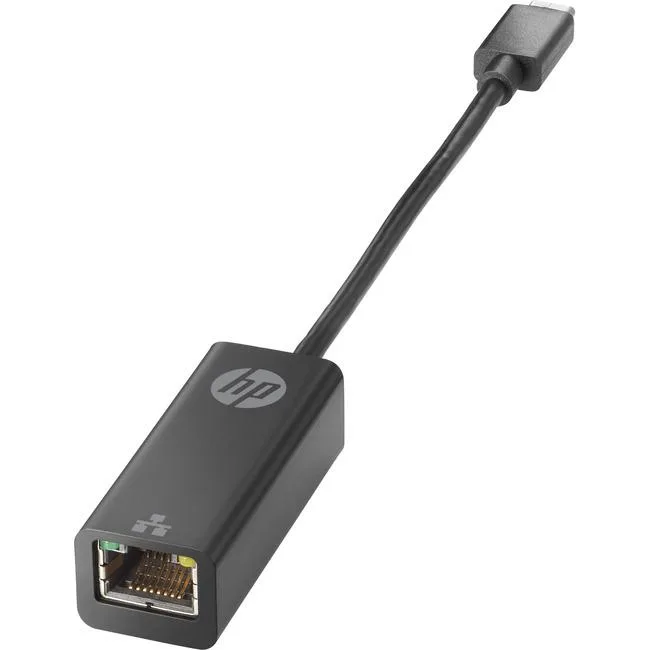
HP 4Z527AA USB-C to RJ45 Adapter G2 network card 1000Base-T 128 MB/s
29,99 US$
0.00037469BTC
En stockAceptamos criptomonedas — así, las criptos que usted tiene pueden comprar hardware real.Pague en cripto y gástela en hardware real. Envío asegurado gratis a nivel mundial a partir de $399. Cajas neutras, sin marca, enviadas desde Alemania.Envío asegurado gratis a partir de $399. Su cotización queda bloqueada 30 minutos en cuanto se abre el pago.Cotización bloqueada 30 minutos. Todos los artículos vienen sellados, con el número de serie verificado y cubiertos por una garantía de 24 meses.Sellado, con 24 meses de garantía.


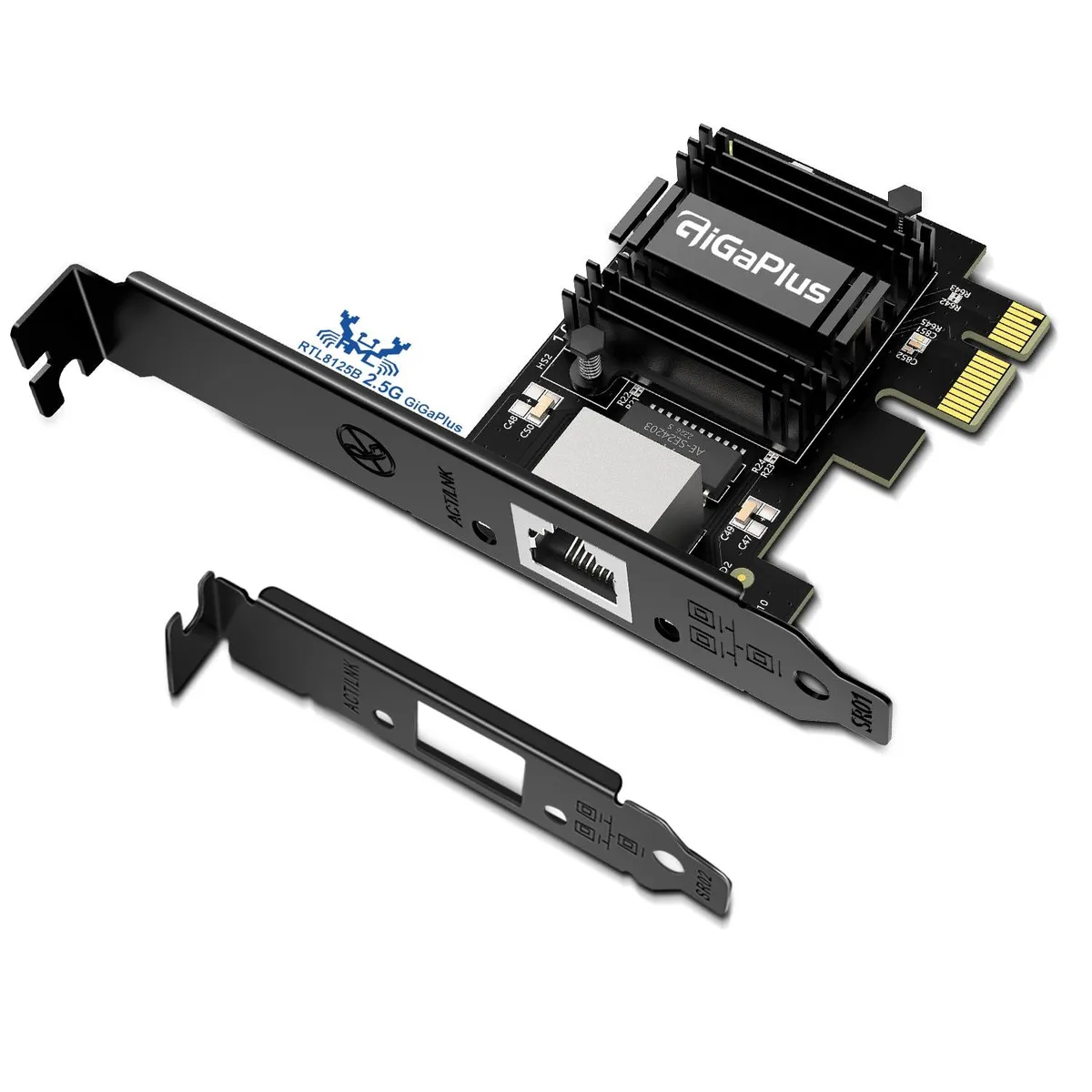
Adds 5 Gbps wired Ethernet to a desktop PC via PCIe with low-profile bracket included
The BrosTrend 5 Gbps PCIe Network Card P2 adds a 5GBASE-T Ethernet port to any desktop with a free PCI Express slot. It targets users who need faster wired throughput for large file transfers, gaming or streaming on Windows 11, 10 or Windows Server 2022.
A low-profile bracket is supplied alongside the standard bracket so the card fits small-form-factor cases as well as full-size towers. Driver installation is required from the included disc or the vendor website; the card does not work out of the box on Linux kernels older than 6.9.
Dense fins and an aluminium body dissipate heat during continuous 5 Gbps, 2.5 Gbps or 1 Gbps traffic, keeping performance stable over long sessions. Auto-negotiation drops to 100 Mbps or 10 Mbps only when the link partner cannot handle higher speeds.
| Brand | BrosTrend |
|---|---|
| Model | 5 Gbps PCIe Network Card P2, 5 Gbps PCIe Network Card |
| Part Number | 5 Gbps PCIe Network Card |
| Standards | IEEE802.3 |
| Speed | 5 gigabits_per_second |
| Connectors | IEEE 802.3/u/ab/az/bz, 5 gigabits_per_second |
| Wireless Speed | 4.7 x 2.9 x 0.7 in |
| Bluetooth | IEEE 802.3/u/ab/az/bz |
| LEDs | Black |
| Windows Vista | windows_11 |
| Features | 4.7 x 2.9 x 0.7 in, 5 gigabits_per_second, Any desktop computer with PCI Express slot, including full tower, mid tower, mini tower and small form factor PC. Compatible with x1, x4, x8, x16 PCIe slots, Register for Limited Lifetime Protection |
| Dimensions | 12 cm x 7.3 cm x 1.2 cm |
| Weight | 61.3 grams |
| Disclaimer | not_applicable, not_capable_emitting_rf_energy, Register for Limited Lifetime Protection |
| Registration Phone | Not Applicable |
The card auto-negotiates between 5 Gbps, 2.5 Gbps, 1 Gbps, 100 Mbps and 10 Mbps. Check the two LED indicators on the bracket; they show the active link speed so you can confirm 5 Gbps operation.
The package includes the network card, a driver disc, and dual brackets (standard and low-profile). You must provide a Cat6 Ethernet cable for reliable 5 Gbps performance; a high-quality Cat5e cable works only over shorter distances.
Both brackets are included. Use the standard bracket for full-tower, mid-tower or mini-tower cases. Swap to the low-profile bracket (dimensions 12 cm x 7.3 cm x 1.2 cm) for small form factor PCs.
También en este pasillo
Mismo estante, mismo pago — ocho criptomonedas y un tipo de cambio fijado 30 minutos.
Lo que usted paga, y la moneda en la que lee los precios.
Se envía desde su billetera al finalizar la compra
Solo informativo — el catálogo está en dólares
Ninguna moneda coincide.
Elija el idioma en el que el sitio le habla.
¿Es nuevo aquí?
¿Ya tiene una?
No existe ningún restablecimiento automático: esta tienda no envía correos electrónicos, así que no hay ningún enlace de un solo uso que solicitar. Deje la dirección asociada a la cuenta y se atenderá de forma manual.
Solicitud registrada
No hay nada de camino a su bandeja de entrada: esta tienda no envía correos en absoluto. Alguien se encarga de esto manualmente.
¿La recordó?