


DELL
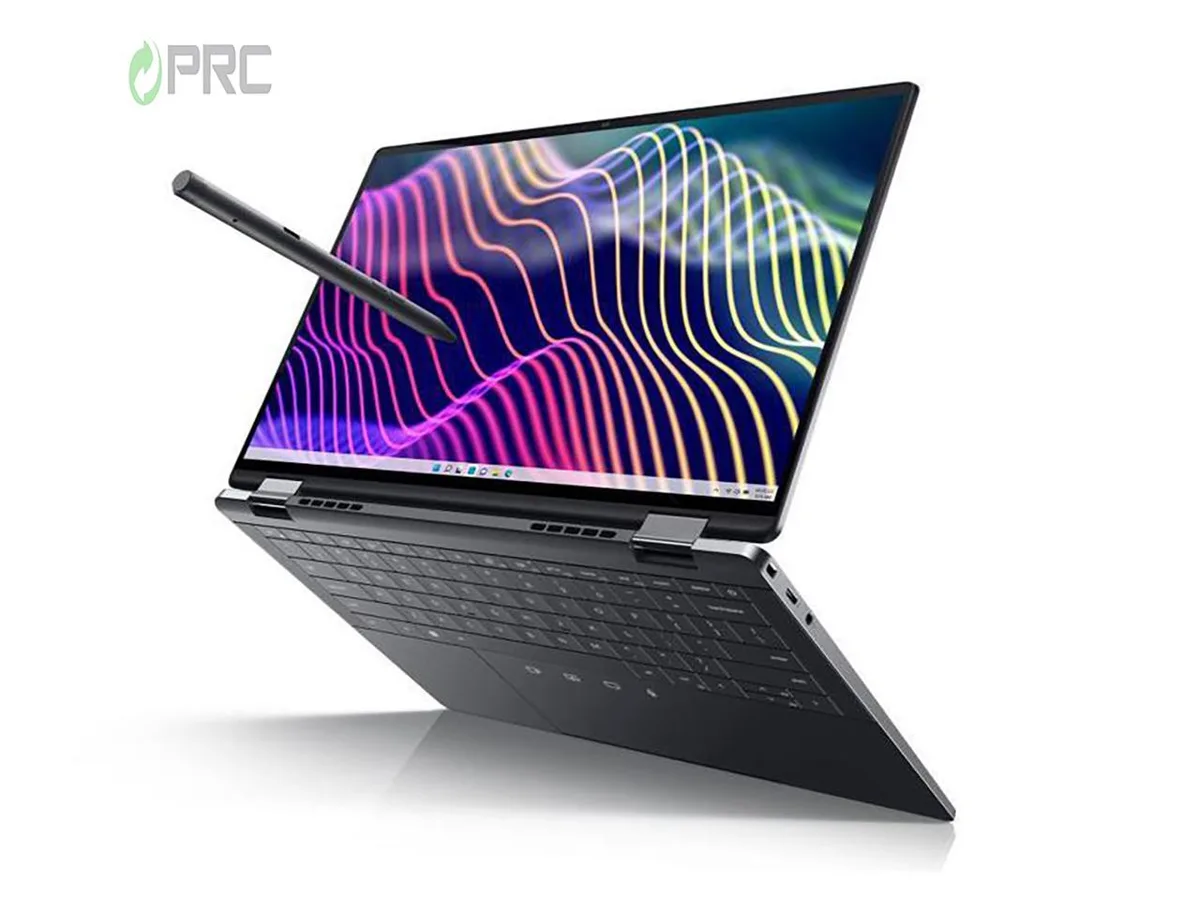
DELL Latitude 9440 14" 2-in-1 QHD+ i5-1345U 16GB 2TB
A 14-inch 2-in-1 convertible with QHD+ IPS touchscreen, 13th Gen Intel Core i5-1345U, 16 GB LPDDR5 and 2 TB storage running Windows 11 Pro
- ColorBlack
- Operating SystemWindows 11 Pro
- CPU TypeIntel Core i5 13th Gen
- Processor NameIntel Core i5-1345U
- CPU L2 Cache6MB
- Screen Size14.0"
- 14" QHD+ IPS display at 2560 x 1600 resolution
- 13th Gen Intel Core i5-1345U with 10 cores up to 4.70 GHz Turbo
- 16 GB LPDDR5 memory for demanding workloads
- 2 TB PCIe NVMe SSD storage capacity
- Three Thunderbolt 4 ports with Power Delivery and DisplayPort
Portable 2-in-1 workstation
The Dell Latitude 9440 is a 14-inch convertible notebook built around a 13th-generation Intel Core i5-1345U processor with ten cores. It ships with 16 GB of LPDDR5 memory and a 2 TB PCIe NVMe solid-state drive. The 2560 x 1600 QHD+ IPS touchscreen supports pen input, while Windows 11 Pro comes pre-installed for immediate deployment in managed environments.
Suited to mobile professionals.
This configuration suits knowledge workers who need a lightweight 2-in-1 with long battery life, vPro manageability and a high-resolution touch display for inking or presentations. Buyers who require dedicated graphics horsepower for 3-D rendering, heavy video encoding or gaming should look at systems equipped with discrete GPUs, as this unit relies on integrated Intel Iris Xe graphics only.
Included 65 W USB-C adapter powers
The box contains an OEM 65 W USB Type-C power adapter that delivers charge and video through the three Thunderbolt 4 ports, each supporting Power Delivery and DisplayPort alternate mode. A universal audio jack and Wi-Fi 6 complete the connectivity set, while the manufacturer warranty remains valid until 2025. No stylus is bundled despite pen support on the display.
Puntos fuertes
- 14" QHD+ IPS display at 2560 x 1600 resolution
- 13th Gen Intel Core i5-1345U with 10 cores up to 4.70 GHz Turbo
- 16 GB LPDDR5 memory for demanding workloads
- 2 TB PCIe NVMe SSD storage capacity
- Three Thunderbolt 4 ports with Power Delivery and DisplayPort
Especificaciones
| Brand | DELL |
|---|---|
| Series | 9000 |
| Model | Latitude |
| Part Number | 9440 |
| Color | Black |
| Operating System | Windows 11 Pro |
| CPU Type | Intel Core i5 13th Gen |
| Processor Name | Intel Core i5-1345U |
| CPU L2 Cache | 6MB |
| Screen Size | 14.0" |
| Touchscreen | Non-Touch Screen |
| Display Type | QHD |
| Resolution | 2560 x 1600 |
| Panel | IPS |
| GPU/VPU | Intel Iris Xe Graphics |
| Graphic Type | Integrated Card |
| SSD | 2TB |
| HDD | No |
| Storage Spec | 2 TB |
| Memory | 16GB |
| Memory Speed | DDR4 |
| Memory Spec | 16 GB onboard |
| Memory Slot (Total) | 0 |
| Memory Slot (Available) | 0 |
| Max Memory Supported | 64 GB |
| Optical Drive Type | No |
| LAN | 10/100/1000Mbps |
| WiFi Generation | Wi-Fi 6 |
| Bluetooth | Yes |
| USB | 3 Thunderbolt 4 |
| Thunderbolt | 3 x Thunderbolt 4 |
| Video Port | 3 x Thunderbolts |
| Audio Ports | 1 x Microphone Jack, 1 x Headphone Jack |
| Audio | Integrated Sound card |
| Touchpad | Yes |
| Keyboard | Standard |
| Webcam | Yes |
| Style | Convertible |
| Type | Mainstream |
| Usage | Consumer |
| AC Adapter/Charger | 65-watt AC Adapter |
| Weight | 3 - 3.9 lbs. |
Preguntas sobre este artículo
What Thunderbolt 4 ports does the Latitude 9440 need for power and displays?
It uses three Thunderbolt 4 USB-C ports that each support Power Delivery and DisplayPort for charging and external monitors.
Will my older USB-A peripherals work with the 9440 without extra adapters?
The laptop provides only Thunderbolt 4 USB-C ports, so legacy USB-A devices require a USB-C to USB-A adapter or hub.
How can I confirm the 16 GB LPDDR5 memory is running at full speed after setup?
Open Task Manager, select the Performance tab, choose Memory and verify the speed shown matches the LPDDR5 specification.
También en este pasillo
Los clientes también compararon
Mismo estante, mismo pago — ocho criptomonedas y un tipo de cambio fijado 30 minutos.


Microsoft
Microsoft Surface 3 1657 128GB CRB 2-in-1 laptop
- Silver
- Windows 10 Pro
244,99 US$
0.00317332BTC
En stock
Microsoft
Microsoft Surface Pro FGG-2D-00001-RFB 2-in-1 laptop 16 GB 512 GB 12.0" touchscreen 2736 x 1824 refurbished
- 12.0"
- Touch Screen
687,99 US$
0.00891144BTC
En stock
Lenovo
Lenovo Chromebook 500e Gen 5 M89 83TA0004US 12.2" MediaTek 8GB 64GB
- 12.2"
392,99 US$420,99 US$−7%
0.00509035BTC
En stock