

SPARTAN
SPARTAN 1-to-9 SATA HDD/SSD Duplicator H09HSHEB
- Hard Drive Duplicat…
- 1 to 9
1.504,99 US$
0.01930687BTC
En stockAceptamos criptomonedas — así, las criptos que usted tiene pueden comprar hardware real.Pague en cripto y gástela en hardware real. Envío asegurado gratis a nivel mundial a partir de $399. Cajas neutras, sin marca, enviadas desde Alemania.Envío asegurado gratis a partir de $399. Su cotización queda bloqueada 30 minutos en cuanto se abre el pago.Cotización bloqueada 30 minutos. Todos los artículos vienen sellados, con el número de serie verificado y cubiertos por una garantía de 24 meses.Sellado, con 24 meses de garantía.
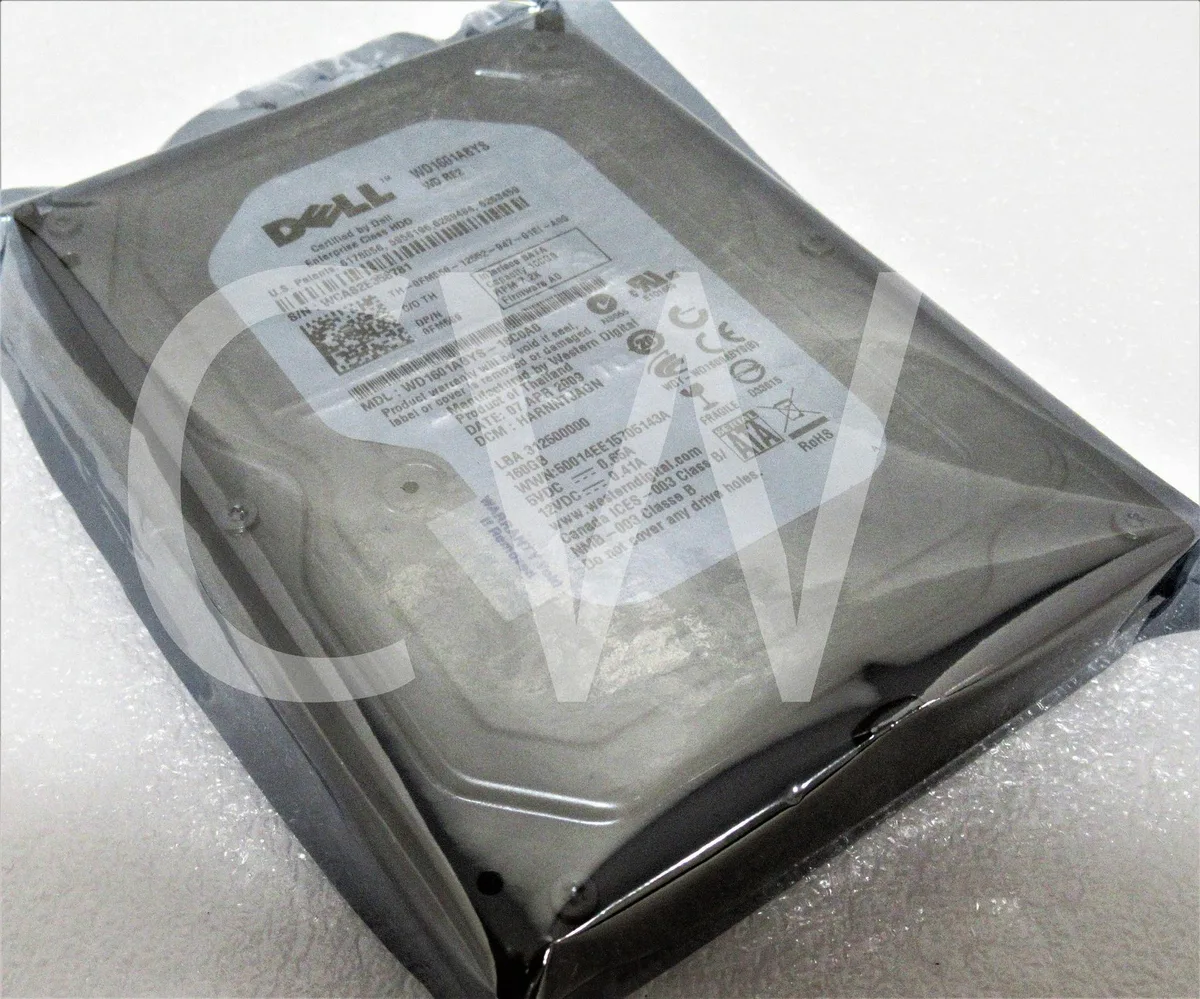

DELL
A 160 GB 3.5-inch SATA desktop hard drive spinning at 7200 RPM with 16 MB cache
This 3.5-inch hard drive delivers 160 GB of storage on a SATA 3Gb/s interface. It spins at 7200 RPM with a 16 MB cache for everyday desktop workloads. The unit is supplied new as a bare drive without cables or brackets. It suits users adding secondary storage to an existing system.
The drive carries Dell enterprise branding and the WD1601ABYS model number. Standard 3.5-inch mounting holes allow installation in any compatible desktop bay or caddy. A SATA data connector and power connector provide the only external interfaces. No accessory kit is included so builders must supply their own screws and cables.
At 7200 RPM the drive generates typical mechanical heat for a desktop hard disk. Acoustic output is audible during seek operations but remains within normal office limits. Power consumption follows standard 3.5-inch SATA drive profiles under load and idle. The 2.0 pound weight reflects a conventional metal chassis.
Aún no hay especificaciones publicadas para este artículo.
The SATA 3Gb/s interface limits the theoretical maximum transfer rate to 3 Gbps; real-world sustained throughput will be lower due to the 7200RPM mechanical design and 16MB cache.
This 3.5-inch drive fits a standard 3.5-inch drive bay and uses the industry-standard bottom and side mounting holes; it ships as a bare drive without rails or caddy.
Connect a SATA data cable to the motherboard and a SATA power cable from the PSU, secure the drive with four screws, then initialise and format the 160GB volume in the OS — the step often missed is initialising the new disk before formatting.
También en este pasillo
Mismo estante, mismo pago — ocho criptomonedas y un tipo de cambio fijado 30 minutos.
Lo que usted paga, y la moneda en la que lee los precios.
Se envía desde su billetera al finalizar la compra
Solo informativo — el catálogo está en dólares
Ninguna moneda coincide.
Elija el idioma en el que el sitio le habla.
Ningún idioma coincide.
¿Es nuevo aquí?
¿Ya tiene una?
No existe ningún restablecimiento automático: esta tienda no envía correos electrónicos, así que no hay ningún enlace de un solo uso que solicitar. Deje la dirección asociada a la cuenta y se atenderá de forma manual.
Solicitud registrada
No hay nada de camino a su bandeja de entrada: esta tienda no envía correos en absoluto. Alguien se encarga de esto manualmente.
¿La recordó?


