
Ergoguys
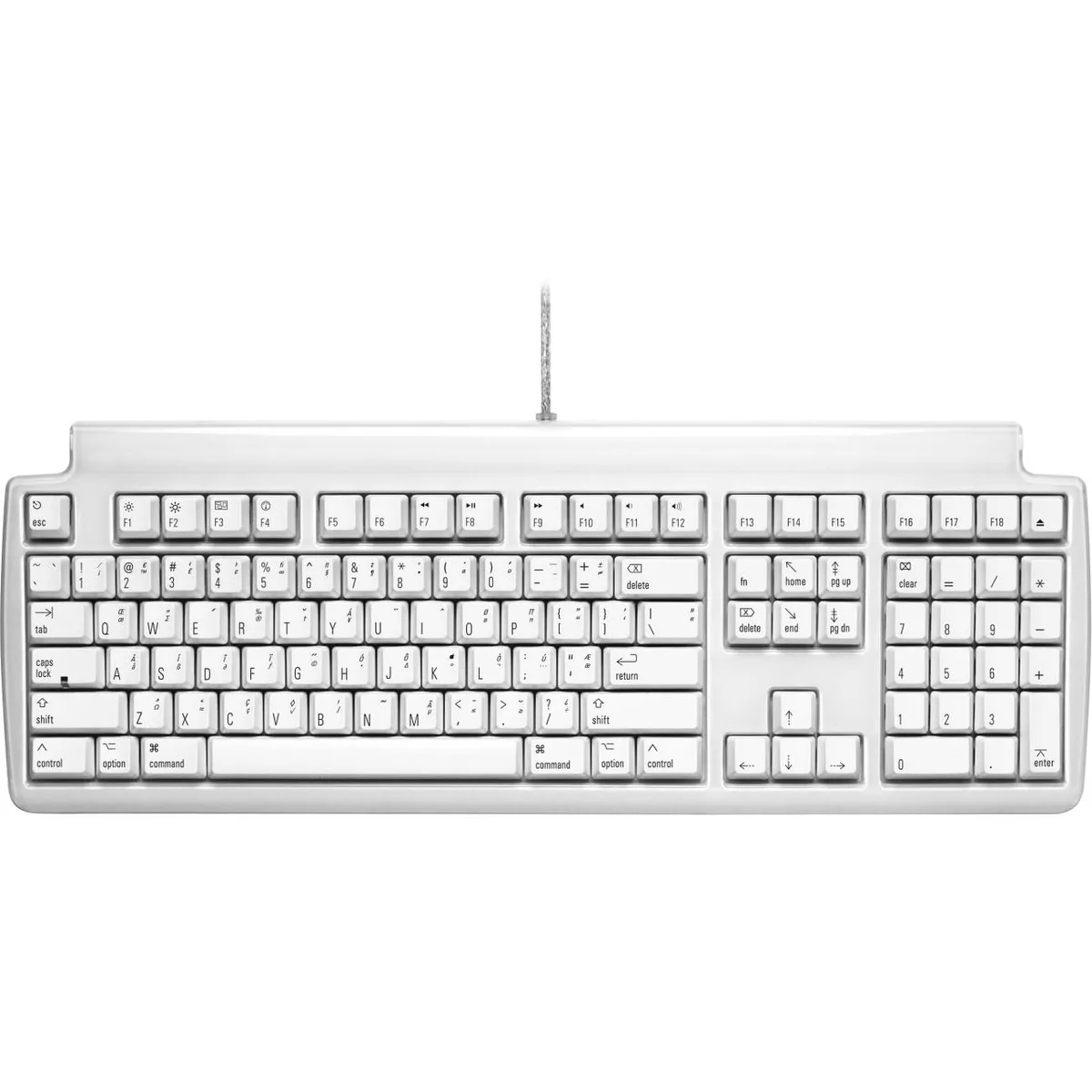
Ergoguys FK302 gaming keyboard white USB 2.0 volume eject
Mechanical keyboard for Mac with clicky Alps switches, USB 2.0 hub, volume and eject keys in white
- NameFK302
- Keyboard InterfaceUSB 2.0
- Design StyleVolume Control Eject
- Keyboard ColorWhite
- Mouse InterfaceCable
- Mouse ColorWhite
- Clicky Alps-style switches for fast, accurate typing
- Three-port USB 2.0 hub expands connectivity
- Dedicated volume and eject keys for quick media control
- Mac-specific legends include Option symbols
- White finish with 3.60 lb sturdy build
Mac-ready mechanical keyboard
The FK302 is a full-size mechanical keyboard built for Mac users who want tactile, clicky feedback on every keystroke. It connects through a single USB 2.0 cable and includes Mac-specific legends such as Option and Eject keys. A built-in three-port USB 2.0 hub lets you attach a mouse or other peripherals directly to the board. The white finish matches light-themed desktop setups.
Wired operation with passive cooling
Because the keyboard draws power only from the USB 2.0 connection, it runs silently without fans or active cooling components. The mechanical Matias Click switches produce an audible click sound that is intrinsic to the typing feel rather than a thermal by-product. Power consumption stays within standard USB 2.0 limits, so no external adapter is required during normal typing or gaming sessions.
Three-port hub and printed Mac symbols
The integrated USB 2.0 hub adds three downstream ports for flash drives, a wired mouse or charging cables, reducing cable clutter at the host machine. Keycaps carry Mac Option symbols and a dedicated Eject key, so shortcuts work without remapping or extra software. Anti-ghosting circuitry ensures multiple simultaneous key presses register correctly for fast typists and gamers alike.
Puntos fuertes
- Clicky Alps-style switches for fast, accurate typing
- Three-port USB 2.0 hub expands connectivity
- Dedicated volume and eject keys for quick media control
- Mac-specific legends include Option symbols
- White finish with 3.60 lb sturdy build
Especificaciones
| Brand | Matias |
|---|---|
| Name | FK302 |
| Keyboard Interface | USB 2.0 |
| Design Style | Volume Control Eject |
| Keyboard Color | White |
| Mouse Interface | Cable |
| Mouse Color | White |
| Style | English |
| Peso de envío | 2.27 kg |
| Dimensiones del paquete | 508 × 216 × 44 mm |
Preguntas sobre este artículo
How do I connect the FK302 to my Mac and use the three-port hub?
Plug the attached USB 2.0 cable into the Mac; the keyboard draws power from that port and the built-in three-port hub becomes active for other devices.
What long-term care does the Matias Click mechanical switch require?
The clicky Alps-style switches are self-contained; occasional compressed-air cleaning of the key wells is the only upkeep needed.
When does the USB 2.0 hub bandwidth limit appear during heavy use?
The hub shares a single 2.0 upstream link, so simultaneous high-throughput peripherals such as external drives will hit the bus ceiling first.
También en este pasillo
Los clientes también compararon
Mismo estante, mismo pago — ocho criptomonedas y un tipo de cambio fijado 30 minutos.



Cherry
Cherry MX 3.1 Mechanical Wired Gaming Keyboard White MX2A Silent Red
- Red Switch
- White
116,99 US$
0.00146729BTC
En stock