LG Electronics
LG Electronics CQ600I-6N AI edge system 4GB 16GB
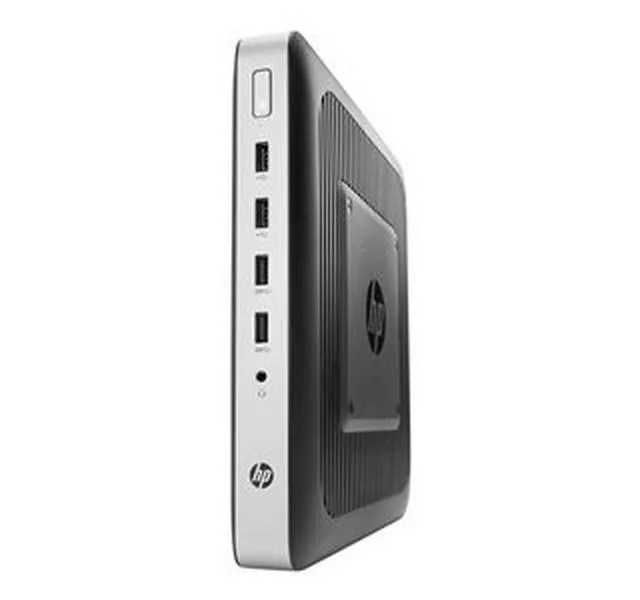
Thin client with Intel Celeron, 4 GB RAM, 16 GB eMMC and IGEL OS pre-installed
- TypeThin Client
- CPU TypeIntel Celeron
- IGEL OS pre-installed for managed endpoints
- Intel Celeron quad-core CPU for responsive compute
- 4 GB RAM with 16 GB eMMC storage
- DisplayPort plus USB 2.0, 3.2 and USB-C connectivity
- TAA compliant for government procurement
Thin client with IGEL OS
This LG Electronics CQ600I-6N thin client arrives with IGEL OS pre-installed for managed virtual desktop environments. An Intel Celeron quad-core processor and 4 GB of memory run web-based and hosted applications. The 16 GB eMMC module stores the operating system and local cache. TAA compliance supports government and regulated procurement.
Suited for VDI endpoints
Organisations deploying IGEL-managed endpoints for virtual desktop infrastructure will find this unit ready to enroll. Buyers who need local application performance, discrete graphics or larger local storage should look at a different class of device. The fixed 4 GB memory and 16 GB eMMC cannot be expanded after purchase.
16 GB eMMC capacity
The 16 GB eMMC drive determines how much OS image and cache can remain on the device. Environments that stream everything from the data centre will operate within this limit. Workflows requiring larger local profiles or offline media caches will exceed the available space.
Puntos fuertes
- IGEL OS pre-installed for managed endpoints
- Intel Celeron quad-core CPU for responsive compute
- 4 GB RAM with 16 GB eMMC storage
- DisplayPort plus USB 2.0, 3.2 and USB-C connectivity
- TAA compliant for government procurement
Especificaciones
| Brand | LG |
|---|---|
| Model | CQ600I-6N |
| Part Number | CQ600I-6N |
| Type | Thin Client |
| CPU Type | Intel Celeron |
| Peso de envío | 2.27 kg |
| Dimensiones del paquete | 267 × 173 × 109 mm |
Preguntas sobre este artículo
How loud is the CQ600I-6N when running continuously?
The fanless Intel Celeron design runs silently with no moving parts, making it suitable for quiet offices or digital-signage installations.
What display cable do I need to connect a monitor to the CQ600I-6N?
A standard DisplayPort cable plugs directly into the DP port on the unit.
Will the CQ600I-6N work with my existing USB 2.0 barcode scanner?
Yes, the two USB 2.0 ports accept legacy peripherals such as scanners, keyboards or mice without adapters.
También en este pasillo
Los clientes también compararon
Mismo estante, mismo pago — ocho criptomonedas y un tipo de cambio fijado 30 minutos.


LG Electronics
LG Electronics CQ600N-6N AI edge system, 4GB DDR, 16GB eMMC
272,99 US$314,99 US$−13%
0.0033801BTC
En stock