Logitech
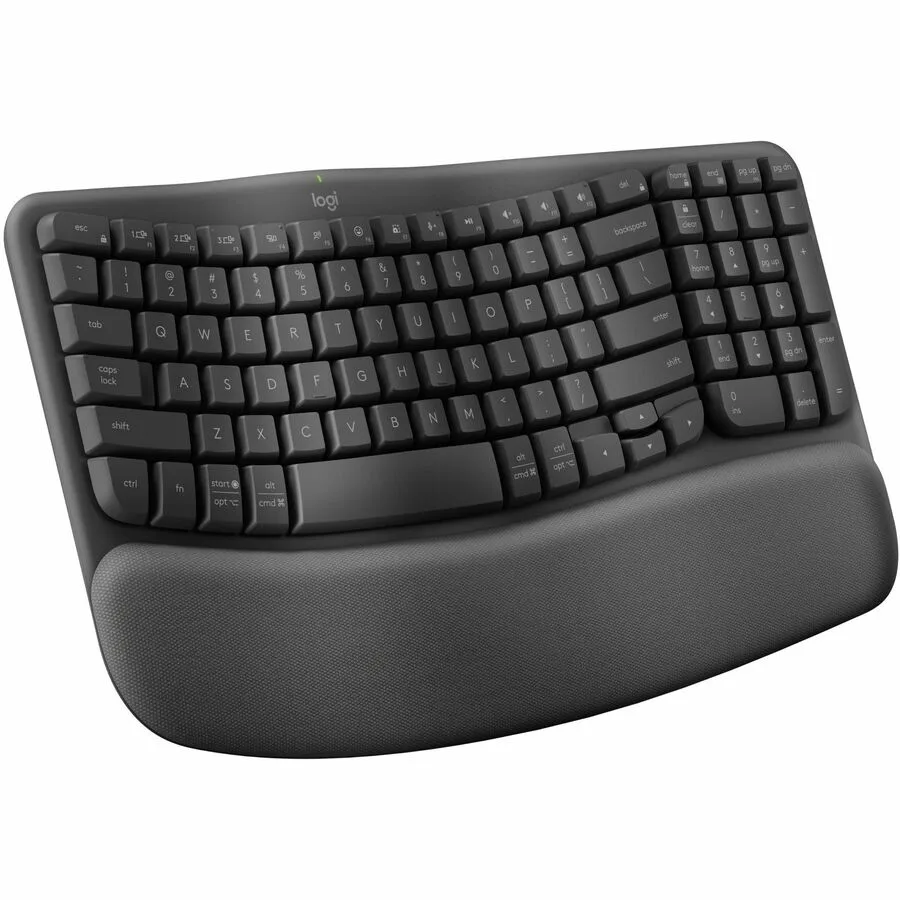
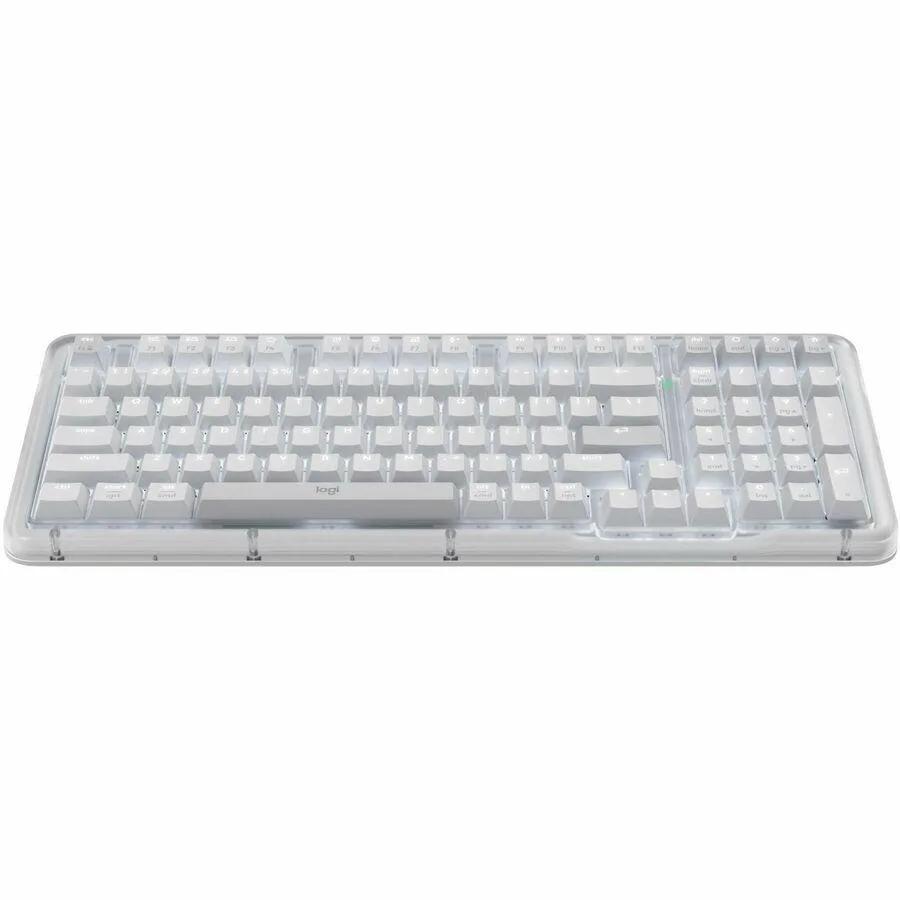
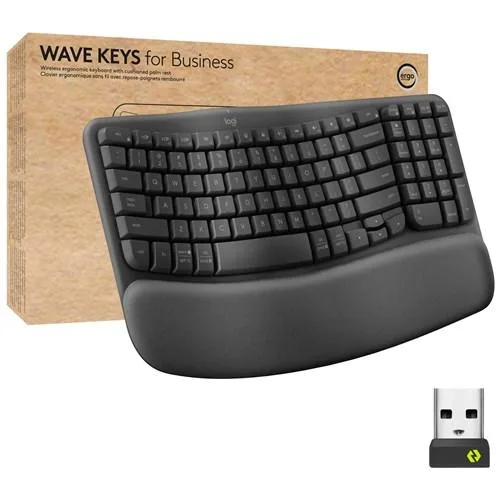
Logitech 920-012058 Wave Keys for Business keyboard
- WAVE KEYS FOR BUSIN…
- Bluetooth
55,99 US$
0.00072556BTC
En stockAceptamos criptomonedas — así, las criptos que usted tiene pueden comprar hardware real.Pague en cripto y gástela en hardware real. Envío asegurado gratis a nivel mundial a partir de $399. Cajas neutras, sin marca, enviadas desde Alemania.Envío asegurado gratis a partir de $399. Su cotización queda bloqueada 30 minutos en cuanto se abre el pago.Cotización bloqueada 30 minutos. Todos los artículos vienen sellados, con el número de serie verificado y cubiertos por una garantía de 24 meses.Sellado, con 24 meses de garantía.


Logitech
Ergonomic wireless keyboard and mouse combo with a wavy layout, cushioned palm rest, silent mouse clicks and 4000 DPI sensor for multi-OS use
Model Wave Keys MK670 Combo
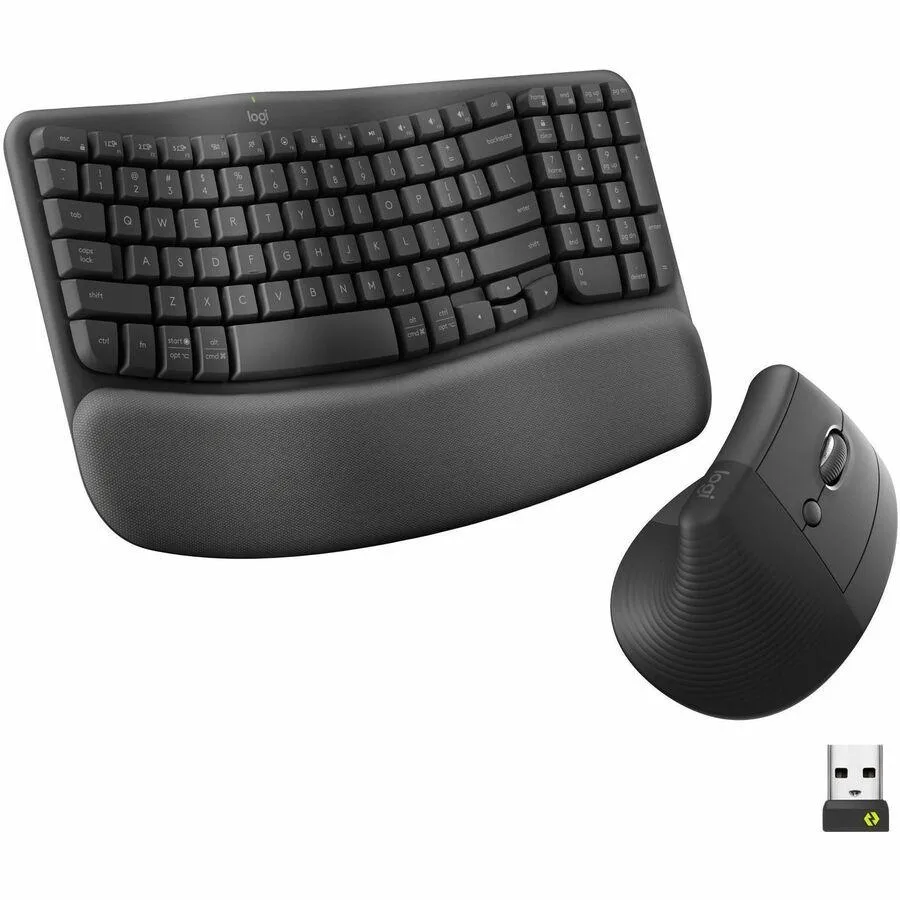
The Wave Keys MK670 pairs an ergonomic wireless keyboard with the Signature M550 L mouse. The keyboard's wavy layout places hands, wrists and forearms in a natural position for all-day comfort. A cushioned palm rest with memory foam adds extra support. The mouse fits medium to large hands and connects via Bluetooth.
This set works with Windows 10, 11, macOS 11.0, iPadOS 14, ChromeOS, Linux and Android 9.0. The 32.81 ft wireless range covers most desk arrangements. Users who need a smaller footprint or a keyboard without a built-in palm rest should look at other options.
A Logi Bolt USB receiver is included alongside two AAA cells for the keyboard and one AA cell for the mouse. The Logi Options+ app lets you assign custom shortcuts to streamline repetitive tasks. SmartWheel scrolling switches between precise line-by-line steps and fast page sweeps. SilentTouch clicks cut click noise by 90%.
| Brand | Logitech |
|---|---|
| Name | Wave Keys MK670 Keyboard & Mouse |
| Model | 920-012059 |
| Part Number | 920-012059 |
| Keyboard Interface | Bluetooth |
| Type | Bluetooth Wireless |
| Mouse Included | Yes |
| Mouse Interface | Bluetooth |
| Mouse DPI | 4000 DPI |
| Distance | 32.81 ft |
| System Requirement | Windows 10 Windows 11 Mac OS X 11.0 Big Sur iPadOS 14 ChromeOS Linux Android 9.0 Pie |
| Package Contents | Wave Keys MK670 Keyboard & Mouse 2 x AAA Batteries (Keyboard) 1 x AA Battery (Mouse) Logi Bolt USB Receiver |
| Peso de envío | 1.25 kg |
| Dimensiones del paquete | 455 × 238 × 51 mm |
Otras versiones de este modelo
Misma familia, con memoria, disipador o frecuencia diferentes — compare antes de decidirse.
The combo supports Windows 10, Windows 11, macOS 11.0 Big Sur, iPadOS 14, ChromeOS, Linux and Android 9.0 Pie.
No, the Logi Bolt receiver included with this MK670 combo works only with Logi Bolt‑compatible peripherals, not with Unifying devices.
Verify the cursor moves smoothly, test the SmartWheel by scrolling a long page to feel the ratchet‑to‑free‑spin shift, and check battery level in Logi Options+.
También en este pasillo
Mismo estante, mismo pago — ocho criptomonedas y un tipo de cambio fijado 30 minutos.
Lo que usted paga, y la moneda en la que lee los precios.
Se envía desde su billetera al finalizar la compra
Solo informativo — el catálogo está en dólares
Ninguna moneda coincide.
Elija el idioma en el que el sitio le habla.
Ningún idioma coincide.
¿Es nuevo aquí?
¿Ya tiene una?
No existe ningún restablecimiento automático: esta tienda no envía correos electrónicos, así que no hay ningún enlace de un solo uso que solicitar. Deje la dirección asociada a la cuenta y se atenderá de forma manual.
Solicitud registrada
No hay nada de camino a su bandeja de entrada: esta tienda no envía correos en absoluto. Alguien se encarga de esto manualmente.
¿La recordó?