HP
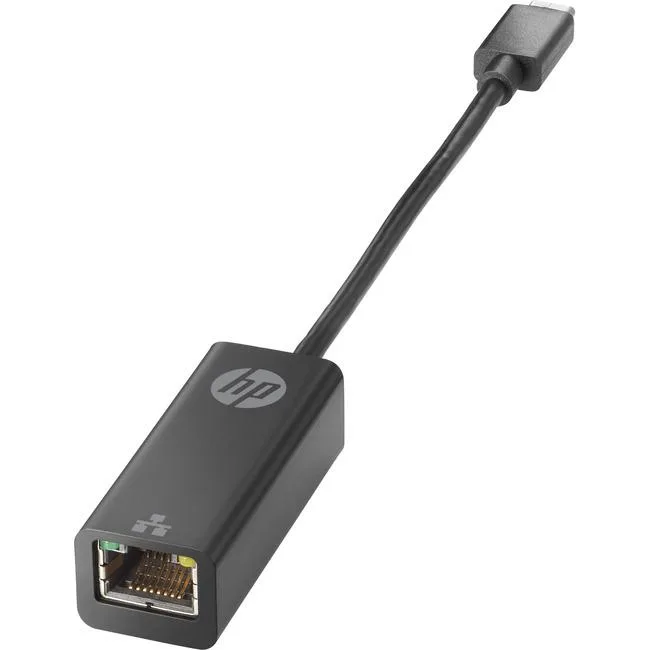
HP 4Z527AA USB-C to RJ45 Adapter G2 network card 1000Base-T 128 MB/s
29,99 US$
0.00037365BTC
En stockAceptamos criptomonedas — así, las criptos que usted tiene pueden comprar hardware real.Pague en cripto y gástela en hardware real. Envío asegurado gratis a nivel mundial a partir de $399. Cajas neutras, sin marca, enviadas desde Alemania.Envío asegurado gratis a partir de $399. Su cotización queda bloqueada 30 minutos en cuanto se abre el pago.Cotización bloqueada 30 minutos. Todos los artículos vienen sellados, con el número de serie verificado y cubiertos por una garantía de 24 meses.Sellado, con 24 meses de garantía.


LR-LINK
Adds two 10 Gbps RJ45 ports over a PCIe 3.0 x4 slot with NBASE-T support for 2.5 and 5.0 GbE on Cat 5e cabling
The LR-LINK LREC9812BT adds two RJ45 10GbE ports through a PCIe 3.0 x4 slot. It targets administrators upgrading rack-mount or tower servers to 10 Gigabit copper without replacing existing CAT 6a cabling. The card also supports NBASE-T at 2.5 and 5.0 Gbps over CAT 5e for mixed environments.
Operating temperature spans 0 °C to 55 °C with humidity tolerance of 5 % to 95 % non-condensing. The integrated MAC and PHY design keeps power draw low for dense chassis deployments. No Wake-on-LAN function is present, so the ports remain inactive during host sleep states.
The single factor is the PCIe 3.0 x4 electrical interface delivering 8.0 GT/s bandwidth. Buyers whose motherboards only offer x1 or x2 slots cannot use the card at rated throughput. Systems limited to PCIe 2.0 will also fall short of 10 Gbps line rate.
| Brand | LR-LINK |
|---|---|
| Model | LREC9812BT |
| Speed | 10Gbps |
| Connectors | 2 x RJ45 |
| Interface | PCIe x4 |
| LEDs | Link, Activity |
| Wake On LAN | No |
| Temperature | 0°C ~ 55°C |
| Humidity | 5 % ~ 95 % (Non-condensing) |
| Windows Vista | Works with Windows Vista |
| Class | 10G, PCIE |
Insert the card into a PCIe 3.0 x4 slot — it also fits x8 and x16 — then secure the bracket; the step often missed is attaching the correct low-profile or full-height bracket for your chassis before mounting.
No scheduled maintenance is required; keep the RJ45 ports dust-free and ensure airflow so the card stays within its 0 °C to 55 °C operating range — replace only if a port fails or the adapter is damaged.
The PCIe 3.0 x4 interface at 8.0 GT/s caps sustained throughput, so the bus bandwidth becomes the bottleneck before the dual 10GBASE-T ports reach their maximum.
También en este pasillo
Mismo estante, mismo pago — ocho criptomonedas y un tipo de cambio fijado 30 minutos.
Lo que usted paga, y la moneda en la que lee los precios.
Se envía desde su billetera al finalizar la compra
Solo informativo — el catálogo está en dólares
Ninguna moneda coincide.
Elija el idioma en el que el sitio le habla.
¿Es nuevo aquí?
¿Ya tiene una?
No existe ningún restablecimiento automático: esta tienda no envía correos electrónicos, así que no hay ningún enlace de un solo uso que solicitar. Deje la dirección asociada a la cuenta y se atenderá de forma manual.
Solicitud registrada
No hay nada de camino a su bandeja de entrada: esta tienda no envía correos en absoluto. Alguien se encarga de esto manualmente.
¿La recordó?