


TUKO
TUKO Wireless Gaming Keyboard 10 Buttons 2.4 3000 DPI
A wireless gaming keyboard offering ten programmable buttons, 2.4 GHz connectivity and a 3000 DPI sensor for precise control
- LayoutFull-size
- Connect three devices with 2.4 GHz and dual Bluetooth
- 10 programmable buttons adapt to any workflow
- 3000 DPI sensor delivers precise cursor control
- Stainless-steel roller enables four-way silent scrolling
- Magnetic cover stores the USB receiver securely
Multi-device Wireless Mouse
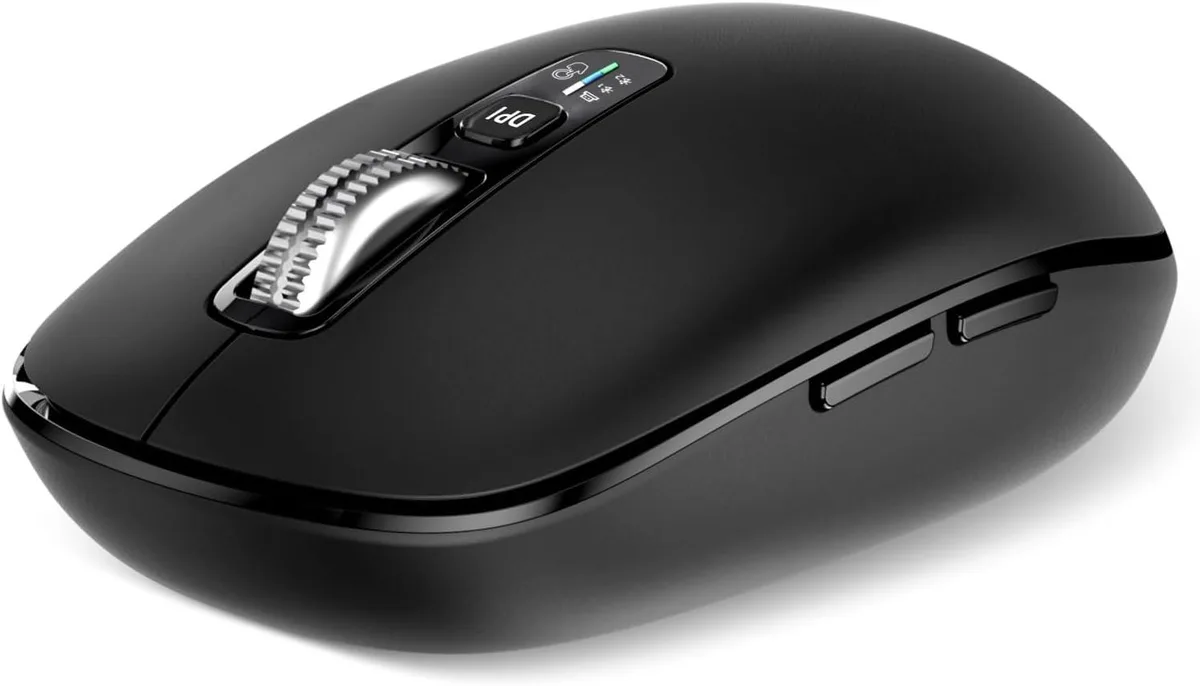
The TUKO wireless mouse offers 10 programmable buttons and a 3000 DPI sensor for gaming and productivity. It connects via a 2.4 GHz USB receiver or two Bluetooth channels, allowing quick switching between three paired devices. LED indicators show the active connection mode at a glance.
Connection Compatibility Check
Verify that your computer, laptop, tablet or smartphone supports USB-A for the 2.4 GHz receiver or standard Bluetooth pairing. The receiver stores magnetically under the mouse cover when not in use. No special drivers are required for basic Plug & Play operation on supported operating systems.
Scrolling and Power Benefits
A stainless steel 4-way scroll wheel provides quiet vertical and horizontal navigation for documents and web pages. The mouse runs on two included batteries, eliminating the need for a charging cable during extended sessions. The ergonomic full-size shape suits larger hands for comfortable all-day use.
Puntos fuertes
- Connect three devices with 2.4 GHz and dual Bluetooth
- 10 programmable buttons adapt to any workflow
- 3000 DPI sensor delivers precise cursor control
- Stainless-steel roller enables four-way silent scrolling
- Magnetic cover stores the USB receiver securely
Especificaciones
| Layout | Full-size |
|---|
Preguntas sobre este artículo
Does the TUKO 10-button mouse include the 2.4 GHz USB receiver and batteries, or must they be purchased separately?
The 2.4 GHz USB receiver is stored under the magnetic surface cover and two batteries are included, so no separate purchase is needed.
Should I choose the 2.4 GHz mode or one of the two Bluetooth modes for my setup?
Use 2.4 GHz for lowest-latency desktop gaming; switch to Bluetooth Mode 1 or 2 for cable-free pairing with a laptop, tablet or Mac.
How does the 3000 DPI sensor perform in everyday gaming and office work?
The ±3000 DPI optical sensor gives precise cursor control for fast-paced games and smooth tracking across large spreadsheets or multiple monitors.
También en este pasillo
Los clientes también compararon
Mismo estante, mismo pago — ocho criptomonedas y un tipo de cambio bloqueado 30 minutos.



Cherry
Cherry MX 3.1 Mechanical Wired Gaming Keyboard White MX2A Silent Red
- Red Switch
- White
116,99 US$
0.00145373BTC
En stock