ASUS
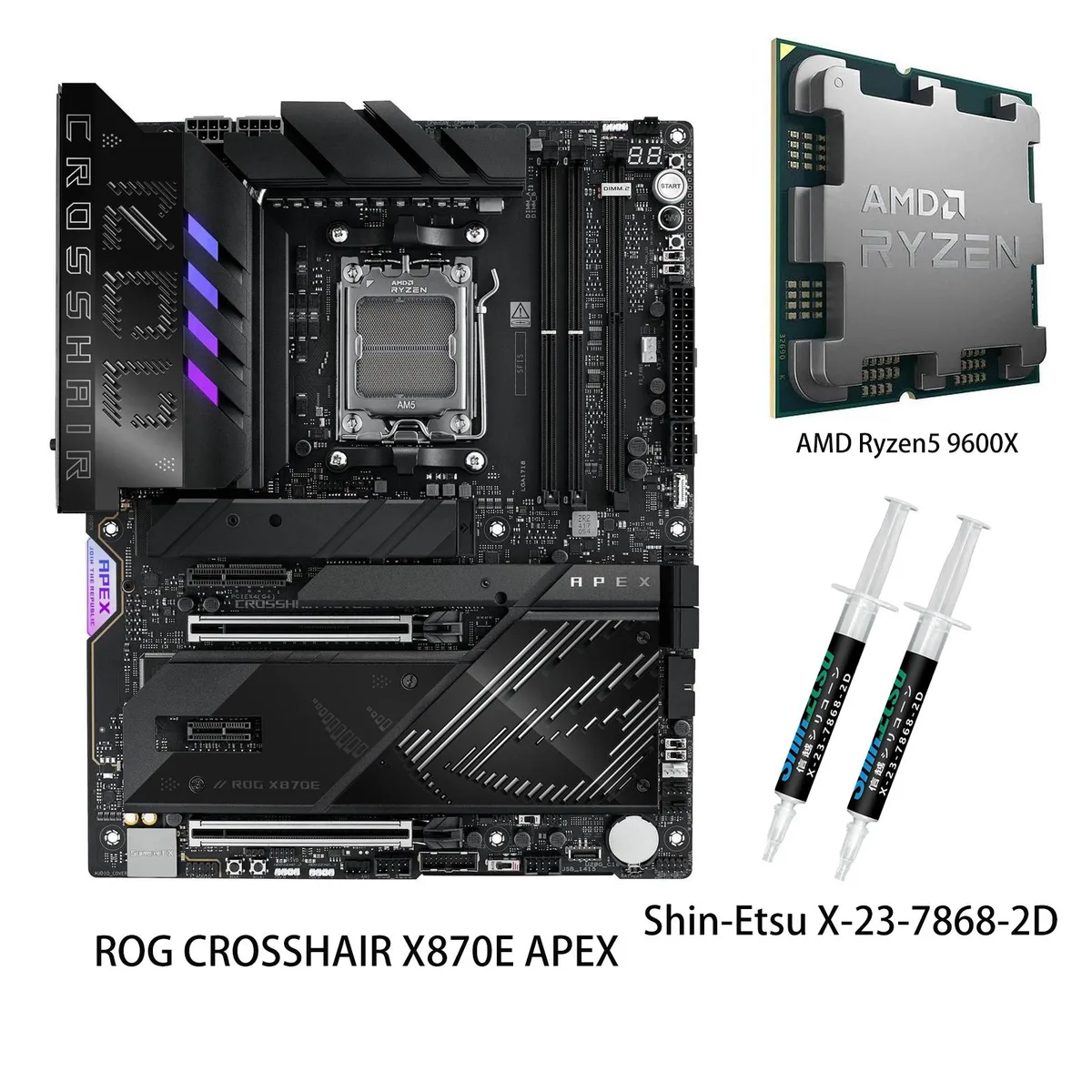
ASUS ROG CROSSHAIR X870E HERO + Ryzen 5 9600X AMD motherboard
- AM5
- AMD X870E
$1,079.19
0.01395637BTC
En stockNous acceptons la cryptomonnaie — les cryptos que vous détenez peuvent ainsi acheter du matériel réel.Payez en crypto, dépensez-la en matériel réel. Livraison assurée offerte partout dans le monde au-delà de 399 $. Cartons neutres, sans marque, expédiés depuis l’Allemagne.Livraison assurée offerte au-delà de 399 $. Votre taux est bloqué pendant 30 minutes dès l’ouverture de la caisse.Taux bloqué 30 minutes. Chaque article est scellé, son numéro de série est vérifié, et il est couvert par une garantie de 24 mois.Scellé, garanti 24 mois.


ASUS
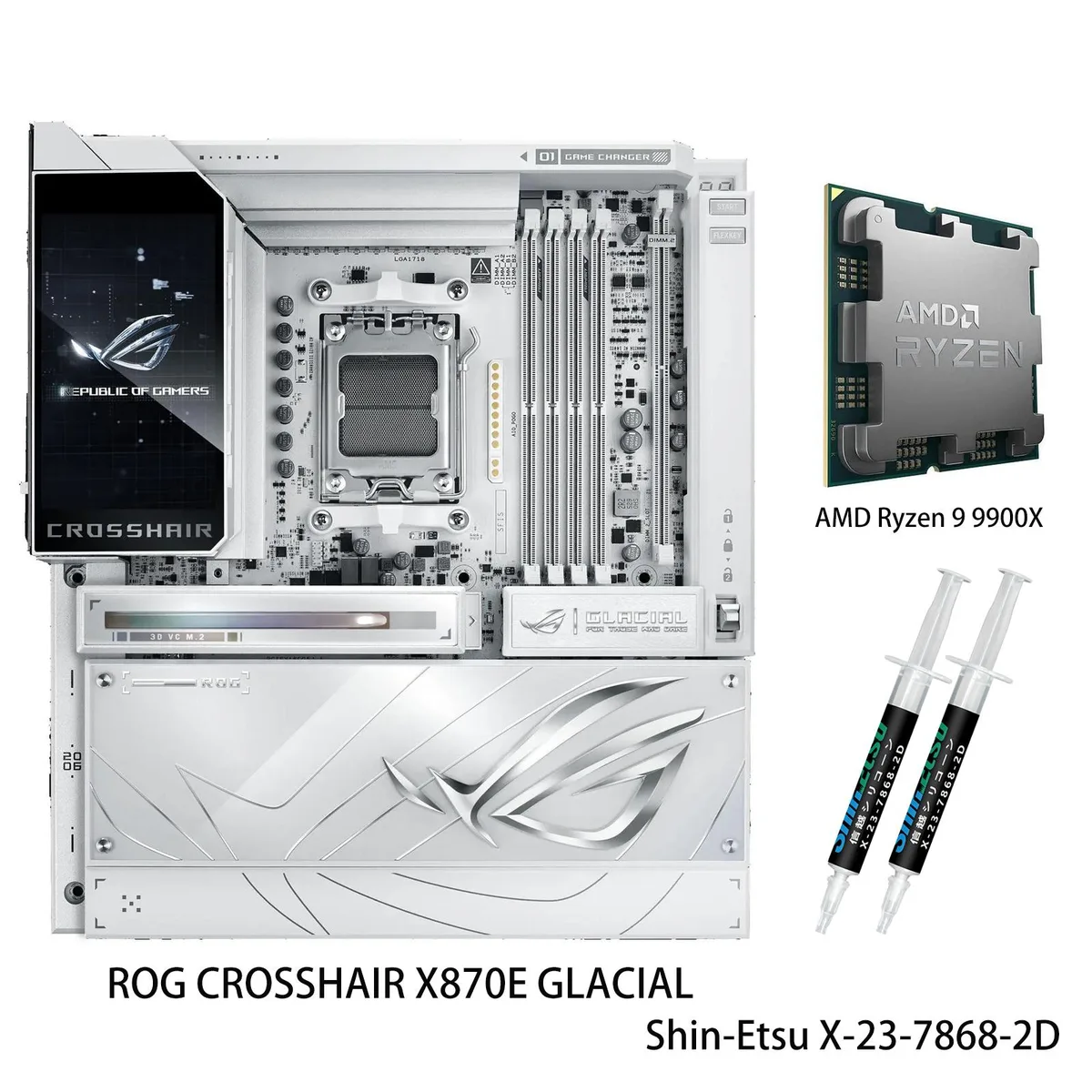
AM5 motherboard bundled with a Ryzen 9 9900X CPU, supporting DDR5 up to 8600 MT/s, 256 GB capacity, dual 10 Gb Ethernet, Wi-Fi 802.11 be, Bluetooth 5.4 and dual USB4 ports
model ROG CROSSHAIR X870E GLACIAL
+CPU +Ryzen 9 9900X
This bundle pairs the ROG Crosshair X870E Glacial motherboard with a Ryzen 9 9900X processor. The AM5 socket supports Ryzen 9000, 8000 and 7000 series CPUs. Four DDR5 slots accept up to 256GB of memory. It targets enthusiasts building high-performance AI-ready desktops.
The board uses 24 plus 2 plus 2 power stages rated at 110A each with ProCool II connectors, MicroFine alloy chokes and metallic capacitors. A 3D vapour-chamber heatsink covers one PCIe 5.0 M.2 slot. Massive heatsinks integrate with the I/O cover and connect via two L-shaped heatpipes. ROG Memory Q-Fan adds active airflow over the DIMMs.
Memory frequency support varies by CPU generation: up to 8600 MT/s with Ryzen 9000, up to 9600 MT/s with Ryzen 8000 and up to 8000 MT/s with Ryzen 7000. Dual-channel operation and ECC are supported. This spec determines the memory kit you should buy for maximum throughput.
| Brand | ASUS |
|---|---|
| Model | ROG CROSSHAIR X870E GLACIAL+(R9 9900X) |
| CPU Socket Type | AM5 |
| Chipset | AMD X870E |
| Number of Memory Slots | 4x288pin (DDR5) |
| Memory Standard | Supports up to 8600+MT/s(OC)/8200+MT/s(OC) with Ryzen 9000 Series Processors 9600+MT/s(OC)/9200+MT/s(OC) with Ryzen 8000 Series Processors 8000+MT/s(OC)/8000+MT/s(OC) with Ryzen 7000 Series Processors |
| Maximum Memory Supported | 256GB |
| Channel Supported | Dual Channel |
| ECC Supported | Yes |
| Buffer Supported | Un-buffered |
| PCI Express 5.0 x16 | AMD Ryzen 9000 & 7000 Series Desktop Processors* 2 x PCIe 5.0 x16 slots with PCIe Q-Release Switch (supports x16 or x8/x8 or x8/x4/x4 or x4/x4/x4/x4 modes)** AMD Ryzen 8700 & 8600 & 8400 Series Desktop Processors* 2 x PCIe 4.0 x16 slots with PCIe Q-Release Switch (only supports PCIEx16(G5)_1 & total bandwidth for x8, PCIEx16(G5)_2 will run at PCIe 3.0 x4) AMD Ryzen 8500 & 8300 Series Desktop Processors* 2 x PCIe 4.0 x16 slots with PCIe Q-Release Switch (only supports PCIEx16(G5)_1 & total bandwidth for x4, PCIEx16(G5)_2 will run at PCIe 3.0 x4) * Specifications vary by CPU types. ** |
| Serial ATA (SATA) | 4 x SATA 6Gb/s |
| M.2 | AMD Ryzen 9000 & 7000 Series Desktop Processors* M.2_1 slot (Key M), type 2242/2260/2280/22110 (supports PCIe 5.0 x4 mode) M.2_2 slot (Key M), type 2242/2260/2280 (supports PCIe 5.0 x4 mode)** Hyper M.2_1 slot (Key M) via ROG Hyper M.2 card, type 2230/2242/2260/2280/22110 (suppports PCIe 5.0 x4 mode) Hyper M.2_2 slot (Key M) via ROG Hyper M.2 card, type 2230/2242/2260/2280/22110 (suppports PCIe 5.0 x4 mode) AMD Ryzen 8700 & 8600 & 8400 Series Desktop Processors* M.2_1 slot (Key M), type 2242/2260/2280 (supports PCIe 4.0 x4 mode) M.2_2 slot (Key M), type 2242/2260/2280 (supports PCIe |
| SATA RAID | AMD RAIDXpert2 Technology Ryzen 9000 & 8000 & 7000 Series Processors: RAID 0/1/5/10* * SATA ports from ASM1162 cannot support RAID |
| Audio Channels | ROG SupremeFX 7.1 Surround Sound High Definition Audio CODEC ALC4082** - Impedance sense for front and rear headphone outputs - Supports: Jack-detection, Multi-streaming, Front Panel MIC Jack-retasking - High quality 120 dB SNR stereo playback output and 110 dB SNR recording input - Supports up to 32-Bit/384 kHz playback on front panel Audio Features - SupremeFX Shielding Technology - ESS ES9219 QUAD DAC - LED-illuminated audio jacks - Rear optical S/PDIF out port - Premium audio capacitors Supports LHDC, high-definition bluetooth audio codec, transmission with up to 400 kbps bitrate |
| Max LAN Speed | 2 x 10Gbps |
| Wireless LAN | Wi-Fi 802.11 be |
| Bluetooth | Bluetooth 5.4 |
| Back I/O Ports | 2 x USB4 (40Gbps) ports (2 x USB Type-C) 12 x USB 10Gbps ports (8 x Type-A + 4 x USB Type-C) 1 x Wi-Fi Module 2 x Realtek 10Gb Ethernet ports 2 x LED-illuminated audio jacks 1 x Optical S/PDIF out port 1 x BIOS FlashBack button 1 x Clear CMOS button |
| Onboard USB | 2 x USB 20Gbps connector (supports USB Type-C) 2 x USB 5Gbps headers support 4 additional USB 5Gbps ports 3 x USB 2.0 headers support 6 additional USB 2.0 ports |
| Other Connectors | Fan and Cooling related 1 x 4-pin CPU Fan header 1 x 4-pin CPU OPT Fan header 2 x 4-pin Chassis Fan headers 2 x 4-pin Radiator Fan headers 2 x W_PUMP+ headers 1 x AIO Q-Connector 1 x Extra Flow Fan header Storage related 3 x M.2 slots (Key M) 1 x DIMM.2 slot supports 2 x M.2 slots (Key M) 4 x SATA 6Gb/s ports Miscellaneous 1 x 6-pin ARGB Gen 2 header to support 2 x ARGB Gen 2 headers 2 x Addressable Gen 2 header 1 x Alteration PCIe mode switch 2 x BCLK button 1 x BIOS Switch 1 x FlexKey button 1 x Front Panel Audio header (F_AUDIO) 1 x LN2 Mode jumper 12 x ProbeIt Measurement Points |
| Form Factor | Extended ATX |
| Dimensions (W x L) | 12.0" x 10.9" |
| Power Pin | 1 x 24-pin Main Power connector 2 x 8-pin +12V CPU Power connector 1 x 8-pin PCIe Power connector |
| BIOS Feature | 2 x 512 Mb Flash ROM, UEFI AMI BIOS |
| Software | ROG Exclusive Software - ROG CPU-Z - Dolby Atmos - LCD Display - Internet Security (1-year full version) ASUS Exclusive Software Armoury Crate - Aura Creator - Aura Sync - Fan Xpert 4 (with AI Cooling II) - GameFirst - WiFi Q-Antenna - MLO Wizard ASUS DriverHub - ASUS MB Manage - ASUS AI Advisor - AIDA64 Extreme (1 year full version) - HWiNFO - Turbo Vcore - ASUS GlideX - USB Wattage Watcher WinRAR (40 Days Free Trial) Adobe Creative Cloud (Free Trial) UEFI BIOS Integrated WiFi Driver Support AI Overclocking Guide AI Cache Boost ASUS EZ DIY - ASUS CrashFree BIOS 3 - ASUS EZ Flash 3 - |
Autres versions de ce modèle
Même famille, mémoire, ventirad ou fréquence différents — comparez avant de vous décider.
The board offers two PCIe 5.0 x16 slots that can run at x16 or split to x8/x8, x8/x4/x4 or x4/x4/x4/x4 depending on the installed CPU.
An extended ATX case is needed; the board uses ProCool II connectors fed by 24 plus 2 plus 2 power stages rated at 110A each.
Lift the retention lever, align the triangle on the CPU with the socket marker, lower the lever fully, then attach the cooler — many builders forget to remove the protective plastic cover on the socket before seating the processor.
Également dans ce rayon
Même rayon, même caisse — huit monnaies et un taux bloqué 30 minutes.
Ce que vous envoyez, et ce dans quoi vous lisez les prix.
Envoyé depuis votre portefeuille à la caisse
Affichage seul — le catalogue est libellé en dollars
Aucune monnaie ne correspond.
Choisissez la langue dans laquelle le site vous parle.
Première visite ?
Vous avez déjà un compte ?
Il n’y a pas de réinitialisation automatique : cette boutique n’envoie aucun e-mail, il n’existe donc aucun lien à usage unique à demander. Laissez l’adresse sur le compte, elle sera traitée à la main.
Demande enregistrée
Rien n’arrivera dans votre boîte de réception — cette boutique n’envoie aucun e-mail. Quelqu’un s’en occupe à la main.
Vous l’avez retrouvé ?