

SanDisk
SanDisk Cruzer Blade 8 GB USB 2.0 USB flash drive Black SDCZ50-008G-B35
391,99 USD
0.00501587BTC
DisponibileAccettiamo criptovalute — così le crypto che Lei possiede possono comprare hardware reale.Paghi in crypto, la spenda in hardware reale. Spedizione assicurata gratuita in tutto il mondo oltre i 399 $. Cartoni neutri, senza marchio, spediti dalla Germania.Spedizione assicurata gratuita oltre i 399 $. Il Suo tasso resta bloccato per 30 minuti dall’apertura del checkout.Tasso bloccato 30 minuti. Ogni articolo è sigillato, il numero di serie è verificato, ed è coperto da una garanzia di 24 mesi.Sigillato, garantito 24 mesi.
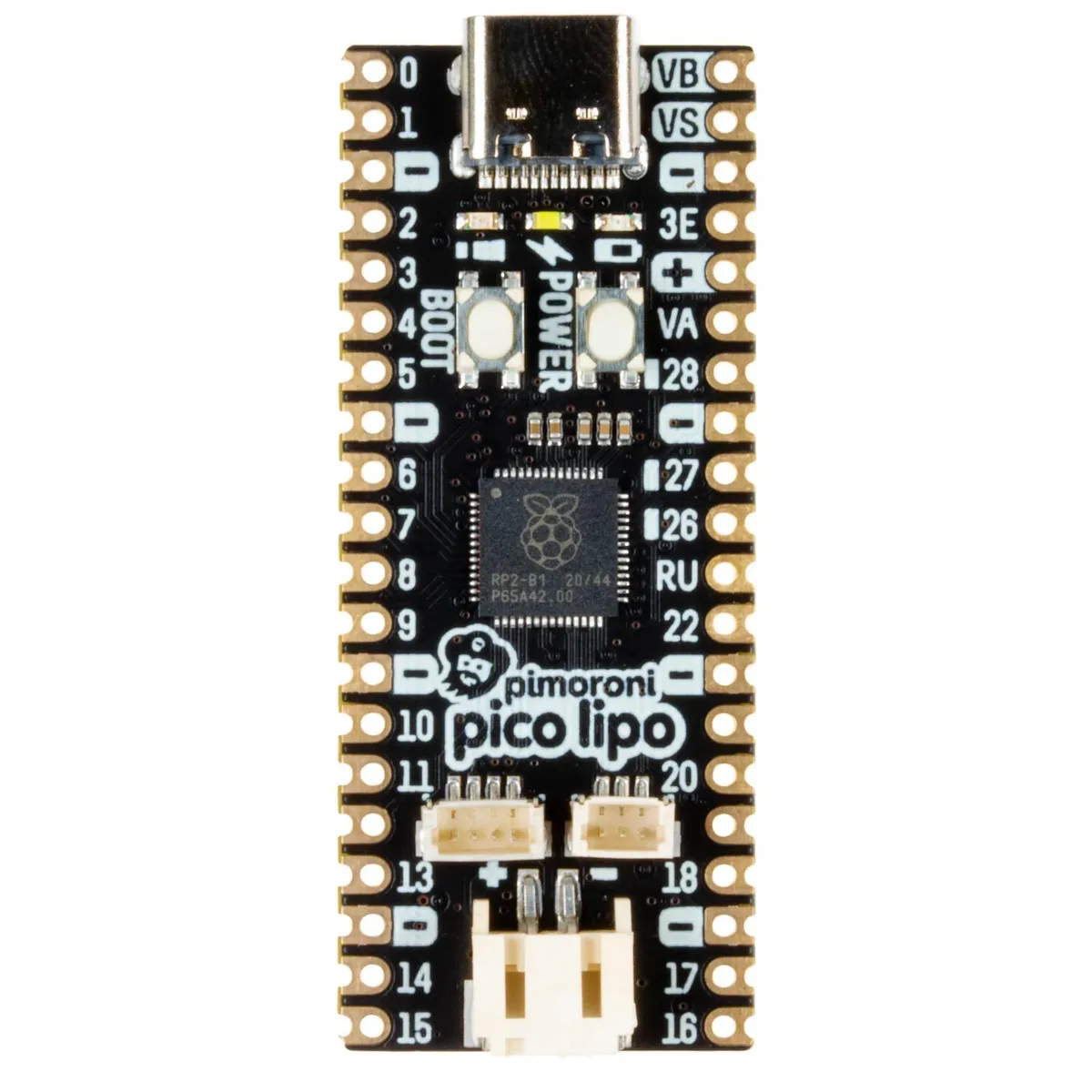


Pimoroni
RP2040 microcontroller board with 16 MB flash, USB-C power and programming, onboard LiPo charging at 215 mA, and a Qwiic/STEMMA QT connector for solderless sensor add-ons
The Pimoroni Pico LiPo 16MB is a microcontroller board built around the RP2040 dual ARM Cortex-M0+ processor running at up to 133 MHz. It provides 264 kB of SRAM and 16 MB of QSPI flash with execute-in-place support. The board targets makers who want battery-powered projects with solderless sensor connectivity via a Qwiic/STEMMA QT port.
A USB-C connector supplies power, programming and data. The onboard MCP73831 charger delivers 215 mA to a connected LiPo or LiIon cell while the XB6096I2S protector guards the battery. Two indicator LEDs show the on/off state and charging status so you can monitor power without extra circuitry.
The four-pin Qwiic/STEMMA QT connector lets you attach compatible sensors and breakouts without soldering. A debug connector supports SWD programming for advanced workflows. Onboard BOOTSEL and power buttons give direct control over firmware upload and device power, leaving GPIO pins free for your application.
Nessuna caratteristica ancora pubblicata per questo articolo.
Connect the board via the USB-C connector for power and programming, then press the BOOTSEL button while plugging it in to enter USB mass-storage mode for firmware drag-and-drop — this button press is the step most people forget.
The LiPo or LiIon battery connected to the MCP73831 charger will eventually degrade and need replacement; the board itself has no user-serviceable parts.
The MCP73831 charger is rated for 215mA charging current, so the battery will charge at that maximum rate and cannot accept higher current even if the USB-C supply offers more.
Anche in questo reparto
Stesso reparto, stessa cassa — otto monete e un cambio bloccato per 30 minuti.
Cosa invia per pagare, e in quale valuta legge i prezzi.
Inviato dal Suo portafoglio alla cassa
Solo a titolo indicativo — il catalogo è espresso in dollari
Nessuna valuta corrisponde.
Scelga la lingua in cui il sito Le parla.
Nessuna lingua corrisponde.
Prima visita?
Ne ha già uno?
Non esiste un ripristino automatico: questo negozio non invia e-mail, quindi non esiste alcun link monouso da richiedere. Lasci l’indirizzo sull’account: verrà gestito manualmente.
Richiesta registrata
Non arriverà nulla nella Sua casella di posta — questo negozio non invia e-mail. Qualcuno se ne occupa manualmente.
L’ha ritrovata?



