DELL
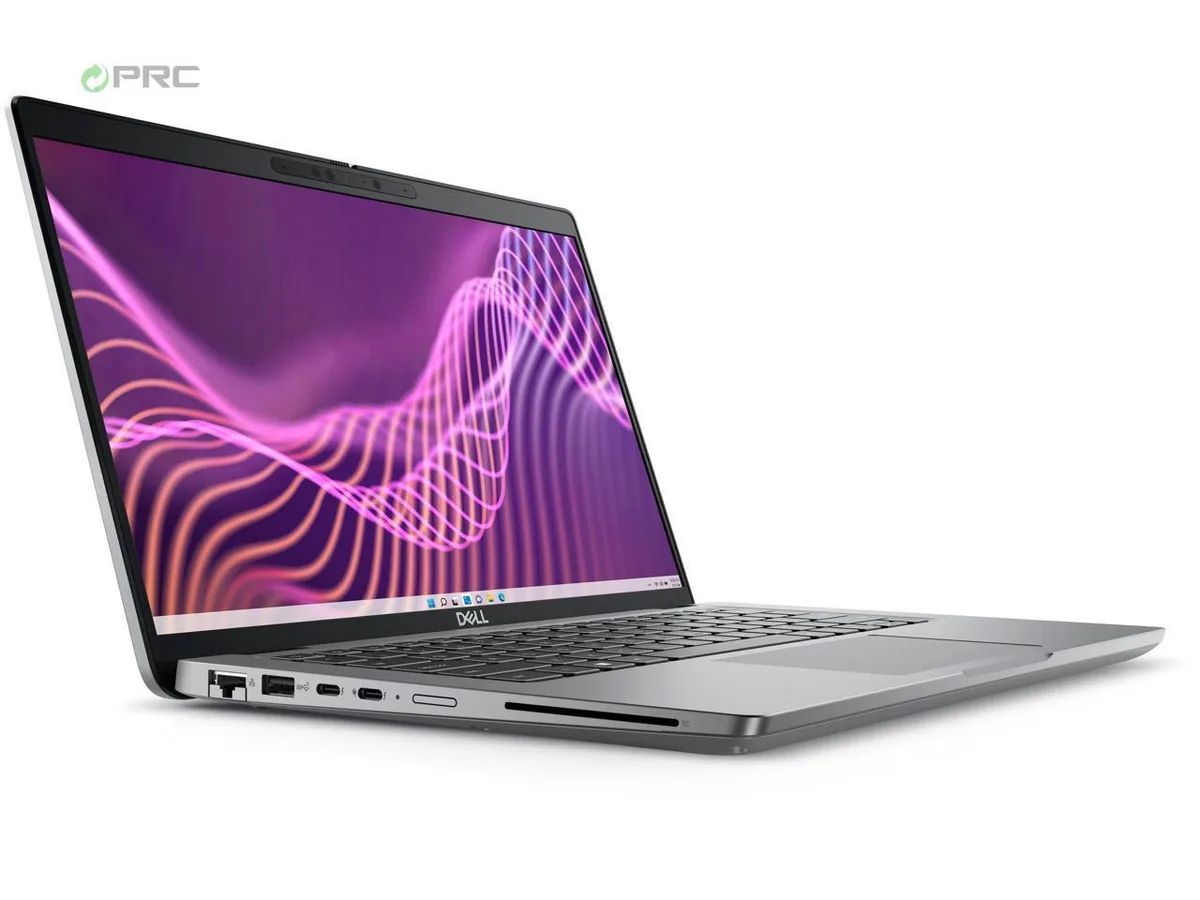
DELL Latitude 3440 14" FHD i5-1335U 16GB DDR4 256GB NVMe Windows 11 Pro
- Gray
- Windows 11 Pro
$421.99
0.00544075BTC
在庫あり


DELL
A 14-inch business laptop with a 13th Gen Intel Core i5-1335U, 8 GB DDR4, 256 GB NVMe, FHD display and Windows 11 Pro
Options i5-1335U 8GB/256GB W11P
The DELL Latitude 3440 is a 14.0-inch business laptop built around a 13th Gen Intel Core i5-1335U processor with 10 cores and 12 threads. It ships with 8 GB of DDR4 memory and a 256 GB NVMe SSD running Windows 11 Pro. The configuration suits office professionals and students who need reliable productivity performance in a portable 1.54 kg chassis.
The system operates with a 65 W AC adapter and integrates Intel Iris Xe graphics alongside the CPU. In typical office workloads the cooling solution manages heat without excessive fan noise, while the anti-glare 250-nit display remains comfortable for extended use. Integrated graphics and efficient DDR4 memory help keep power draw modest during everyday tasks like document editing and video calls.
Under sustained multi-threaded workloads the 10-core hybrid architecture balances performance and efficiency cores up to 4.6 GHz and 3.4 GHz respectively. The 12 MB cache supports data throughput during prolonged compile, render or analysis sessions. Thermal management maintains stable clocks within the slim 18.6 mm rear profile without throttling aggressively during long runs.
| Brand | DELL |
|---|---|
| Series | 3000 |
| Model | Latitude |
| Part Number | 3440 |
| Color | Gray |
| Operating System | Windows 11 Pro |
| CPU Type | Intel Core i5 13th Gen |
| Processor Name | Intel Core i5-1335U |
| CPU L2 Cache | 6MB |
| Screen Size | 14.0" |
| Touchscreen | Non-Touch Screen |
| Display Type | FHD |
| Resolution | 1920 x 1080 |
| GPU/VPU | Intel Iris Xe Graphics |
| Graphic Type | Integrated Card |
| SSD | 256GB |
| HDD | No |
| Storage Spec | 256 GB SSD |
| Memory | 8GB |
| Memory Speed | DDR4 |
| Memory Spec | 4 GB x 2 |
| Memory Slot (Total) | 2 |
| Memory Slot (Available) | 0 |
| Max Memory Supported | 64 GB |
| Optical Drive Type | No |
| LAN | 10/100/1000Mbps |
| WiFi Generation | Wi-Fi 6 |
| Bluetooth | Yes |
| USB | 1 x USB-C Gen 2, 3 x USB-A (3.0/3.2) Gen 1, |
| Video Port | 1 x HDMI 1.4 |
| HDMI | 1 x HDMI |
| Audio Ports | 1 x Microphone Jack, 1 x Headphone Jack |
| Audio | Integrated Sound card |
| Touchpad | Yes |
| Keyboard | Standard |
| Webcam | Yes |
| Style | Ultrabook |
| Type | Mainstream |
| Usage | Consumer |
| AC Adapter/Charger | 65-watt AC Adapter |
| Weight | 3 - 3.9 lbs. |
このモデルの他のバージョン
同じファミリーで、メモリ・クーラー・クロックが異なります — 購入前に比較してください。
Remove the base cover, insert the DDR4 SO-DIMM at an angle until the clips snap, then reassemble; the step often missed is pressing the module down firmly until both retention clips click audibly.
The 65 W AC adapter and the internal battery are the parts most likely to require replacement before the chassis or motherboard.
The 65 W power adapter caps total system draw, so the CPU throttles to stay within that envelope before temperature becomes the limiting factor.
同じ売り場の商品
同じ売り場、同じレジ — 8種類のコインと30分間のレートロック。
お支払いに使うコインと、価格表示に使う通貨です。
チェックアウト時にウォレットから送信されます。
表示のみ—カタログの価格は米ドル建てです。
該当する通貨がありません。
サイトの表示言語を選択してください。
一致する言語がありません。
初めてのご利用ですか?
すでにお持ちですか?
自動的な再設定はありません。当店はメールを送信しないため、ワンタイムリンクをお送りすることもできません。アカウントにメールアドレスを残しておいていただければ、担当者が手作業で確認いたします。
リクエストを受け付けました
受信箱に何かが届くことはありません — 当店はメールを一切送信していません。担当者が手作業で確認いたします。
思い出しましたか?