DELL
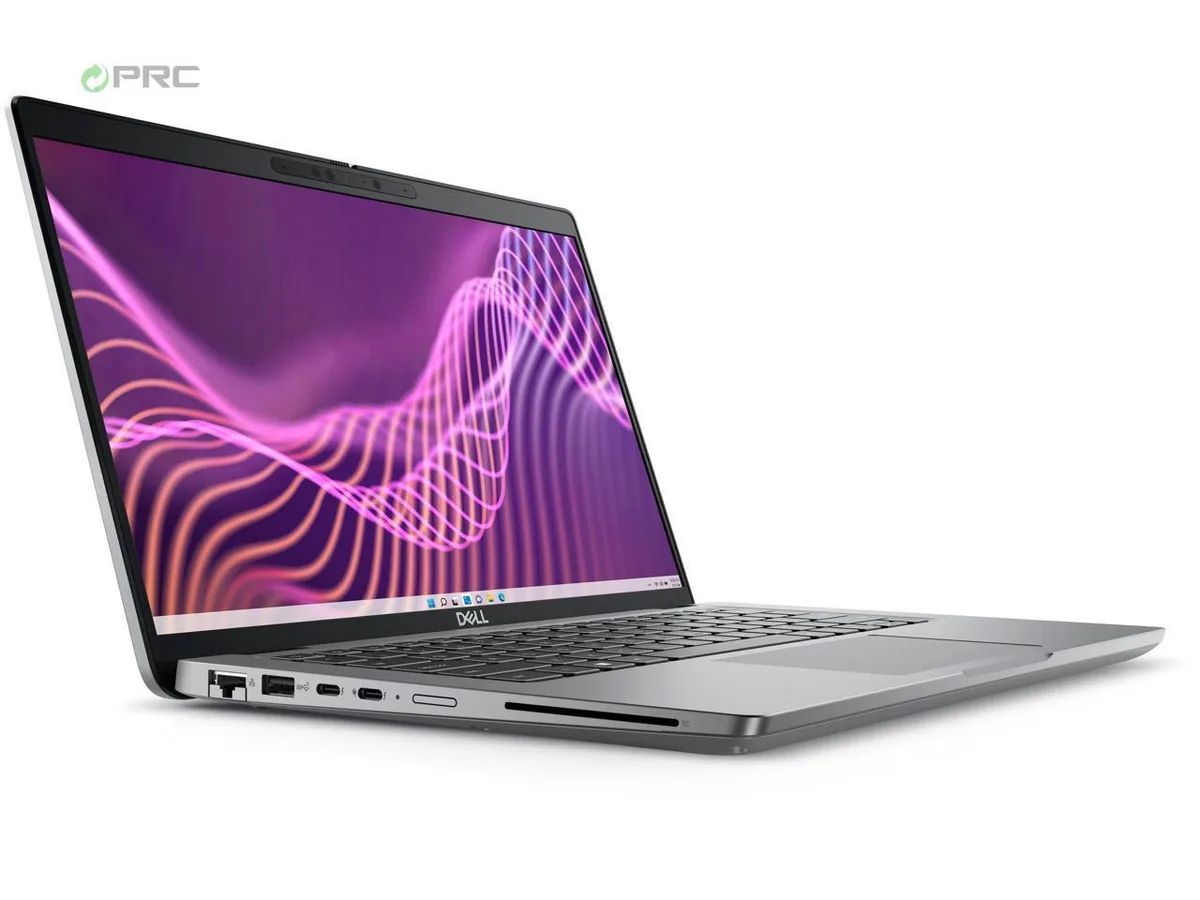
DELL Latitude 3440 14" FHD i5-1335U 16GB DDR4 256GB NVMe Windows 11 Pro
- Gray
- Windows 11 Pro
US$421.99
0.00540645BTC
재고 있음


DELL
A 14-inch business laptop with a 13th Gen Intel Core i5-1335U, 8 GB DDR4, 256 GB NVMe, FHD display and Windows 11 Pro
Options i5-1335U 8GB/256GB W11P
The DELL Latitude 3440 is a 14.0-inch business laptop built around a 13th Gen Intel Core i5-1335U processor with 10 cores and 12 threads. It ships with 8 GB of DDR4 memory and a 256 GB NVMe SSD running Windows 11 Pro. The configuration suits office professionals and students who need reliable productivity performance in a portable 1.54 kg chassis.
The system operates with a 65 W AC adapter and integrates Intel Iris Xe graphics alongside the CPU. In typical office workloads the cooling solution manages heat without excessive fan noise, while the anti-glare 250-nit display remains comfortable for extended use. Integrated graphics and efficient DDR4 memory help keep power draw modest during everyday tasks like document editing and video calls.
Under sustained multi-threaded workloads the 10-core hybrid architecture balances performance and efficiency cores up to 4.6 GHz and 3.4 GHz respectively. The 12 MB cache supports data throughput during prolonged compile, render or analysis sessions. Thermal management maintains stable clocks within the slim 18.6 mm rear profile without throttling aggressively during long runs.
| Brand | DELL |
|---|---|
| Series | 3000 |
| Model | Latitude |
| Part Number | 3440 |
| Color | Gray |
| Operating System | Windows 11 Pro |
| CPU Type | Intel Core i5 13th Gen |
| Processor Name | Intel Core i5-1335U |
| CPU L2 Cache | 6MB |
| Screen Size | 14.0" |
| Touchscreen | Non-Touch Screen |
| Display Type | FHD |
| Resolution | 1920 x 1080 |
| GPU/VPU | Intel Iris Xe Graphics |
| Graphic Type | Integrated Card |
| SSD | 256GB |
| HDD | No |
| Storage Spec | 256 GB SSD |
| Memory | 8GB |
| Memory Speed | DDR4 |
| Memory Spec | 4 GB x 2 |
| Memory Slot (Total) | 2 |
| Memory Slot (Available) | 0 |
| Max Memory Supported | 64 GB |
| Optical Drive Type | No |
| LAN | 10/100/1000Mbps |
| WiFi Generation | Wi-Fi 6 |
| Bluetooth | Yes |
| USB | 1 x USB-C Gen 2, 3 x USB-A (3.0/3.2) Gen 1, |
| Video Port | 1 x HDMI 1.4 |
| HDMI | 1 x HDMI |
| Audio Ports | 1 x Microphone Jack, 1 x Headphone Jack |
| Audio | Integrated Sound card |
| Touchpad | Yes |
| Keyboard | Standard |
| Webcam | Yes |
| Style | Ultrabook |
| Type | Mainstream |
| Usage | Consumer |
| AC Adapter/Charger | 65-watt AC Adapter |
| Weight | 3 - 3.9 lbs. |
이 모델의 다른 버전
같은 제품군에서 메모리·쿨러·클럭이 다릅니다 — 결정 전에 비교해 보세요.
Remove the base cover, insert the DDR4 SO-DIMM at an angle until the clips snap, then reassemble; the step often missed is pressing the module down firmly until both retention clips click audibly.
The 65 W AC adapter and the internal battery are the parts most likely to require replacement before the chassis or motherboard.
The 65 W power adapter caps total system draw, so the CPU throttles to stay within that envelope before temperature becomes the limiting factor.
이 진열대의 다른 상품
같은 진열대, 같은 체크아웃 — 코인 8종, 환율 잠금 30분.
결제할 코인과 가격을 확인할 통화입니다.
체크아웃 시 지갑에서 전송됩니다.
표시 전용 — 카탈로그 가격은 달러 기준입니다.
일치하는 통화가 없습니다.
사이트에서 사용할 언어를 선택하십시오.
일치하는 언어가 없습니다.
처음 방문하셨나요?
이미 계정이 있으신가요?
자동 재설정 기능은 없습니다. 이 쇼핑몰은 어떠한 메일도 보내지 않으므로 요청할 일회용 링크 자체가 없습니다. 계정에 등록된 이메일 주소를 그대로 두시면 담당자가 직접 확인해 처리합니다.
요청 접수
받은편지함으로 오는 것은 아무것도 없습니다 — 이 쇼핑몰은 메일을 전혀 보내지 않습니다. 담당자가 직접 확인해 처리합니다.
기억나셨나요?