

SanDisk
SanDisk Cruzer Blade 8 GB USB 2.0 USB flash drive Black SDCZ50-008G-B35
$391.99
0.00502609BTC
在庫あり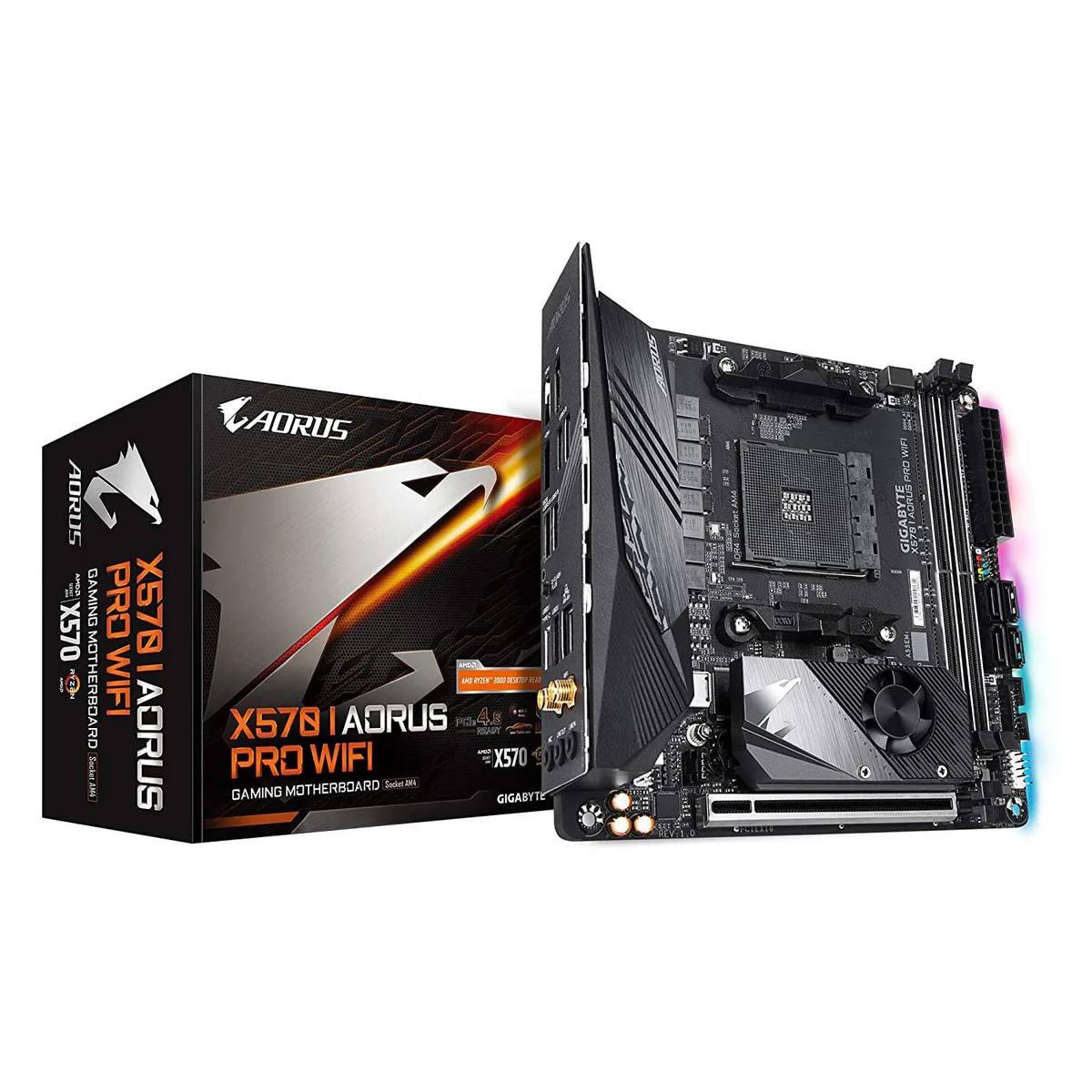


GIGABYTE
Mini-ITX AMD motherboard with dual M.2 slots, USB 3.1 and HDMI 2.0 outputs
The Gigabyte X570 I Aorus Pro Wi-Fi is a Mini-ITX motherboard built on the X570 chipset for AMD Ryzen processors. It includes integrated Wi-Fi and DisplayPort 1.4 alongside two HDMI 2.0B outputs for display flexibility. RGB Fusion 2.0 lighting adds visual customisation for small-form-factor builds.
This board suits builders who need PCIe 4.0 NVMe storage and high-quality Realtek ALC1220-Vb audio in a compact layout. The dual-channel DDR4 design with only two DIMM slots limits total memory capacity, so users requiring four slots should consider a larger form factor.
A direct 8-phase Infineon digital VRM with 70A power stages and an extended heatsink backed by a 5W/mK thermal pad handles demanding CPU loads in a restricted space. This specification determines whether the board can sustain the performance level your chosen processor requires.
| CPU Type | ATOM |
|---|
The board measures 10.43 by 9.25 by 3.14 centimetres. Verify your case supports Mini-ITX and check clearance for the extended VRM heatsink and rear I/O shield before purchase.
Mount the motherboard in the case first. Align the cooler with the AM4 socket, then secure it using a cross-pattern tightening sequence to distribute pressure evenly across the VRM heatsink area.
Replace the thermal pad if VRM temperatures rise unusually high under load, or whenever you remove the heatsink for cleaning or hardware changes. Use a pad of the same thickness and conductivity rating.
同じ売り場の商品
同じ売り場、同じレジ — 8種類のコインと30分間のレートロック。
お支払いに使うコインと、価格表示に使う通貨です。
チェックアウト時にウォレットから送信されます。
表示のみ—カタログの価格は米ドル建てです。
該当する通貨がありません。
サイトの表示言語を選択してください。
一致する言語がありません。
初めてのご利用ですか?
すでにお持ちですか?
自動的な再設定はありません。当店はメールを送信しないため、ワンタイムリンクをお送りすることもできません。アカウントにメールアドレスを残しておいていただければ、担当者が手作業で確認いたします。
リクエストを受け付けました
受信箱に何かが届くことはありません — 当店はメールを一切送信していません。担当者が手作業で確認いたします。
思い出しましたか?



