

SanDisk
SanDisk Cruzer Blade 8 GB USB 2.0 USB flash drive Black SDCZ50-008G-B35
US$391.99
0.00501272BTC
재고 있음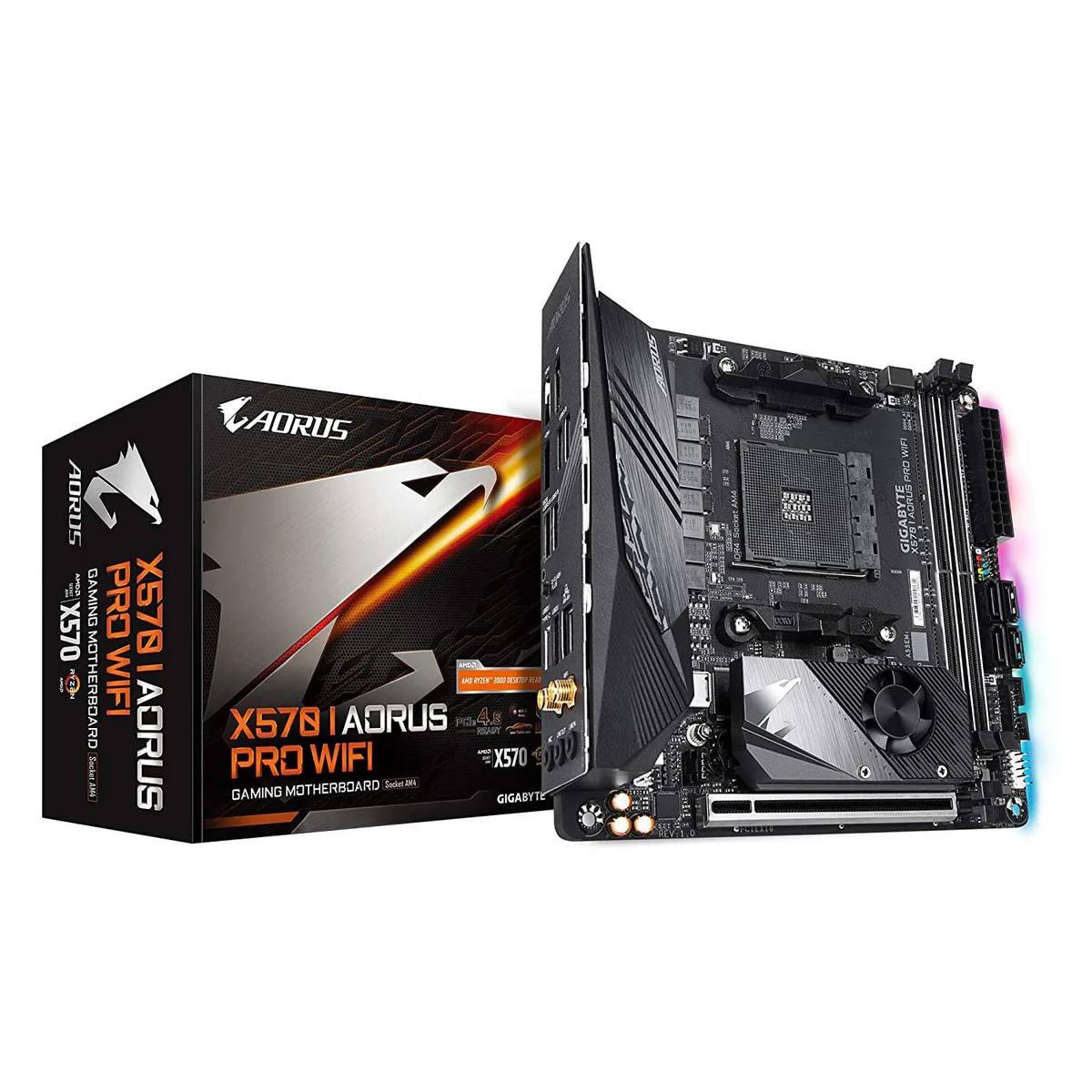


GIGABYTE
Mini-ITX AMD motherboard with dual M.2 slots, USB 3.1 and HDMI 2.0 outputs
The Gigabyte X570 I Aorus Pro Wi-Fi is a Mini-ITX motherboard built on the X570 chipset for AMD Ryzen processors. It includes integrated Wi-Fi and DisplayPort 1.4 alongside two HDMI 2.0B outputs for display flexibility. RGB Fusion 2.0 lighting adds visual customisation for small-form-factor builds.
This board suits builders who need PCIe 4.0 NVMe storage and high-quality Realtek ALC1220-Vb audio in a compact layout. The dual-channel DDR4 design with only two DIMM slots limits total memory capacity, so users requiring four slots should consider a larger form factor.
A direct 8-phase Infineon digital VRM with 70A power stages and an extended heatsink backed by a 5W/mK thermal pad handles demanding CPU loads in a restricted space. This specification determines whether the board can sustain the performance level your chosen processor requires.
| CPU Type | ATOM |
|---|
The board measures 10.43 by 9.25 by 3.14 centimetres. Verify your case supports Mini-ITX and check clearance for the extended VRM heatsink and rear I/O shield before purchase.
Mount the motherboard in the case first. Align the cooler with the AM4 socket, then secure it using a cross-pattern tightening sequence to distribute pressure evenly across the VRM heatsink area.
Replace the thermal pad if VRM temperatures rise unusually high under load, or whenever you remove the heatsink for cleaning or hardware changes. Use a pad of the same thickness and conductivity rating.
이 진열대의 다른 상품
같은 진열대, 같은 체크아웃 — 코인 8종, 환율 잠금 30분.
결제할 코인과 가격을 확인할 통화입니다.
체크아웃 시 지갑에서 전송됩니다.
표시 전용 — 카탈로그 가격은 달러 기준입니다.
일치하는 통화가 없습니다.
사이트에서 사용할 언어를 선택하십시오.
일치하는 언어가 없습니다.
처음 방문하셨나요?
이미 계정이 있으신가요?
자동 재설정 기능은 없습니다. 이 쇼핑몰은 어떠한 메일도 보내지 않으므로 요청할 일회용 링크 자체가 없습니다. 계정에 등록된 이메일 주소를 그대로 두시면 담당자가 직접 확인해 처리합니다.
요청 접수
받은편지함으로 오는 것은 아무것도 없습니다 — 이 쇼핑몰은 메일을 전혀 보내지 않습니다. 담당자가 직접 확인해 처리합니다.
기억나셨나요?



