

EN-Labs
EN-Labs 11-001-366 PCIe x4 USB 3.2 10Gbps 5-port card
- no
- 12CM Case fan,screw…
US$31.99
0.00041034BTC
재고 있음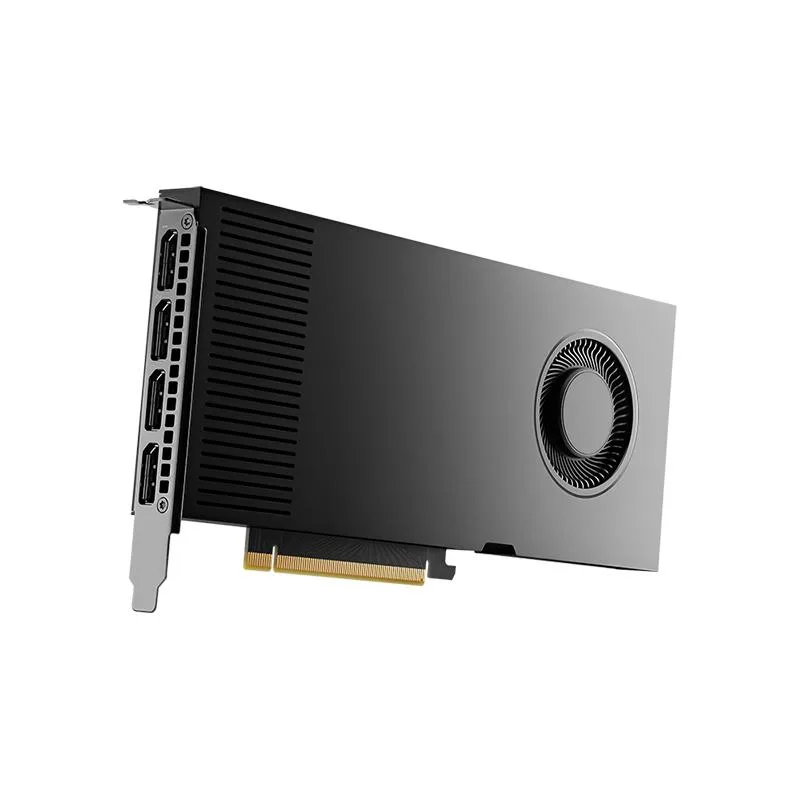
NVIDIA
Workstation GPU with 20 GB GDDR6 memory, PCIe 4.0 x16 interface, four DisplayPort outputs, and included power and HDMI adapters
The NVIDIA RTX 4000 Ada is a workstation graphics card equipped with 20GB of GDDR6 memory. It connects via a PCIe 4.0 x16 interface and provides four DisplayPort outputs. The retail package includes the board, a quick start guide, a support guide, an 8-pin to CEM5 16-pin power dongle, and a DP 1.4 to HDMI 2.0 adapter.
This card replaces workstation GPUs with smaller frame buffers when 20GB of GDDR6 memory is required for large datasets or multi-display setups. The jump is worth it when current hardware limits texture resolution, model complexity, or simultaneous 4K outputs. It is not for buyers who need consumer gaming features or single-slot form factors.
| Brand | NVIDIA |
|---|---|
| Model | 900-5G190-2570-000 |
| Memory Type | Computer Accessories |
It installs in a PCIe 4.0 x16 slot and draws power through the included 8-pin to 16-pin CEM5 dongle; plug the dongle firmly into the card before seating the board.
Many forget to connect the supplied 8-pin to CEM5 16-pin power dongle to the card before closing the case, leaving the GPU without power.
이 진열대의 다른 상품
같은 진열대, 같은 체크아웃 — 코인 8종, 환율 잠금 30분.
결제할 코인과 가격을 확인할 통화입니다.
체크아웃 시 지갑에서 전송됩니다.
표시 전용 — 카탈로그 가격은 달러 기준입니다.
일치하는 통화가 없습니다.
사이트에서 사용할 언어를 선택하십시오.
No language matches that.
처음 방문하셨나요?
이미 계정이 있으신가요?
자동 재설정 기능은 없습니다. 이 쇼핑몰은 어떠한 메일도 보내지 않으므로 요청할 일회용 링크 자체가 없습니다. 계정에 등록된 이메일 주소를 그대로 두시면 담당자가 직접 확인해 처리합니다.
요청 접수
받은편지함으로 오는 것은 아무것도 없습니다 — 이 쇼핑몰은 메일을 전혀 보내지 않습니다. 담당자가 직접 확인해 처리합니다.
기억나셨나요?



