Zeroplus
Zeroplus LAP-C 16064 16-channel logic analyzer
- Engineering Develop…
- FCC / CE / WEEE / R…
$209.99
0.00268416BTC
In stockWe take cryptocurrency — so the coins you hold can buy real hardware.Pay in crypto, spend it on real hardware. Free insured shipping worldwide over $399. Plain, unbranded boxes, sent from Germany.Free insured shipping over $399. Your rate is locked for 30 minutes once checkout opens.Rate locked 30 minutes. Every item sealed, serial-checked and covered by a 24-month warranty.Sealed, 24-month warranty.
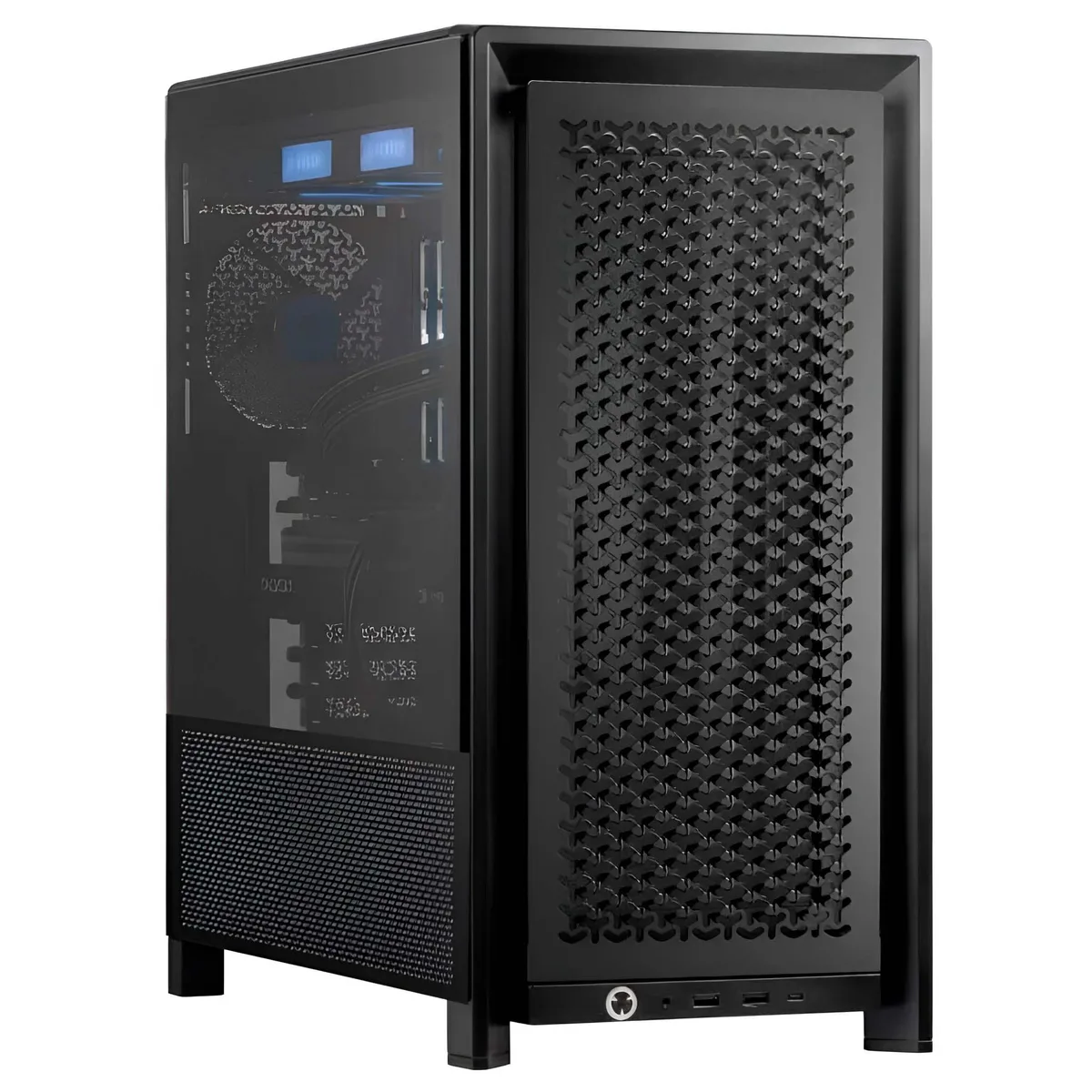


Adamant Custom
A 24-core desktop workstation with 192 GB DDR5, 2 TB NVMe, 10 TB HDD and an RTX A2000 12 GB GPU for engineering development
The Adamant Custom engineering workstation arrives as a 2026 desktop platform built around a 24-core Intel Core i9-14900K processor and 192 GB of DDR5 memory. It targets engineers and developers who need sustained multi-threaded throughput for CAD, CAM and CAE modelling workloads. A 360 mm liquid cooler and an 850 W power supply support continuous high-load operation. Windows 11 Pro 64-bit is pre-installed.
The system replaces older workstations limited to lower core counts, smaller memory ceilings or mechanical primary storage. The jump is justified when projects exceed 64 GB of active dataset, when render or simulation queues demand 32 threads, or when NVMe read speeds above 7 000 MB/s cut iteration time. Builders staying with 10th- or 11th-generation platforms will see the largest relative gain.
The Corsair 4000D chassis provides two 3.5-inch and two 2.5-inch internal bays, leaving room for additional drives beyond the factory 2 TB NVMe and 10 TB HDD. Four M.2 slots and four SATA 6 Gb/s ports remain on the Z790 TUF motherboard for future expansion. Rear I/O includes two USB Type-C, two USB 3.2 Gen 2 and four USB 3.2 Gen 1 ports, plus Intel 2.5 Gb Ethernet, Wi-Fi 6 and BLUETOOTH 5.2. The RTX A2000 12 GB occupies a single double-width slot, leaving other PCIe lanes free for capture or compute cards.
| Release Year | 2026 |
|---|---|
| Form Factor | Desktop |
| AI Features | AI Ready |
| Color | Black |
| Cooling System | Liquid Cooling |
| Operating System | Windows 11 Pro |
| Windows 11 | Ready |
| CPU Type | Intel Core i9 14th Gen |
| CPU Name | Intel Core i9-14900K |
| CPU Socket Type | LGA 1700 |
| GPU/VGA Type | NVIDIA RTX A2000 |
| Memory Capacity | 192GB DDR5 |
| Memory Slots (Available/Total) | 4 total |
| Maximum Memory Supported | 192 GB |
| SSD | 2TB NVMe |
| HDD | 10TB |
| Optical Drive Type | No |
| Screen Size | No Screen |
| Audio Chipset | Integrated |
| Audio Channels | 7.1 channels |
| LAN Chipset | Integrated |
| LAN Speed | 2.5Gbps |
| WLAN | 802.11ax Wireless LAN |
| WiFi Generation | Wi-Fi 6 |
| Bluetooth | Bluetooth 5.2 |
| RJ45 | 1 port |
The Corsair 4000D measures 490 mm deep, 239 mm wide and 486 mm high and includes two internal 3.5 inch bays plus two internal 2.5 inch bays.
Mount the radiator with fans oriented for exhaust, attach the pump block using the LGA 1700 bracket, connect the pump header and fan cables, then fill and bleed the loop; the frequent mistake is forgetting to remove the protective film from the cold plate before seating it.
The 850 W unit should be swapped after five to seven years of continuous high-load operation, while the 10 TB drive with 256 MB cache generally lasts four to six years before SMART attributes signal wear.
Also in this aisle
Same shelf, same checkout — eight coins and a 30-minute rate lock.
What you pay in, and what you read prices in.
Sent from your wallet at checkout
Display only — the catalogue is priced in USD
No currency matches that.
Pick the language the site speaks to you in.
New here?
Already have one?
There is no automatic reset: this shop sends no mail, so there is no one-time link to ask for. Leave the address on the account and it gets picked up by hand.
Request noted
Nothing is on its way to your inbox — this shop sends no mail at all. Someone picks these up by hand.
Remembered it?