

Micron Technology, Inc.
Micron Technology, Inc. MT4JTF12864AZ-1G4D1 1GB DDR3 1333 Desktop RAM
- 1GB
- DDR3 1333 (PC3 1060…
$28.99
0.00037462BTC
In stockWe take cryptocurrency — so the coins you hold can buy real hardware.Pay in crypto, spend it on real hardware. Free insured shipping worldwide over $399. Plain, unbranded boxes, sent from Germany.Free insured shipping over $399. Your rate is locked for 30 minutes once checkout opens.Rate locked 30 minutes. Every item sealed, serial-checked and covered by a 24-month warranty.Sealed, 24-month warranty.


ASUS
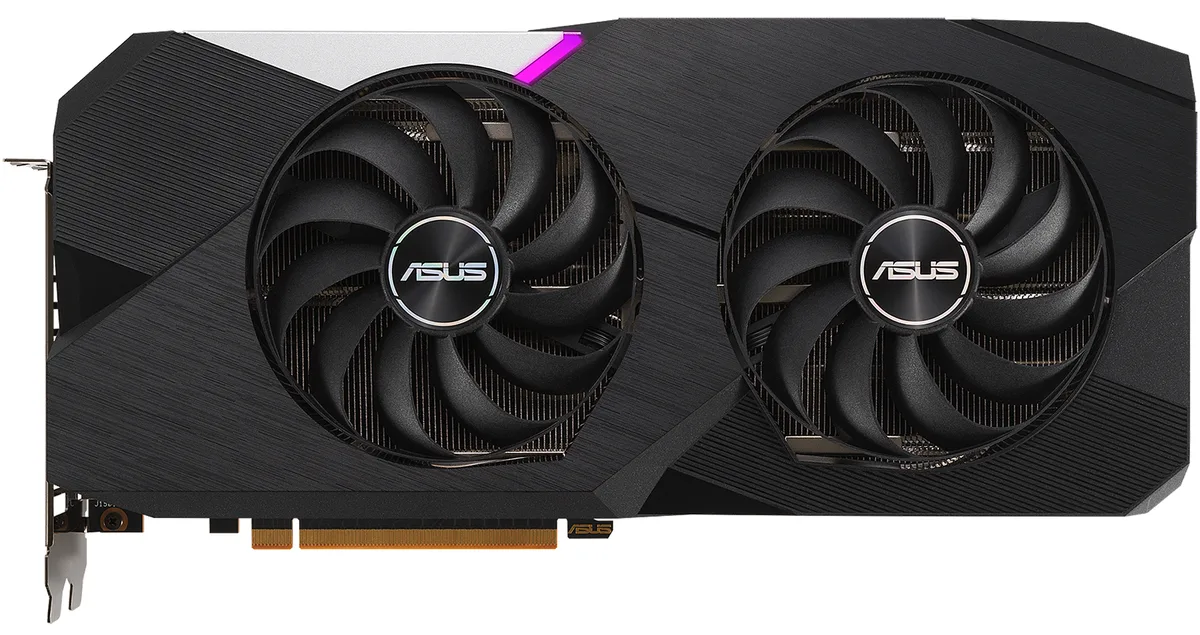
Refurbished 12 GB GDDR6 graphics card with 2560 stream processors, a 2581 MHz boost clock and dual axial-tech fans for 1440p gaming
The ASUS DUAL Radeon RX 6700 XT equips a 12GB GDDR6 frame buffer on a 192-bit bus running at 16 Gbps. It targets 1440p gaming and content creation workloads that benefit from the extra memory capacity. The card draws up to 230 W and requires a 650 W power supply with one 6-pin and one 8-pin connector. A double-fan cooler with Axial-tech blades and 0dB stop mode keeps thermals in check.
Moving from a PCIe 3.0 board or an older 8GB card to this PCIe 4.0 model unlocks the full 2581 MHz boost clock and 2560 stream processors. The jump is worthwhile when your current GPU limits texture pools at 1440p or when you need HDMI 2.1 for high-refresh 4K displays. The 6000-series architecture also adds DirectX 12 Ultimate and OpenGL 4.6 support for modern titles.
At 295 mm long the card fits most mid-tower cases, but verify clearance against drive cages and motherboard headers before ordering. The protective backplate stiffens the PCB and simplifies handling. Auto-Extreme automated soldering reduces early defects, while dual ball-bearing fans extend service life. Common issues include forgetting the second power cable or seating the card incompletely in the primary PCIe x16 slot.
| Brand | ASUS |
|---|---|
| Series | Dual |
| Model | DUAL-RX6700XT-12G |
| Interface | PCI Express 4.0 |
| Chipset Manufacturer | AMD |
| GPU Series | AMD Radeon RX 6000 Series |
| GPU | Radeon RX 6700 XT |
| Boost Clock | 2581 MHz |
| Stream Processors | 2560 |
| Effective Memory Clock | 16 Gbps |
| Memory Size | 12GB |
| Memory Interface | 192-Bit |
| Memory Type | GDDR6 |
| DirectX | DirectX 12 Ultimate |
| OpenGL | OpenGL 4.6 |
| Multi-Monitor Support | 4 |
| HDMI | 1 x HDMI 2.1 |
| DisplayPort | 3 x DisplayPort 1.4a |
| Max Resolution | 7680 x 4320 |
| Cooler | Double Fans |
| Thermal Design Power | 230W |
| System Requirements | Recommended PSU: 650W |
| Recommended PSU Wattage | 650W |
| Power Connector | 1 x 6-Pin, 1 x 8-Pin |
| HDCP Ready | 2.3 |
| Features | Axial-tech fan design features a smaller fan hub that facilitates longer blades and a barrier ring that increases downward air pressure. Dual ball fan bearings can last up to twice as long as sleeve bearing designs. Auto-Extreme Technology uses automation to enhance reliability. A protective backplate prevents PCB flex and trace damage. |
| Max GPU Length | 295 mm |
| Card Dimensions (L x H) | 11.61" x 5.47" |
| Slot Width | 2.7 Slot |
| Shipping weight | 2.08 kg |
| Package size | 401 × 284 × 114 mm |
The card measures 295 mm in length, so the chassis must provide at least that much clear space from the rear bracket to any drive cage or front panel.
Connect one 6-pin and one 8-pin PCIe power cable from the PSU; omitting either connector will prevent the card from starting.
Use compressed air to remove dust from the dual ball-bearing fans and heatsink fins every few months to maintain airflow and cooling performance.
Also in this aisle
Same shelf, same checkout — eight coins and a 30-minute rate lock.
What you pay in, and what you read prices in.
Sent from your wallet at checkout
Display only — the catalogue is priced in USD
No currency matches that.
Pick the language the site speaks to you in.
New here?
Already have one?
There is no automatic reset: this shop sends no mail, so there is no one-time link to ask for. Leave the address on the account and it gets picked up by hand.
Request noted
Nothing is on its way to your inbox — this shop sends no mail at all. Someone picks these up by hand.
Remembered it?



