


ASUS
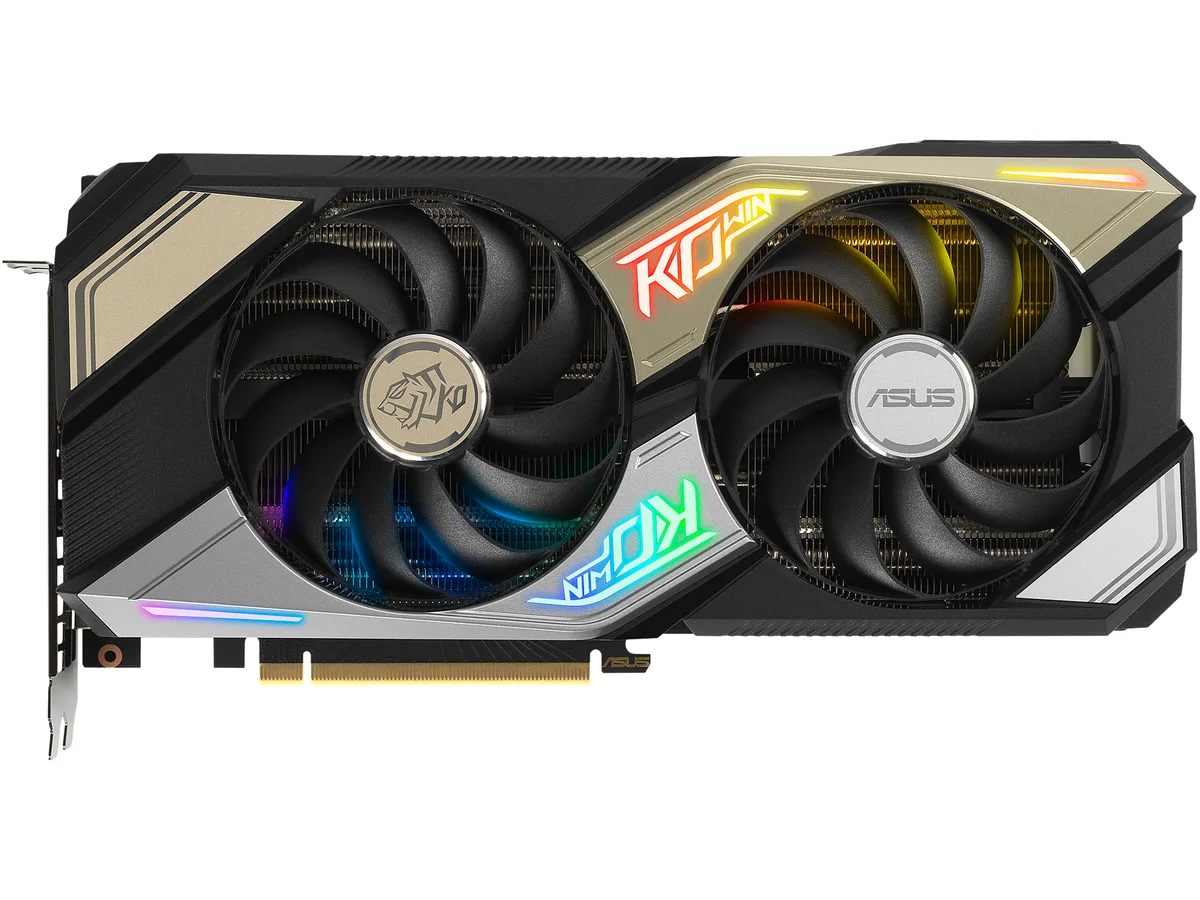
ASUS KO-RTX3060-O12G-GAMI GeForce RTX 3060 12GB graphics card
Refurbished GeForce RTX 3060 with 12GB GDDR6, 3584 CUDA cores, boost up to 1882 MHz, PCIe 4.0, two HDMI 2.1 and three DisplayPort 1.4a outputs, VR ready
- InterfacePCI Express 4.0
- Chipset ManufacturerNVIDIA
- GPU SeriesNVIDIA GeForce RTX 30 Series
- GPUGeForce RTX 3060
- Boost ClockOC Mode: 1882 MHz Gaming Mode: 1852 MHz
- CUDA Cores3584
- 12GB GDDR6 memory handles large textures at 15 Gbps
- 3584 CUDA cores accelerate shading and compute workloads
- Boost clock reaches 1882 MHz in OC mode for higher frame rates
- PCI Express 4.0 interface doubles bandwidth over 3.0
- HDMI 2.1 and DisplayPort 1.4a drive up to four 7680 x 4320 displays
12GB GDDR6 graphics card
The ASUS KO-RTX3060-O12G-GAMI is a PCI Express 4.0 graphics card built on the NVIDIA Ampere architecture with a GeForce RTX 3060 GPU. It delivers 3584 CUDA cores and 12GB of GDDR6 memory across a 192-bit interface running at 15 Gbps. The card targets 1080p and 1440p gaming with support for DirectX 12 Ultimate and OpenGL 4.6.
Upgrade from 6GB or 8GB cards
Moving up from a 6GB or 8GB model removes the texture-memory ceiling that forces lower settings in modern titles at 1440p. The 12GB frame buffer and 1882 MHz OC boost clock give headroom for higher texture packs and ray-tracing workloads without hitting VRAM limits. A 650 W power supply and one 8-pin connector are required.
1440p gamers and creators
This card suits players who want 12GB VRAM for 1440p gaming, multi-monitor productivity or entry-level VR without stepping to a higher tier. HDMI 2.1 and DisplayPort 1.4a drive up to four displays at 7680 x 4320. Users targeting 4K ultra or competitive high-refresh 1080p should consider a higher-tier GPU.
Highlights
- 12GB GDDR6 memory handles large textures at 15 Gbps
- 3584 CUDA cores accelerate shading and compute workloads
- Boost clock reaches 1882 MHz in OC mode for higher frame rates
- PCI Express 4.0 interface doubles bandwidth over 3.0
- HDMI 2.1 and DisplayPort 1.4a drive up to four 7680 x 4320 displays
Specifications
| Brand | ASUS |
|---|---|
| Model | KO-RTX3060-O12G-GAMING |
| Interface | PCI Express 4.0 |
| Chipset Manufacturer | NVIDIA |
| GPU Series | NVIDIA GeForce RTX 30 Series |
| GPU | GeForce RTX 3060 |
| Boost Clock | OC Mode: 1882 MHz Gaming Mode: 1852 MHz |
| CUDA Cores | 3584 |
| Effective Memory Clock | 15 Gbps |
| Memory Size | 12GB |
| Memory Interface | 192-Bit |
| Memory Type | GDDR6 |
| DirectX | DirectX 12 Ultimate |
| OpenGL | OpenGL 4.6 |
| Multi-Monitor Support | 4 |
| HDMI | 2 x HDMI 2.1 |
| DisplayPort | 3 x DisplayPort 1.4a |
| Max Resolution | 7680 x 4320 |
| SLI Support | No |
| Virtual Reality Ready | Yes |
| Cooler | Double Fans |
| System Requirements | Recommended PSU: 650W |
| Recommended PSU Wattage | 650W |
| Power Connector | 1 x 8-pin |
| HDCP Ready | 2.3 |
| Features | NVIDIA Ampere Streaming Multiprocessors: The building blocks for the world's fastest, most efficient GPUs, the all-new Ampere SM brings 2X the FP32 throughput and improved power efficiency. 2nd Generation RT Cores: Experience 2X the throughput of 1st gen RT Cores, plus concurrent RT and shading for a whole new level of ray tracing performance. 3rd Generation Tensor Cores: Get up to 2X the throughput with structural sparsity and advanced AI algorithms such as DLSS. These cores deliver a massive boost in game performance and all-new AI capabilities. The unique design features striking |
| Max GPU Length | 275 mm |
| Card Dimensions (L x H) | 10.83" x 5.31" |
| Slot Width | 2.7 Slot |
| Shipping weight | 0.91 kg |
| Package size | 305 × 229 × 76 mm |
Questions about this item
What case clearance and power connector does the KO-RTX3060-O12G-GAMI need?
The card uses a dual-fan cooler and requires one 8-pin power connector; a 650 W PSU is recommended.
Which slot and driver steps apply when installing this GeForce RTX 3060?
Install into a PCI Express 4.0 slot, connect the 8-pin power cable, then install the NVIDIA driver for DirectX 12 Ultimate and OpenGL 4.6 support.
What cooling maintenance does the dual-fan design on this 12GB model need?
Periodically clean dust from the two fans and heatsink fins to maintain airflow; the 8-pin connector should stay firmly seated.
Also in this aisle
People compared these
Same shelf, same checkout — eight coins and a 30-minute rate lock.


Silverstone Technology
SilverStone Technology Strider 1200W 80 Plus Platinum Modular Power Supply
- ATX Mid Tower
- 1200W
$324.03
0.00418449BTC
In stock