


ASUS
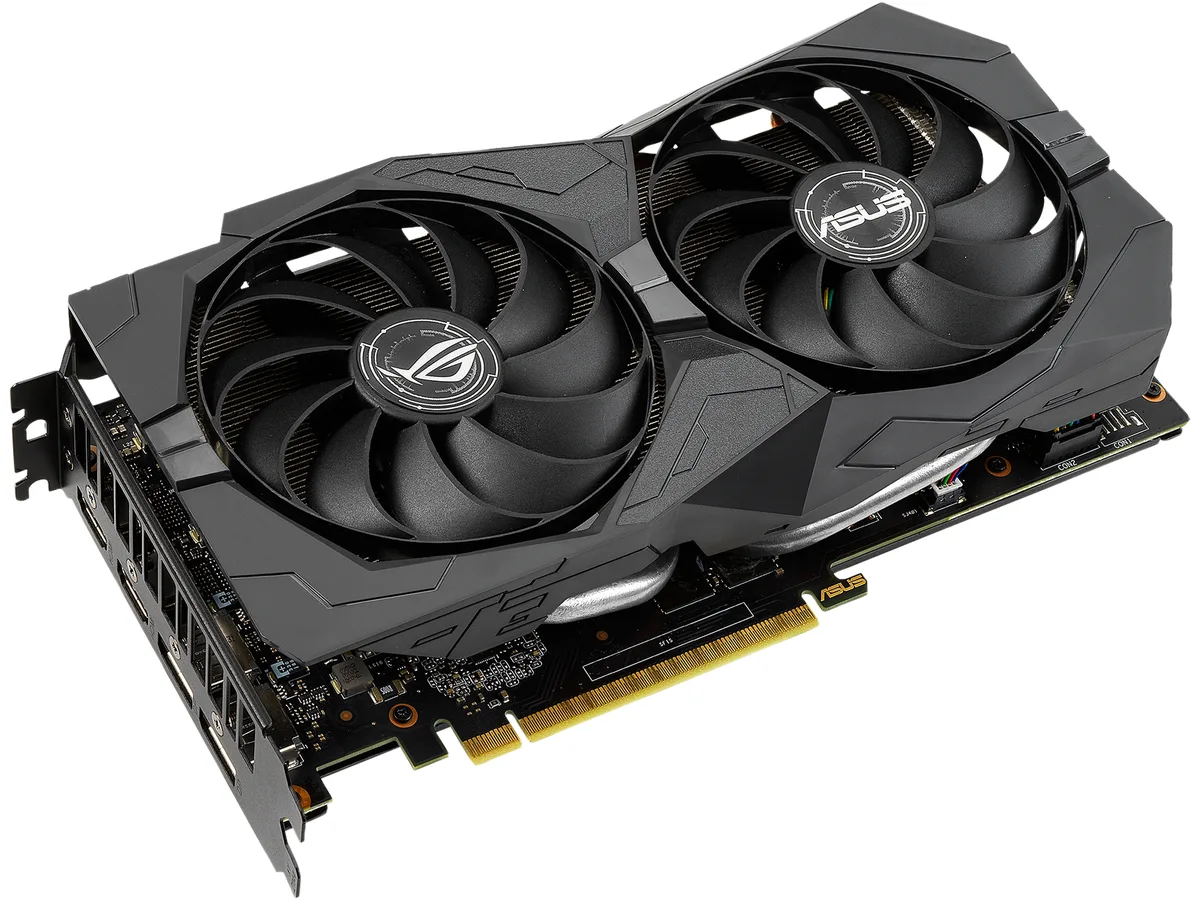
ASUS ROG-STRIX-GTX1660S-A GeForce GTX 1660 SUPER 6GB graphics card
Refurbished GeForce GTX 1660 SUPER with 6 GB GDDR6, 1408 CUDA cores and a 1845 MHz OC boost clock
- InterfacePCI Express 3.0 x16
- Chipset ManufacturerNVIDIA
- GPUGeForce GTX 1660 SUPER
- Core Clock1530 MHz
- Boost ClockOC Mode: 1845 MHz Gaming Mode (Default): 1815 MHz
- CUDA Cores1408
- 6 GB GDDR6 memory delivers fast frame rates in 1080p games
- Boost clock reaches 1845 MHz in OC mode for extra headroom
- 1408 CUDA cores handle parallel workloads in modern titles
- Dual HDMI 2.0b and dual DisplayPort 1.4 drive up to four displays
- 125 W TDP runs on a 450 W PSU with a single 8-pin connector
Advanced Edition Boost Clocks
The card ships with two factory profiles: OC mode at 1845 MHz and Gaming mode at 1815 MHz. Both sit above the 1530 MHz base clock. The 1408 CUDA cores and 6GB GDDR6 frame buffer run on a 192-bit bus at 14002 MHz effective. It targets 1080p gaming on a PCI Express 3.0 x16 slot.
Upgrade From GTX 1060 6GB
NVIDIA rates the GTX 1660 SUPER up to 1.5X faster than the GTX 1060 6GB and roughly 20% quicker than the original GTX 1660. The jump is worthwhile when you need higher frame rates at 1080p without moving to a higher power tier. A 450W PSU and a single 8-pin connector keep the platform requirements modest.
Sustained 125W Thermal Load
The 125W TDP is handled by a dual-fan cooler that maintains clocks during extended sessions. HDCP 2.2 and four display outputs — two HDMI 2.0b and two DisplayPort 1.4 — support multi-monitor setups up to 7680 x 4320. DirectX 12 and OpenGL 4.6 cover current API needs.
Highlights
- 6 GB GDDR6 memory delivers fast frame rates in 1080p games
- Boost clock reaches 1845 MHz in OC mode for extra headroom
- 1408 CUDA cores handle parallel workloads in modern titles
- Dual HDMI 2.0b and dual DisplayPort 1.4 drive up to four displays
- 125 W TDP runs on a 450 W PSU with a single 8-pin connector
Specifications
| Brand | ASUS |
|---|---|
| Series | ROG Strix |
| Model | ROG-STRIX-GTX1660S-A6G-GAMING |
| Interface | PCI Express 3.0 x16 |
| Chipset Manufacturer | NVIDIA |
| GPU | GeForce GTX 1660 SUPER |
| Core Clock | 1530 MHz |
| Boost Clock | OC Mode: 1845 MHz Gaming Mode (Default): 1815 MHz |
| CUDA Cores | 1408 |
| Effective Memory Clock | 14002 MHz |
| Memory Size | 6GB |
| Memory Interface | 192-Bit |
| Memory Type | GDDR6 |
| DirectX | DirectX 12 |
| OpenGL | OpenGL 4.6 |
| Multi-Monitor Support | 4 |
| HDMI | 2 x HDMI 2.0b |
| DisplayPort | 2 x DisplayPort 1.4 |
| Max Resolution | 7680 x 4320 |
| SLI Support | No |
| Virtual Reality Ready | Yes |
| Cooler | Double Fans |
| Thermal Design Power | 125W |
| System Requirements | Recommended PSU: 450W |
| Recommended PSU Wattage | 450W |
| Power Connector | 8-Pin |
| HDCP Ready | 2.2 |
| Features | Advanced Edition: Boost Clock 1845 MHz (OC Mode) / 1815 MHz (Gaming Mode). The GeForce GTX 1660 SUPER is up to 20% faster than the original GTX 1660 and up to 1.5X faster than the previous-generation GTX 1060 6GB. Powered by the award-winning NVIDIA Turing architecture and ultra-fast GDDR6 memory, it's a supercharger for today's most popular games. Time to gear up and get SUPER. Ultra-fast GDDR6 with over 50% more memory bandwidth for high-speed gaming. GeForce Experience: Capture and share videos, screenshots, and livestreams with friends. Keep your drivers up-to-date and optimize g |
| Max GPU Length | 243 mm |
| Card Dimensions (L x H) | 9.60" x 5.10" |
| Slot Width | 2.4 Slot |
| Shipping weight | 1.13 kg |
| Package size | 363 × 221 × 71 mm |
Questions about this item
Will the 125W TDP and 8-pin power connector fit my 450W PSU?
The card draws 125W and needs one 8-pin connector; ASUS recommends a 450W PSU for the whole system.
How do I seat the PCI Express 3.0 x16 interface without bending the bracket?
Align the gold fingers with the slot, press straight down until the retention clip clicks, then secure the rear bracket screw.
When should I replace the thermal paste on the GDDR6 memory and GPU?
Refresh paste if temperatures rise above normal after a few years or when you disassemble the cooler for cleaning.
Also in this aisle
People compared these
Same shelf, same checkout — eight coins and a 30-minute rate lock.


PrimoChill
PrimoChill Praxis Wetbench Open-Air Test Bench 461.8mm
- Open-Air
$274.89
0.00355238BTC
In stock
Silverstone Technology
SilverStone Technology Strider 1200W 80 Plus Platinum Modular Power Supply
- ATX Mid Tower
- 1200W
$324.03
0.00418741BTC
In stock