


ASUS
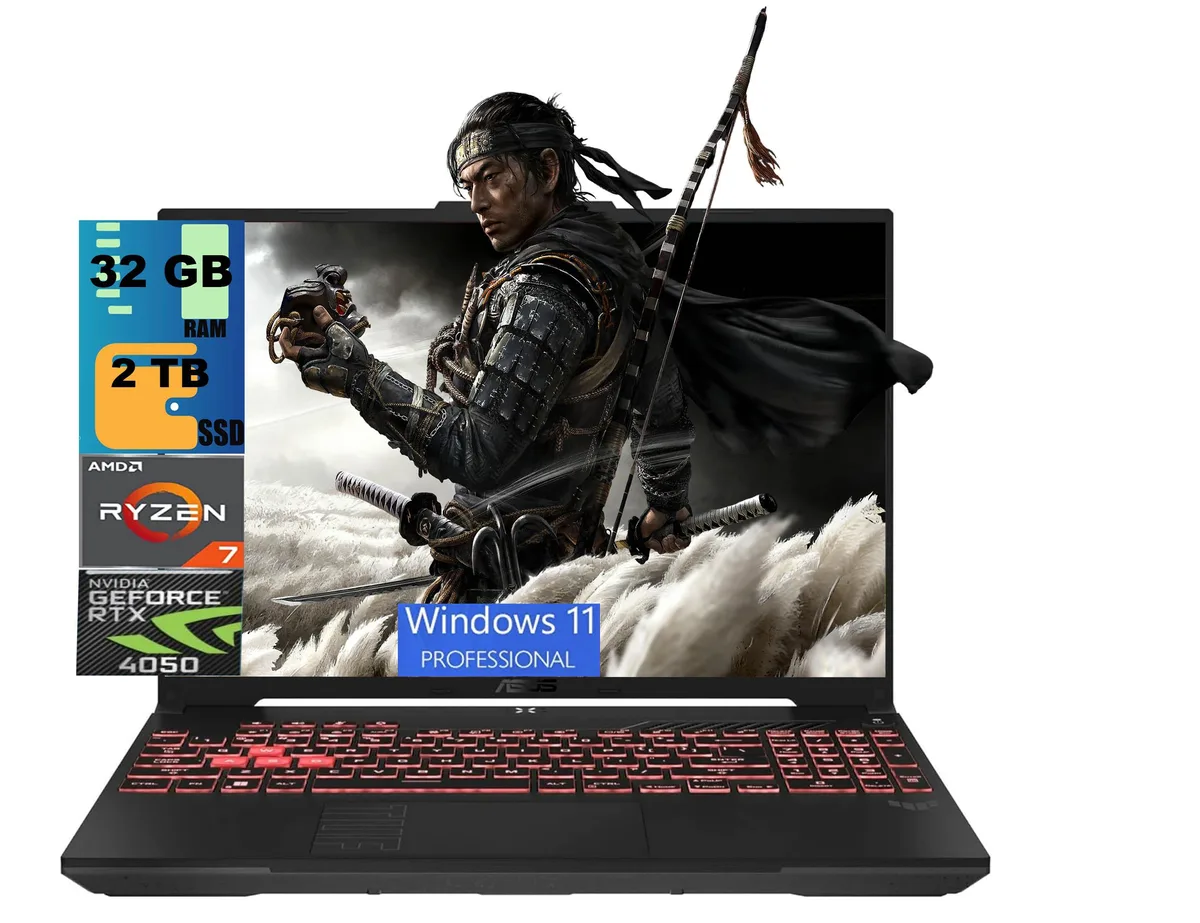
ASUS TUF A16 Raider 16.0 gaming laptop
A 16-inch gaming laptop with a Ryzen 7 7445HS processor, RTX 4050 graphics, 32GB DDR5 memory and a 2TB PCIe SSD
- ColorBlack
- CPU TypeAMD Ryzen 7
- Processor Name1.00GHz
- Number of Cores6-core Processor
- Turbo Frequency4.7 GHz
- Screen Size16.0"
- Smooth 144Hz 16:10 display backed by G-Sync anti-glare panel
- Six-core Ryzen 7 7445HS reaches 4.7GHz boost for responsive multitasking
- RTX 4050 with 6GB GDDR6 drives modern titles at high settings
- 32GB DDR5 plus 2TB PCIe SSD load games and apps fast
- USB4 Type-C at 40Gbps and HDMI 2.1 FRL connect displays and docks
ASUS TUF A16 Raider 16.0 gaming laptop
The ASUS TUF A16 Raider is a 16.0 inch gaming laptop built around an AMD Ryzen 7 7445HS 6 core processor and an NVIDIA GeForce RTX 4050 6GB GDDR6 GPU. It ships with 32GB DDR5 memory and a 2TB PCIe SSD running Windows 11 Pro. The 16:10 WUXGA IPS panel runs at 144Hz with G-Sync and anti glare coating.
Who this suits and who should look elsewhere
Creators and gamers wanting a 16:10 high refresh screen, 32GB RAM and a 2TB PCIe drive in one box will find it ready to work. Buyers needing an SD card reader, a fingerprint sensor or a lighter chassis under 4.85 lbs should consider other models.
The spec that decides fit
The single USB4 Type C port delivers 40Gbps data with DisplayPort and power delivery alongside a USB 3.2 Gen 2 Type C at 10Gbps, HDMI 2.1 FRL, two USB 3.2 Gen 1 Type A ports and RJ45 LAN. Verify this I/O matches your dock and peripheral needs before buying.
Highlights
- Smooth 144Hz 16:10 display backed by G-Sync anti-glare panel
- Six-core Ryzen 7 7445HS reaches 4.7GHz boost for responsive multitasking
- RTX 4050 with 6GB GDDR6 drives modern titles at high settings
- 32GB DDR5 plus 2TB PCIe SSD load games and apps fast
- USB4 Type-C at 40Gbps and HDMI 2.1 FRL connect displays and docks
Specifications
| Series | Raider |
|---|---|
| Model | TUF A16 |
| Color | Black |
| CPU Type | AMD Ryzen 7 |
| Processor Name | 1.00GHz |
| Number of Cores | 6-core Processor |
| Turbo Frequency | 4.7 GHz |
| Screen Size | 16.0" |
| Touchscreen | Non-Touch Screen |
| Display Type | WUXGA |
| Resolution | 1920 x 1200 |
| Operating System | Windows 11 Pro |
| GPU/VPU | GeForce RTX 4050 Laptop GPU |
| Video Memory | 6GB |
| SSD | 2TB PCIe SSD |
| HDD | No |
| Memory | 32GB |
| Optical Drive Type | No |
| WLAN | Yes |
| Bluetooth | Yes |
| USB | 2 |
| HDMI | 1 x HDMI |
| Audio Ports | 1 x Headphone/Microphone Combo Jack |
| Audio | Integrated Sound card |
| Speaker | Internal Speakers |
| Touchpad | Yes |
| Keyboard | Yes |
| Backlit Keyboard | Backlit |
| Webcam | Yes |
| Style | Standard |
| Type | Gaming |
| Usage | Consumer |
| Package Content | Laptop, Charger |
| Weight | 4 - 4.9 lbs. |
Questions about this item
Does the laptop need any external parts like a separate GPU or dock to run games out of the box?
No. The built-in RTX 4050 with 6GB GDDR6 and the Ryzen 7 7445HS 6-core processor handle games directly on the 16" 144Hz G-Sync display.
Can I keep using my older USB-A mouse, keyboard and external drive on the two USB 3.2 Gen 1 Type-A ports?
Yes. The two USB 3.2 Gen 1 Type-A ports run at up to 5Gbps and are backward compatible with older USB-A peripherals.
How can I confirm the 144Hz G-Sync panel is actually running at 144Hz after I set up Windows 11 Pro?
Open Settings > System > Display > Advanced display and verify the refresh rate shows 144Hz; then enable G-Sync in the NVIDIA Control Panel and run a frame-rate overlay to see variable refresh in action.
Also in this aisle
People compared these
Same shelf, same checkout — eight coins and a 30-minute rate lock.


HP
HP ZBook 15v G5 Xeon E-2176M 16GB 512GB Quadro P600 gaming laptop
- 15.6"
$1,899.99
0.02453626BTC
In stock
ASUS
ASUS TUF Gaming FX505DT-EB73 gaming laptop 15.6 120Hz Ryzen 7 3750H GTX 1650 8GB 512GB
$999.99
0.01291376BTC
In stock
HP
HP OMEN 16 Gaming Laptop Intel Core 7 240H RTX 5060 16GB 1TB 16.0" 2K Ceramic White
- 16.0"
- 1TB
$1,309
0.01690428BTC
In stock