


ASUS
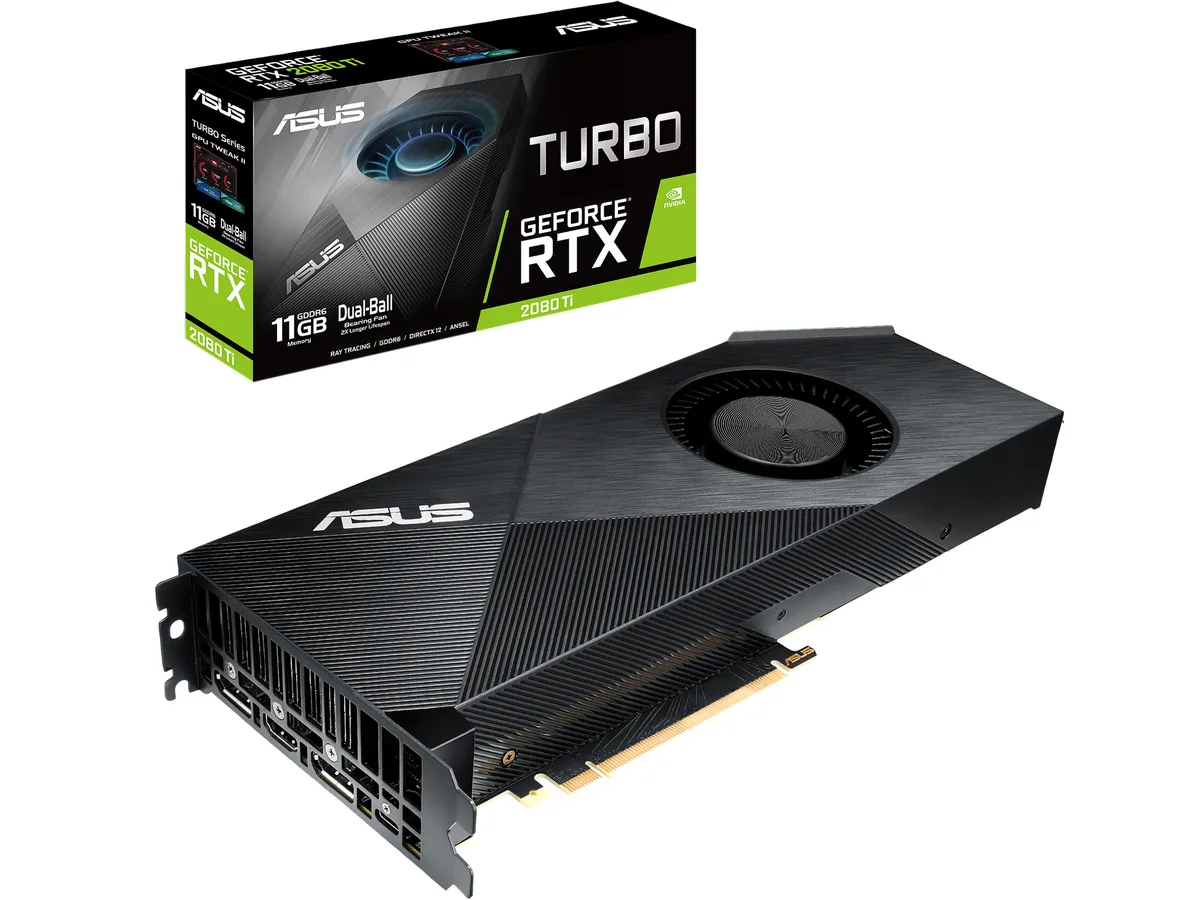
ASUS TURBO-RTX2080TI-11G graphics card
Refurbished dual-slot NVIDIA GeForce RTX 2080 Ti with 11GB GDDR6, 4352 CUDA cores, 1560 MHz OC boost clock, two DisplayPort 1.4, HDMI 2.0b and USB Type-C for VR
- InterfacePCI Express 3.0
- Chipset ManufacturerNVIDIA
- GPU SeriesNVIDIA GeForce RTX 20 Series
- GPUGeForce RTX 2080 Ti
- Core Clock1350 MHz
- Boost ClockOC Mode: 1560 MHz Gaming Mode: 1545 MHz
- OC Mode boost clock reaches 1560 MHz for higher frame rates
- 11 GB GDDR6 memory on a 352-bit bus handles large textures
- 4352 CUDA cores accelerate ray-tracing and compute workloads
- DisplayPort 1.4, HDMI 2.0b and USB Type-C drive 7680×4320 displays
- Dual-ball bearing fan tested for 144 hours for reliable cooling
Turbo Edition overview
The ASUS TURBO-RTX2080TI-11G is a refurbished graphics card built on the NVIDIA GeForce RTX 2080 Ti GPU. It uses the Turing architecture with 4352 CUDA cores and 11GB of GDDR6 memory across a 352-bit interface. The card connects through a PCI Express 3.0 slot and occupies a dual-slot form factor.
Target users and alternatives
This model suits builders who need a blower-style cooler to exhaust heat directly out of a compact chassis. The single dual-ball bearing fan keeps the 1350 MHz base clock and 1560 MHz OC boost stable under load. Users wanting quieter open-air cooling or larger heatsinks should look at multi-fan designs instead.
Deciding specification
The 11GB GDDR6 frame buffer and 352-bit bus determine whether this card fits a workload. That memory configuration supports 7680 x 4320 output over the two DisplayPort 1.4 and one HDMI 2.0b connectors. If a project needs more VRAM or a wider bus, a different GPU tier is required.
Highlights
- OC Mode boost clock reaches 1560 MHz for higher frame rates
- 11 GB GDDR6 memory on a 352-bit bus handles large textures
- 4352 CUDA cores accelerate ray-tracing and compute workloads
- DisplayPort 1.4, HDMI 2.0b and USB Type-C drive 7680×4320 displays
- Dual-ball bearing fan tested for 144 hours for reliable cooling
Specifications
| Brand | ASUS |
|---|---|
| Series | Turbo |
| Model | TURBO-RTX2080TI-11G |
| Interface | PCI Express 3.0 |
| Chipset Manufacturer | NVIDIA |
| GPU Series | NVIDIA GeForce RTX 20 Series |
| GPU | GeForce RTX 2080 Ti |
| Core Clock | 1350 MHz |
| Boost Clock | OC Mode: 1560 MHz Gaming Mode: 1545 MHz |
| CUDA Cores | 4352 |
| Effective Memory Clock | 14000 MHz |
| Memory Size | 11GB |
| Memory Interface | 352-Bit |
| Memory Type | GDDR6 |
| DirectX | DirectX 12 |
| OpenGL | OpenGL 4.5 |
| HDMI | 1 x HDMI 2.0b |
| DisplayPort | 2 x DisplayPort 1.4 |
| Other Ports | 1 x USB TYPE-C |
| Max Resolution | 7680 x 4320 |
| SLI Support | SLI Ready |
| Virtual Reality Ready | Yes |
| Cooler | Single Fan |
| Thermal Design Power | 250W |
| System Requirements | Recommended PSU: 650W |
| Recommended PSU Wattage | 650W |
| Power Connector | 2 x 8-Pin |
| HDCP Ready | 2.2 |
| Features | NVIDIA TURING: ASUS GeForce RTX graphics cards are powered by the Turing GPU architecture and the all-new RTX platform. This gives you up to 6X the performance of previous-generation graphics cards and brings the power of real-time ray tracing and AI to games. DirectX 12: Power new visual effects and rendering techniques for more lifelike gaming. 4K: Step up to the ultimate 4K gaming experience with GeForce RTX and enjoy today's biggest games in amazing detail. Redesigned Shroud improves cooling for multi-card configurations and chassis with limited airflow. Dual-ball Bearing Fan wit |
| Max GPU Length | 269 mm |
| Card Dimensions (L x H) | 10.59" x 4.49" |
| Slot Width | 2 Slots |
| Shipping weight | 1.37 kg |
| Package size | 371 × 221 × 71 mm |
Questions about this item
Will the 10.6 inch length and dual-slot width fit my case?
The card measures 10.6 inches long and occupies two expansion slots, so verify your case clearance and motherboard spacing before ordering.
What is the correct way to seat the PCI Express 3.0 connector and attach the power cables?
Align the gold fingers with the motherboard slot, press firmly until the retention latch clicks, then connect both 8-pin power cables from the PSU to the card.
How often should I clean the dual-ball bearing fan to maintain cooling performance?
Use compressed air to remove dust from the fan blades and heatsink fins every three to six months, depending on your environment.
Also in this aisle
People compared these
Same shelf, same checkout — eight coins and a 30-minute rate lock.


PrimoChill
PrimoChill Praxis Wetbench Open-Air Test Bench 461.8mm
- Open-Air
$274.89
0.00354624BTC
In stock
Silverstone Technology
SilverStone Technology Strider 1200W 80 Plus Platinum Modular Power Supply
- ATX Mid Tower
- 1200W
$324.03
0.00418017BTC
In stock