


BFKK
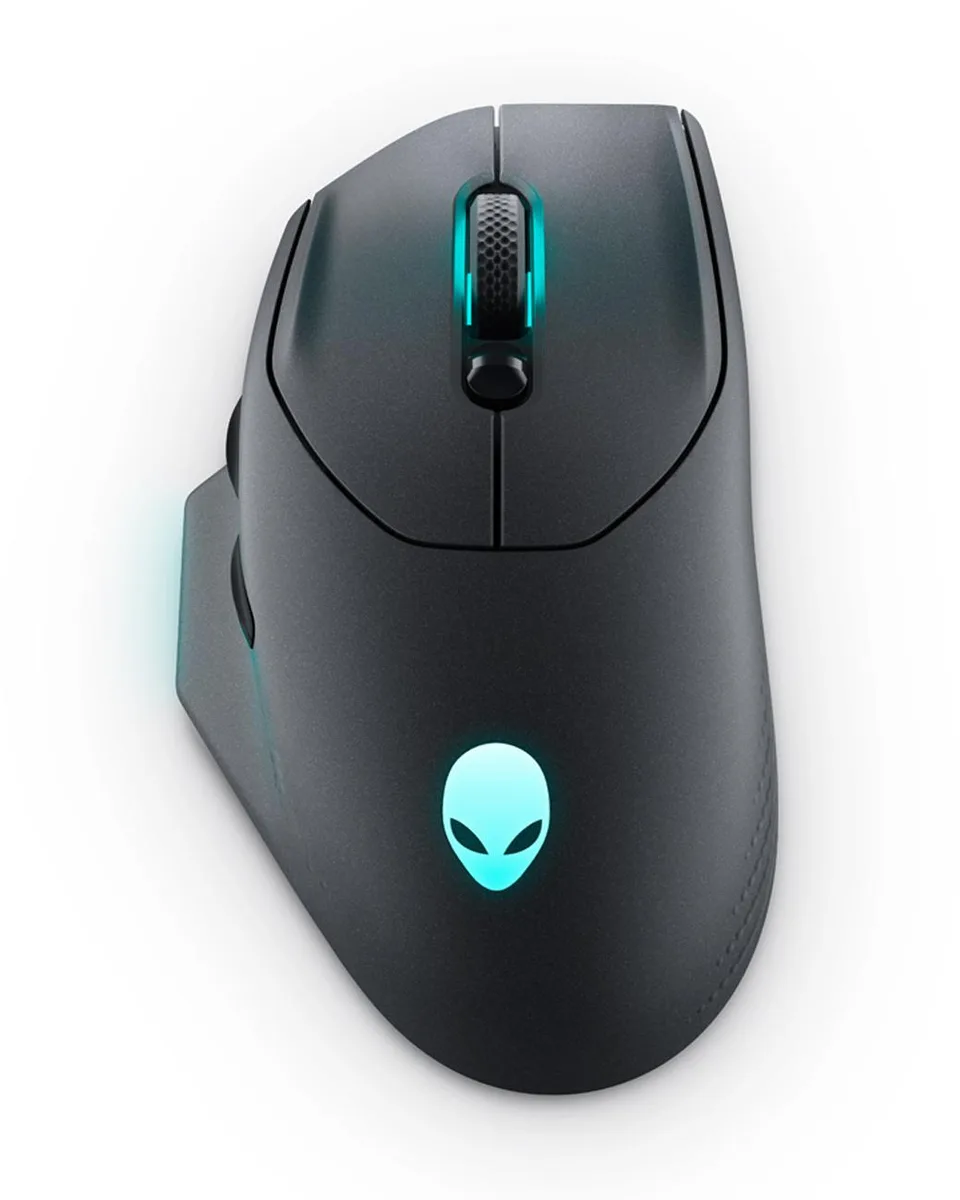
BFKK AW620M Dark Side of the Moon Gaming Mouse
Full-sized right-handed gaming mouse with 26,000 DPI sensor, 140-hour 2.4 GHz wireless battery life, optical switches and AlienFX RGB lighting
- Up to 26,000 DPI sensor for precise tracking
- 140 hours wireless play from a single charge
- Optical switches rated for 70 million clicks
- 1000 Hz polling on 2.4 GHz dongle
- AlienFX RGB with 16.8 million colours
Full-Size Wireless Gaming Mouse
The BFKK AW620M Dark Side of the Moon is a right-handed gaming mouse built for palm-grip players who want a stable, full-sized shape. It connects via 2.4 GHz wireless with a USB-C dongle and extender, or through a lightweight USB paracord cable for wired play. The optical sensor reaches 26000 DPI with 650 IPS tracking and 50G acceleration. Optical switches and magnetic L/R keyplates are rated for 70 million clicks.
Palm-Grip Players Seeking Low-Latency Wireless
This design suits gamers who prefer a contoured right-hand shape with a dedicated thumb channel and tactile grip zones for RTS, RPG or MMO sessions. The 100 g weight and balanced feel support extended marathons, while 1000 Hz polling aims to deliver wired-like response. Buyers who favour claw or fingertip grips, need a lighter chassis for fast swipes, or require more than seven programmable buttons should consider other form factors.
140-Hour Battery With Five-Minute Fast Charge
A single charge provides up to 140 hours of 2.4 GHz wireless gaming. When the battery runs low, five minutes of charging via the paracord cable adds roughly ten more hours of cordless play. This fast-charge cycle lets you stay wireless through long sessions without overnight downtime.
Highlights
- Up to 26,000 DPI sensor for precise tracking
- 140 hours wireless play from a single charge
- Optical switches rated for 70 million clicks
- 1000 Hz polling on 2.4 GHz dongle
- AlienFX RGB with 16.8 million colours
Specifications
No published specifications for this item yet.
Questions about this item
Do I need a USB-C port on my PC to use the 2.4GHz wireless dongle?
The dongle plugs into any USB-A port; the included extender helps position it for better signal reception.
Can I keep using my existing USB-A mouse cable if I prefer a wired connection?
The mouse charges and works wired through its own detachable USB paracord cable, so your old cable is not required.
How can I verify the sensor is tracking at the 26000 DPI setting after setup?
Open Alienware Command Center, select the 26000 DPI profile, and the on-screen indicator will confirm the active sensitivity level.
Also in this aisle
People compared these
Same shelf, same checkout — eight coins and a 30-minute rate lock.



AVID Products
AVID Products R-Go HE Vertical Wired 3400dpi Left Hand Mouse Black Silver
$55.99
0.00071056BTC
In stock