
CoolMax
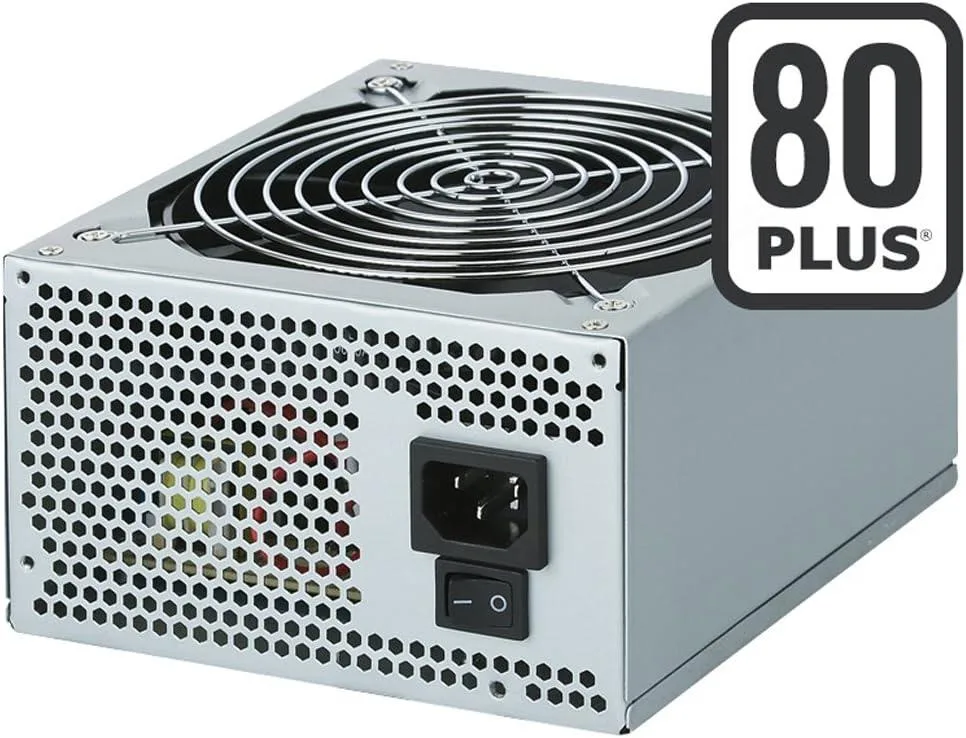
CoolMax ZX-500 500W 80 Plus power supply
500 W ATX power supply with 80 Plus efficiency, active PFC and a quiet 140 mm fan
- TypeAT
- 500 W continuous output with 80 Plus efficiency
- Active PFC auto-switches between 100-240 V AC input
- 140 mm double ball bearing fan for quiet cooling
- ATX12V 2.2 and EPS12V 2.91 compliant design
- 15 SATA connectors plus dual PCI-Express power leads
Capacity and standards
The CoolMax ZX-500 is a 500 W ATX power supply built for standard desktop builds that require reliable 80 Plus efficiency. It meets ATX12V 2.2 and EPS12V 2.91 specifications and includes active power factor correction for stable operation across 115 to 230 V mains.
Connector layout and cooling
The unit provides one 20+4-pin main connector, one 4+4-pin CPU connector, two PCIe connectors in 6-pin and 6+2-pin form, five SATA connectors, five peripheral connectors and one floppy connector. A 140 mm double ball bearing fan handles cooling with quiet performance.
Included hardware
Mounting screws and a standard AC power cord are supplied in the box so the supply can be installed immediately. No additional software or adapters are bundled, keeping the package focused on essential hardware for a straightforward build.
Highlights
- 500 W continuous output with 80 Plus efficiency
- Active PFC auto-switches between 100-240 V AC input
- 140 mm double ball bearing fan for quiet cooling
- ATX12V 2.2 and EPS12V 2.91 compliant design
- 15 SATA connectors plus dual PCI-Express power leads
Specifications
| Type | AT |
|---|
Questions about this item
What does the 80 Plus rating on this 500W unit mean for real-world efficiency?
The 80 Plus certification guarantees at least 80 percent efficiency at typical loads, reducing wasted heat and lowering electricity draw compared with non-rated supplies.
Which case mounting points and clearances does the 140mm fan design require?
It fits standard ATX mounting holes; the 140mm double ball bearing fan needs unrestricted rear or bottom ventilation so airflow is not blocked by cables or a tight mesh panel.
How do I connect the 20+4-pin and 4+4-pin cables without forcing the keyed pins?
Align the clip side of each connector with the motherboard socket latch, press straight down until the clip clicks, and verify the 6+2-pin PCIe plug splits cleanly if your graphics card needs only six pins.
Also in this aisle
People compared these
Same shelf, same checkout — eight coins and a 30-minute rate lock.


Silverstone Technology
Silverstone Decathlon R Gold 750W ATX 3.0 power supply
$146.99
0.00185798BTC
In stock
Silverstone Technology
Silverstone Technology FA311-B FARA 311 Micro-ATX PC case
- Micro ATX
$62.99
0.0007962BTC
In stock