

Micron Technology, Inc.
Micron Technology, Inc. MT4JTF12864AZ-1G4D1 1GB DDR3 1333 Desktop RAM
- 1GB
- DDR3 1333 (PC3 1060…
$28.99
0.00037491BTC
In stockWe take cryptocurrency — so the coins you hold can buy real hardware.Pay in crypto, spend it on real hardware. Free insured shipping worldwide over $399. Plain, unbranded boxes, sent from Germany.Free insured shipping over $399. Your rate is locked for 30 minutes once checkout opens.Rate locked 30 minutes. Every item sealed, serial-checked and covered by a 24-month warranty.Sealed, 24-month warranty.


Corsair
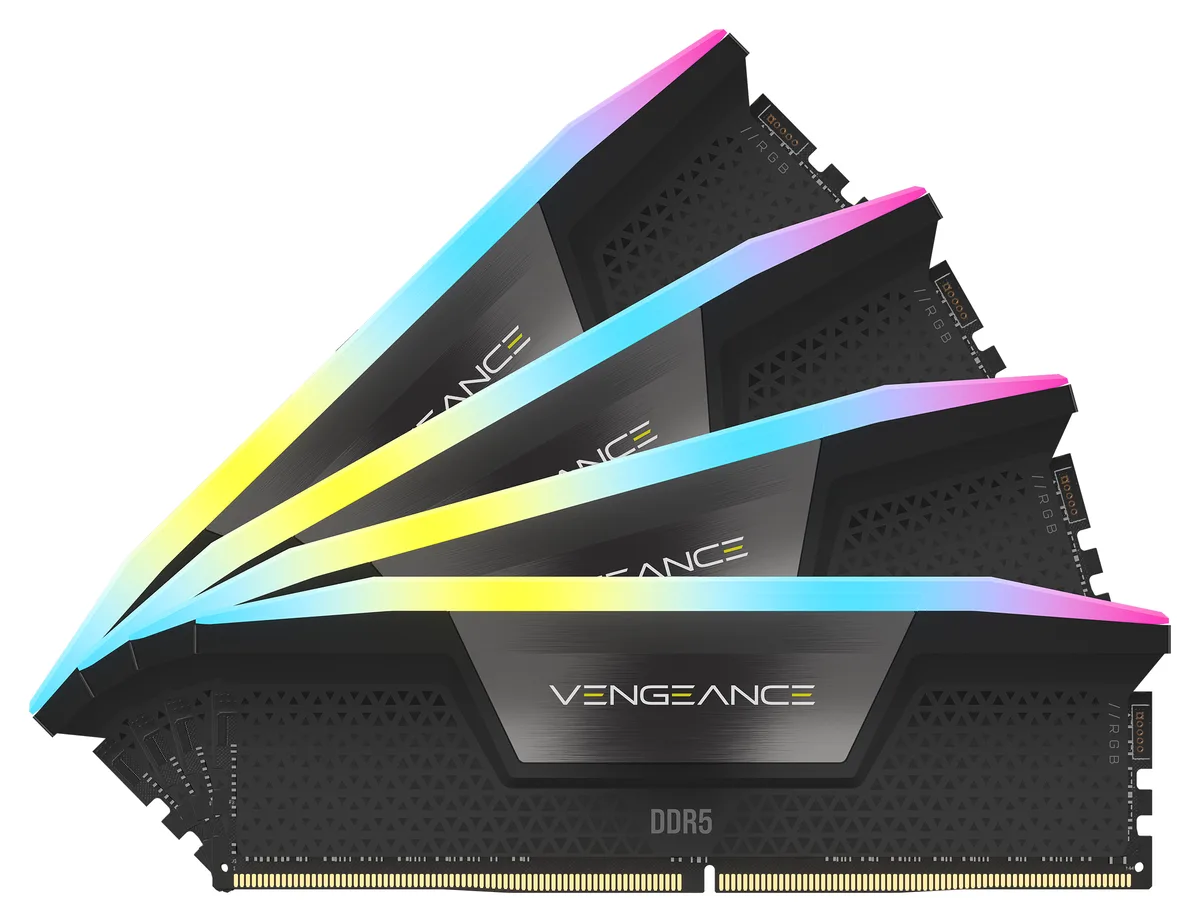
A 64GB quad-channel DDR5 kit running at 6600 MT/s with CL32 latency and ten-zone RGB lighting per module
This Corsair Vengeance RGB kit delivers 64GB across four 16GB modules running at DDR5 6600 with CL32 timings. It targets enthusiasts and gamers who want high bandwidth and low latency on Intel 600-series platforms. The ten-zone RGB light bar on each module adds addressable lighting controllable through iCUE software.
Black heatspreaders cover each stick while the panoramic light bar provides wide-angle illumination. The kit uses Intel XMP 3.0 profiles so the rated 6600 speed and 32-39-39-76 timings load with a single BIOS selection at 1.40V. Four modules populate a quad-channel topology on compatible motherboards.
Before ordering, confirm your Intel 600-series board validates DDR5 6600 with a four-DIMM configuration at the rated voltage and timings. Some boards limit maximum speed when all slots are filled. Also check that your CPU memory controller is rated for the target frequency and that the case clears the module height.
| Brand | CORSAIR |
|---|---|
| Series | Vengeance RGB |
| Model | CMH64GX5M4B6600C32 |
| Part Number | CMH64GX5M4B6600C32 |
| Capacity | 64GB (4 x 16GB) |
| Type | 288-Pin PC RAM |
| Speed | DDR5 6600 (PC5 52800) |
| CAS Latency | CL32 |
| Timing | 32-39-39-76 |
| Voltage | 1.40V |
| Multi-channel Kit | Quad Channel Kit |
| BIOS/Performance Profile | Intel XMP 3.0 |
| Color | Black |
| Features | Welcome to the Cutting-Edge of Performance: Push the limits of your system like never before with CORSAIR DDR5 memory, unlocking even faster frequencies, greater capacities, and higher CPU processing. Dynamic Ten-Zone RGB Lighting: Illuminate your system with ten individually addressable, ultra-bright RGB LEDs per module, encased in a panoramic light bar for vivid RGB lighting from any viewing angle. Create and Customize: Choose from dozens of preset lighting profiles, or create your own in iCUE. Custom Intel XMP 3.0 Profiles: Customize and save your own XMP profiles via iCUE to tail |
| Recommend Use | High Performance or Gaming Memory / Intel 600 Series / Intel B660 / Intel Compatible / Intel Z690 |
| LED Color | RGB |
| Shipping weight | 0.10 kg |
| Package size | 155 × 91 × 13 mm |
The Intel XMP 3.0 profile configures the kit to run at DDR5 6600 with CL32-39-39-76 timings at 1.40V, applying those settings automatically when enabled in the BIOS.
Yes, each 16GB module uses the standard 288-pin DDR5 form factor, so the four sticks occupy all four slots on a typical ATX board without clearance issues.
Insert all four modules into the motherboard's DDR5 slots, power on, enter the BIOS, enable the Intel XMP 3.0 profile, save and exit; the common mistake is leaving XMP disabled after seating the RAM.
Also in this aisle
Same shelf, same checkout — eight coins and a 30-minute rate lock.
What you pay in, and what you read prices in.
Sent from your wallet at checkout
Display only — the catalogue is priced in USD
No currency matches that.
Pick the language the site speaks to you in.
New here?
Already have one?
There is no automatic reset: this shop sends no mail, so there is no one-time link to ask for. Leave the address on the account and it gets picked up by hand.
Request noted
Nothing is on its way to your inbox — this shop sends no mail at all. Someone picks these up by hand.
Remembered it?



