

greenDracaena
greenDracaena Osprey-Radiator-360-White 360mm 28mm thick 14 tube copper radiator White
- Water
- Desktop
$75.59
0.00097684BTC
In stockWe take cryptocurrency — so the coins you hold can buy real hardware.Pay in crypto, spend it on real hardware. Free insured shipping worldwide over $399. Plain, unbranded boxes, sent from Germany.Free insured shipping over $399. Your rate is locked for 30 minutes once checkout opens.Rate locked 30 minutes. Every item sealed, serial-checked and covered by a 24-month warranty.Sealed, 24-month warranty.


Corsair
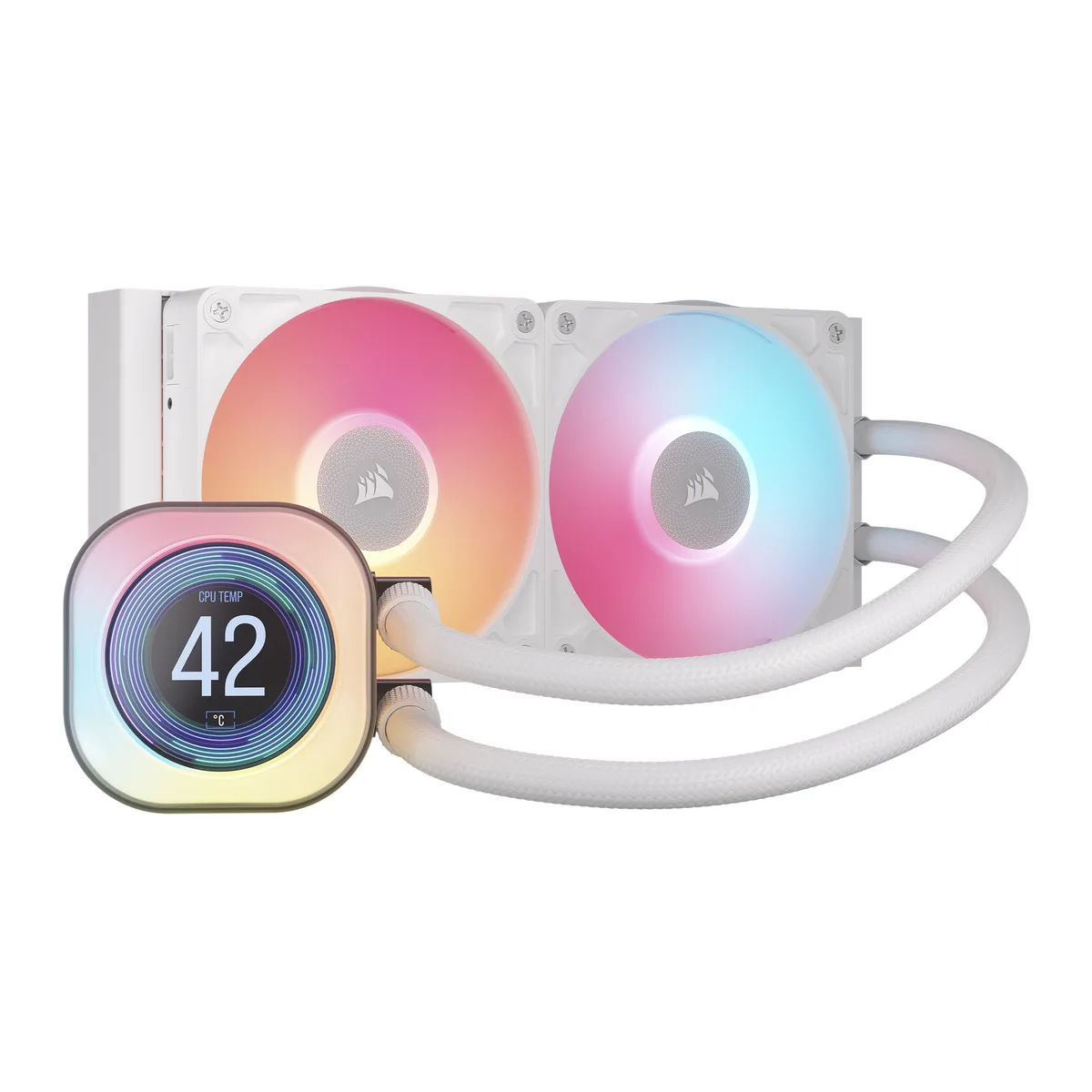
A 240 mm liquid CPU cooler with a 2.1 inch 480x480 IPS LCD, two 120 mm magnetic-dome fans running 300 to 2,100 RPM, and pre-applied XTM70 paste for Intel 1700 and 1851 or AMD AM4 and AM5 sockets
The Corsair iCUE LINK TITAN 240 RX LCD is a 240 mm all-in-one liquid cooler with a 2.1" 480x480 IPS display on the pump head. It includes two 120 mm RX RGB fans with magnetic dome bearings and a 276 mm aluminium radiator. The iCUE LINK system hub is supplied for single-cable ecosystem connectivity. Pre-applied XTM70 thermal paste simplifies installation on supported Intel and AMD sockets.
This cooler suits builders who want real-time temperature readouts or custom images on a pump-mounted screen without extra software layers. It also fits users who prefer a white colour scheme and low-noise operation down to 10 dB(A) via zero-RPM mode. Buyers who need a smaller radiator for tight chassis clearance or who want a non-LCD pump head to reduce cost should look at other models.
The radiator measures 276 mm long, 120 mm wide and 27 mm thick, so the mounting location must accommodate those exact dimensions. Tube length is 400 mm, limiting placement relative to the CPU socket. Verify case specifications for 240 mm front, top or rear support before purchase.
| Brand | CORSAIR |
|---|---|
| Model | CORSAIR iCUE LINK TITAN 240 RX LCD |
| Part Number | CW-9061025-WW |
| Block Compatibility | AMD: AM5, AM4 / Intel: 1851, 1700 |
| Block Compatibility - AMD | AMD: AM5, AM4 |
| Block Compatibility - Intel | Intel: 1851, 1700 |
| Radiator Size | 276mm x 120mm x 27mm |
| Radiator Material | Aluminum |
| Fan Size | 2 Fan Slots (120 mm) |
| Fan Dim. | 120 x 120 x 25mm |
| Bearing Type | Magnetic Dome |
| Fan RPM | 300 - 2,100 RPM ±10% |
| Fan Air Flow | 10.4 – 73.5 CFM |
| Fan Noise | 10 - 36 dB(A) |
| Fan Connector | 4 Pin |
| Color | White |
| LED Color | ARGB |
| Pressure | 0.12 – 4.33 mm-H2O |
| Tube Dim. | 400mm |
| Tube Material | White Sleeved Low-Permeation Rubber |
| Package Contents | CORSAIR iCUE LINK TITAN 240 RX LCD 2x iCUE LINK RX120 RGB fans 1x iCUE LINK System Hub Mounting Kit for All Modern CPU Sockets Fan and Radiator Mounting Screws Warranty & Safety Leaflet |
| Shipping weight | 2.18 kg |
| Package size | 315 × 210 × 133 mm |
Yes, each 120 mm fan uses a standard 4-pin connector and draws its PWM signal from the motherboard or the included iCUE LINK System Hub.
The radiator measures 276 mm in length, 120 mm in width and 27 mm thick, so verify your case clearance before installing.
Open iCUE software, select the cooler, and enable the CPU temperature widget; the 480x480 screen will then show real-time values.
Also in this aisle
Same shelf, same checkout — eight coins and a 30-minute rate lock.
What you pay in, and what you read prices in.
Sent from your wallet at checkout
Display only — the catalogue is priced in USD
No currency matches that.
Pick the language the site speaks to you in.
New here?
Already have one?
There is no automatic reset: this shop sends no mail, so there is no one-time link to ask for. Leave the address on the account and it gets picked up by hand.
Request noted
Nothing is on its way to your inbox — this shop sends no mail at all. Someone picks these up by hand.
Remembered it?


