


DELL
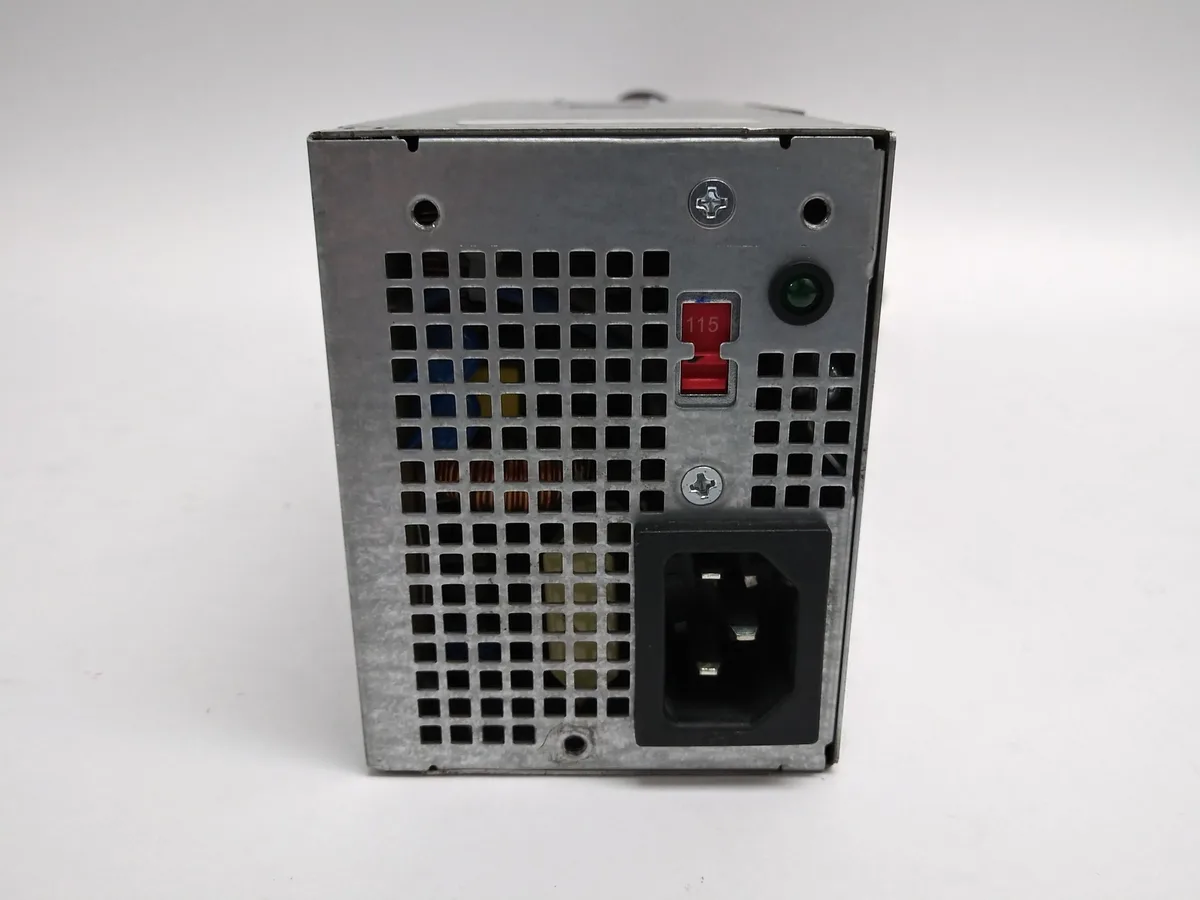
DELL 3WFNF 250 W 24-Pin Desktop Power Supply for Inspiron 540S/545S and OptiPlex 990 SFF
A 250 W 24-pin desktop power supply compatible with Inspiron 540S, 545S and OptiPlex 990 SFF systems
- TypeDesktop Power Supply
- Maximum Power250 W
- Fans1 Fan
- ModularNo
- Weight5
- 250 W output powers Inspiron 540S and 545S desktops
- 24-pin connector fits OptiPlex 990 SFF systems
- Single fan cools the unit during operation
- Fixed cable set simplifies installation
- New condition ensures reliable performance out of the box
Compatible Desktop Power Supply
This 250 W unit is built for Dell Inspiron 540S, 545S and OptiPlex 990 SFF desktops. It uses a standard 24-pin connector to deliver power to the motherboard and internal drives. The non-modular design keeps all cables permanently attached for a direct fit.
Who This Suits
It suits owners of the listed Dell models who need a direct replacement for a failed or noisy original unit. Builders working with proprietary Dell SFF chassis or non-standard pinouts should look elsewhere. Systems requiring higher wattage for discrete graphics cards or heavy upgrades are not supported by this 250 W limit.
250 W Maximum Power Rating
The 250 W ceiling is the single figure that decides compatibility with your component list. Check the combined draw of your CPU, drives and any add-in cards against this limit before purchasing. Exceeding it will cause instability or prevent the system from starting.
Highlights
- 250 W output powers Inspiron 540S and 545S desktops
- 24-pin connector fits OptiPlex 990 SFF systems
- Single fan cools the unit during operation
- Fixed cable set simplifies installation
- New condition ensures reliable performance out of the box
Specifications
| Brand | DELL |
|---|---|
| Type | Desktop Power Supply |
| Maximum Power | 250 W |
| Fans | 1 Fan |
| Modular | No |
| Weight | 5 |
Questions about this item
Will the 24-pin connector fit my Inspiron 540S or 545S chassis?
The 24-pin ATX connector matches the motherboard socket used in Inspiron 540S and 545S desktops, and the unit is built for the SFF form factor those models use.
How do I install the 250 W unit in an OptiPlex 990 SFF, and what step is often missed?
Slide the supply into the SFF bay, secure the two chassis screws, then plug the 24-pin cable fully into the motherboard; the step often missed is latching the connector clip until it clicks.
When will the single internal fan need cleaning or replacement?
Expect to clean dust from the fan intake every six to twelve months; if bearing noise appears or airflow drops, replace the entire 250 W supply as the fan is not user-serviceable.
Also in this aisle
People compared these
Same shelf, same checkout — eight coins and a 30-minute rate lock.


Silverstone Technology
Silverstone Decathlon R Gold 750W ATX 3.0 power supply
$146.99
0.00185715BTC
In stock
Silverstone Technology
Silverstone Technology FA311-B FARA 311 Micro-ATX PC case
- Micro ATX
$62.99
0.00079585BTC
In stock