
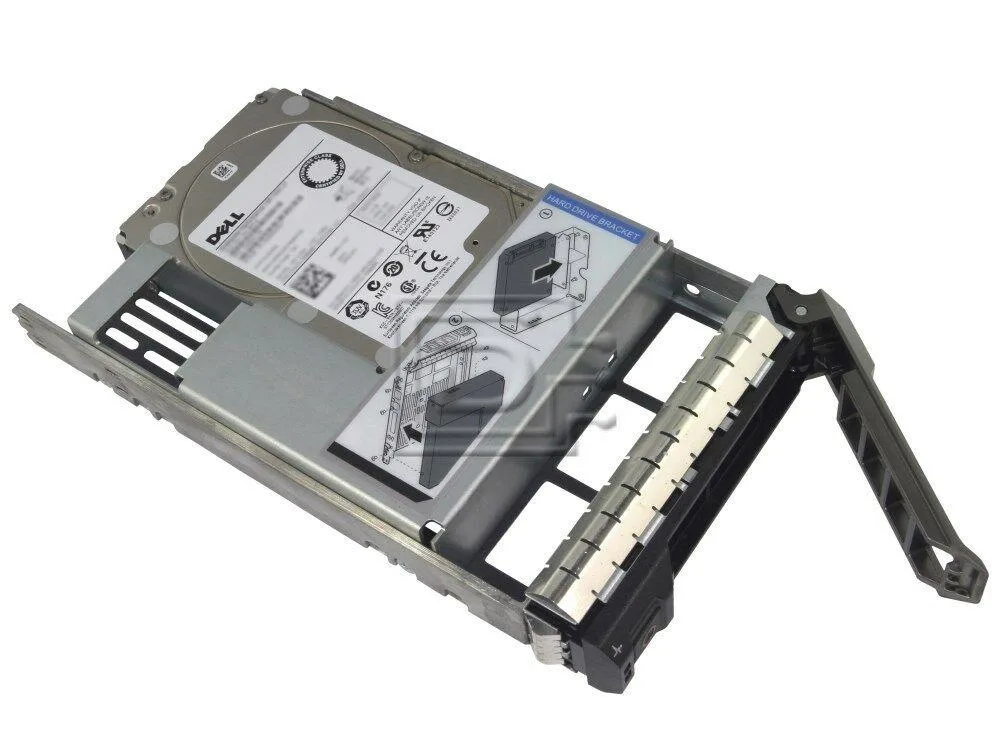

DELL
DELL 400-AOQT 1.2TB 3.5" 10000 RPM SAS internal hard drive
A 1.2 TB 10 000 RPM SAS drive in a 3.5 inch form factor for high-speed desktop storage
- InterfaceSAS
- Capacity1.2TB
- RPM10000 RPM
- Form Factor3.5"
- 2 TB capacity stores large datasets
- 10000 RPM spindle delivers fast data access
- SAS interface enables enterprise-grade connectivity
- 5 inch form factor fits standard drive bays
- Hybrid design balances performance and capacity
Dell 1.2TB SAS Hard Drive
The Dell 400-AOQT is a 1.2TB 3.5" internal hard drive spinning at 10000 RPM. It uses a SAS interface for connection to compatible servers or workstations. The drive is supplied new in retail or OEM packaging.
Who This Suits
This drive suits administrators expanding SAS-based storage arrays or replacing failed units in Dell systems. Buyers whose controllers only support other interfaces cannot use this drive. Systems requiring a different physical form factor should look elsewhere.
10000 RPM SAS Interface
The 10000 RPM spindle speed and SAS interface are the decisive specifications for compatibility. Verify that your backplane and controller support SAS at this speed before purchase. The 1.2TB capacity and 3.5" form factor must also match the bay and storage requirement.
Highlights
- 2 TB capacity stores large datasets
- 10000 RPM spindle delivers fast data access
- SAS interface enables enterprise-grade connectivity
- 5 inch form factor fits standard drive bays
- Hybrid design balances performance and capacity
Specifications
| Interface | SAS |
|---|---|
| Capacity | 1.2TB |
| RPM | 10000 RPM |
| Form Factor | 3.5" |
Questions about this item
How do I install the 3.5" SAS drive in a Dell server tray?
Slide the 3.5" drive into the hot-swap carrier until the SAS connector seats firmly, then lock the latch; the step most people miss is fully engaging the latch before closing the chassis door.
What maintenance will the 10000 RPM SAS drive need over time?
No scheduled maintenance is required; if the 1.2TB drive later shows SMART errors or excessive noise, replace the unit.
What limit appears first when the 10000 RPM drive runs sustained writes?
The 10000 RPM spindle speed and SAS interface set the sustained throughput ceiling; thermal throttling may engage before the interface saturates.
Also in this aisle
People compared these
Same shelf, same checkout — eight coins and a 30-minute rate lock.




Western Digital
Western Digital G-DRIVE ArmorATD 5TB portable hard drive SDPH81G005TGBA1D
$298.99
0.00379679BTC
In stock
OWC
OWC Gemini Ultra X6 12TB Thunderbolt portable SSD (OWCTB3GMA6X12)
- 12TB
- Thunderbolt
$2,645.99
0.03360073BTC
In stock