

HPE
HPE 875330-B21 3.84 TB SAS 2.5" internal solid state drive
- Solid State Drive
$846.99
0.01074901BTC
In stockWe take cryptocurrency — so the coins you hold can buy real hardware.Pay in crypto, spend it on real hardware. Free insured shipping worldwide over $399. Plain, unbranded boxes, sent from Germany.Free insured shipping over $399. Your rate is locked for 30 minutes once checkout opens.Rate locked 30 minutes. Every item sealed, serial-checked and covered by a 24-month warranty.Sealed, 24-month warranty.
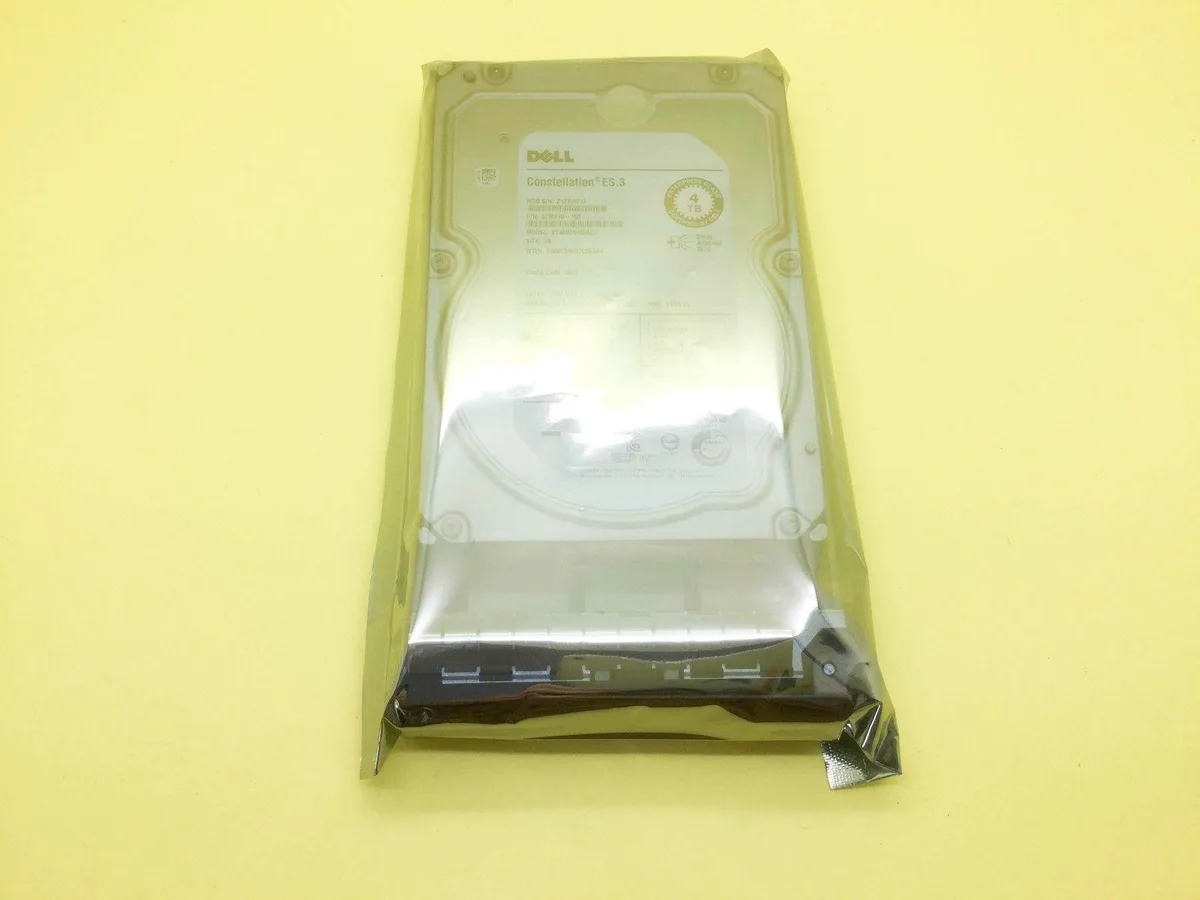


DELL
A 4 TB SAS hard drive spinning at 7,200 RPM with a 6 Gb/s interface and included tray
This is a Dell-branded 4 TB 3.5-inch internal hard drive that uses a SAS interface rated at 6 Gb/s and spins at 7200 RPM. It ships with a mounting tray and is built on the Seagate ST4000NM0023 platform.
The drive fits servers or workstations that accept 3.5-inch SAS drives and need high-capacity nearline storage for bulk data, backups or archival workloads. It is not for systems that only provide SATA backplanes or controllers without SAS support.
The single specification that decides fit is the 6 Gb/s SAS interface; the drive will not operate on SATA-only ports and requires a compatible SAS controller or backplane.
No published specifications for this item yet.
The 3.5in form factor matches standard 3.5in bays and the supplied tray secures it with side screws.
Attach the SAS data cable to the controller port first, then seat the drive power connector before tightening the tray screws.
Schedule a SMART scan monthly and replace the drive if reallocated sectors or seek errors start rising.
Also in this aisle
Same shelf, same checkout — eight coins and a 30-minute rate lock.
What you pay in, and what you read prices in.
Sent from your wallet at checkout
Display only — the catalogue is priced in USD
No currency matches that.
Pick the language the site speaks to you in.
New here?
Already have one?
There is no automatic reset: this shop sends no mail, so there is no one-time link to ask for. Leave the address on the account and it gets picked up by hand.
Request noted
Nothing is on its way to your inbox — this shop sends no mail at all. Someone picks these up by hand.
Remembered it?


