

Acer America
Acer America Aspire Go 15 AG15-51P-510U 15.3" WUXGA i5-1334U 8GB 256GB Steel Gray
- Steel Gray
- Windows 11 Home
$431.99
0.00546954BTC
In stockWe take cryptocurrency — so the coins you hold can buy real hardware.Pay in crypto, spend it on real hardware. Free insured shipping worldwide over $399. Plain, unbranded boxes, sent from Germany.Free insured shipping over $399. Your rate is locked for 30 minutes once checkout opens.Rate locked 30 minutes. Every item sealed, serial-checked and covered by a 24-month warranty.Sealed, 24-month warranty.
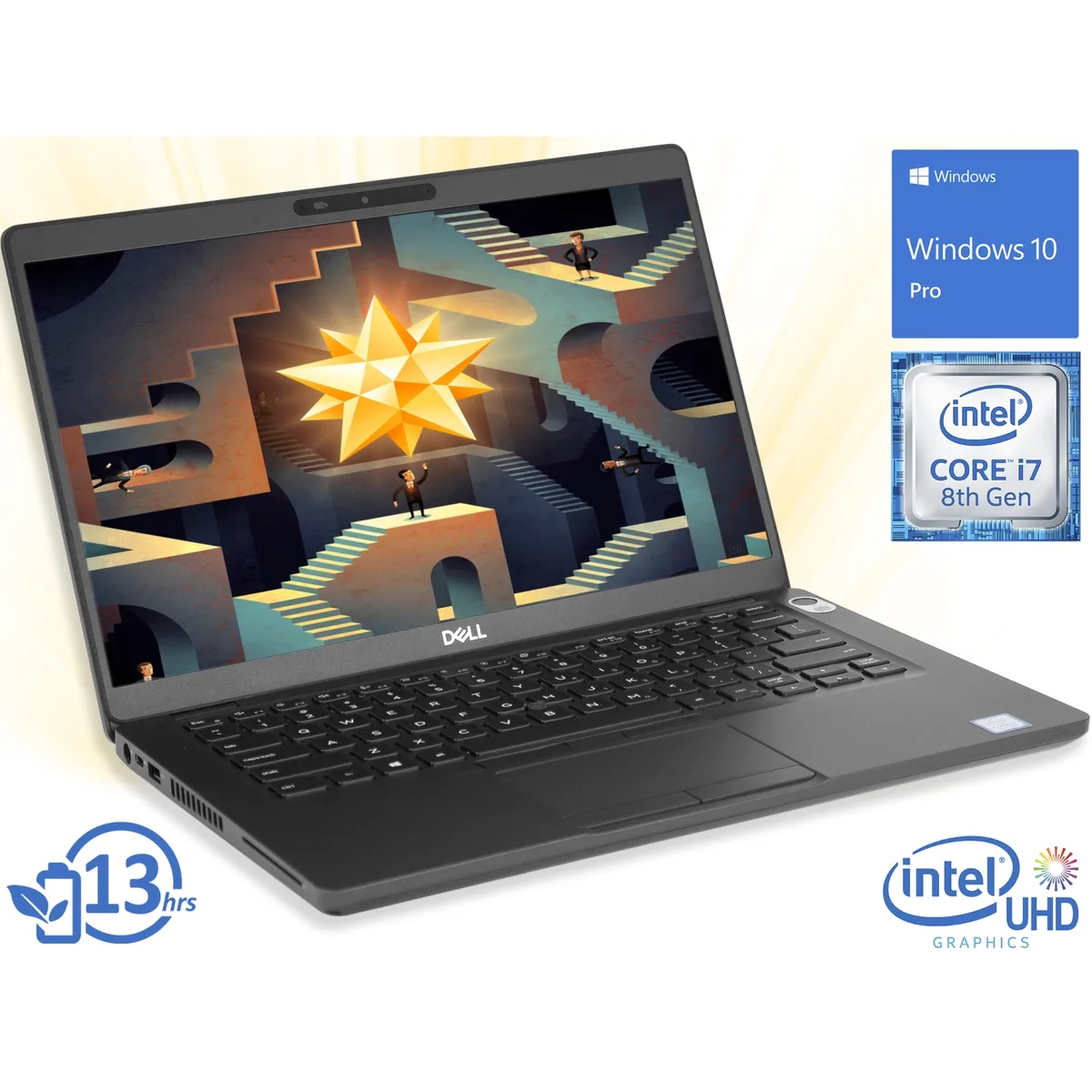


DELL
A 14-inch touchscreen business laptop with an Intel Core i7-8665U processor, 8GB RAM and a 256GB NVMe SSD running Windows 10 Pro
The Dell Latitude 5400 is a 14-inch business laptop running Windows 10 Pro. It uses an Intel Core i7-8665U processor with a 4.8GHz turbo frequency and quad-core design. Integrated Intel UHD Graphics 620 handles the 1920 x 1080 FHD touchscreen display. Storage is provided by a 256GB NVMe SSD paired with 8GB of system memory.
Workers who value a responsive touchscreen for annotations or presentations on a compact 14.0" chassis will benefit. The fingerprint reader integrated into the power button speeds up authentication. Buyers who want more storage than 256GB or require discrete graphics for heavy 3D rendering should look elsewhere.
The single specification that decides fit is the 256GB NVMe SSD. It determines how many local applications and project files can reside on the drive before external storage becomes necessary. If the workload demands a larger internal volume, this unit will not meet that requirement.
| Brand | DELL |
|---|---|
| Series | Latitude |
| Model | 5400 |
| Color | Black |
| Other Features | Fingerprint reader |
| Operating System | Windows 10 Pro |
| CPU Type | Intel Core i7 8th Gen |
| Processor Name | Intel Core i7-8665U |
| Turbo Frequency | 4.8GHz |
| Number of Cores | Quad-core Processor |
| Screen Size | 14.0" |
| Touchscreen | Touch Screen |
| Wide Screen Support | Yes |
| Display Type | FHD |
| Resolution | 1920 x 1080 |
| GPU/VPU | Intel UHD Graphics 620 |
| Graphic Type | Integrated Card |
| SSD | 256GB |
| HDD | No |
| Storage Spec | 256GB NVMe SSD |
| Memory | 8GB |
| Memory Speed | DDR4 2400 |
| Memory Spec | 8 GB x 1 |
| Memory Slot (Total) | 2 |
| Memory Slot (Available) | 1 |
| Max Memory Supported | 32 GB |
| LAN | 10/100/1000Mbps |
| WLAN | Wi-Fi 5 (802.11ac) |
| Bluetooth | Bluetooth 4.2 |
| USB | 3x USB 3.1 Gen 1 |
| Video Port | 1x HDMI, 1x DisplayPort via USB-C |
| HDMI | 1 x HDMI |
| Audio Ports | 1 x Headphone/Microphone Combo Jack |
| Audio | Integrated Sound card |
| Speaker | Integrated Stereo Speakers |
| Touchpad | Yes |
| Keyboard | Backlit Keyboard |
| Backlit Keyboard | Backlit |
| Webcam | Yes |
| Card Reader | Micro SD |
| Type | Everyday Value |
| AC Adapter/Charger | 65-watt AC Adapter |
| Battery | 3-cell Lithium Ion |
| Dimensions (W x D x H) | 8.5" x 12.7" x 0.77" |
| Weight | 3 - 3.9 lbs. |
The 5400 includes a high-density battery with ExpressCharge that reaches 80% in one hour using its supplied adapter.
Yes, the USB-C port carries DisplayPort video so a 1920 x 1080 external display will work alongside the 14.0" FHD touch panel.
Open Device Manager, expand Display adapters and confirm Intel UHD Graphics 620 is listed without error icons.
Also in this aisle
Same shelf, same checkout — eight coins and a 30-minute rate lock.
What you pay in, and what you read prices in.
Sent from your wallet at checkout
Display only — the catalogue is priced in USD
No currency matches that.
Pick the language the site speaks to you in.
New here?
Already have one?
There is no automatic reset: this shop sends no mail, so there is no one-time link to ask for. Leave the address on the account and it gets picked up by hand.
Request noted
Nothing is on its way to your inbox — this shop sends no mail at all. Someone picks these up by hand.
Remembered it?



