


DELL
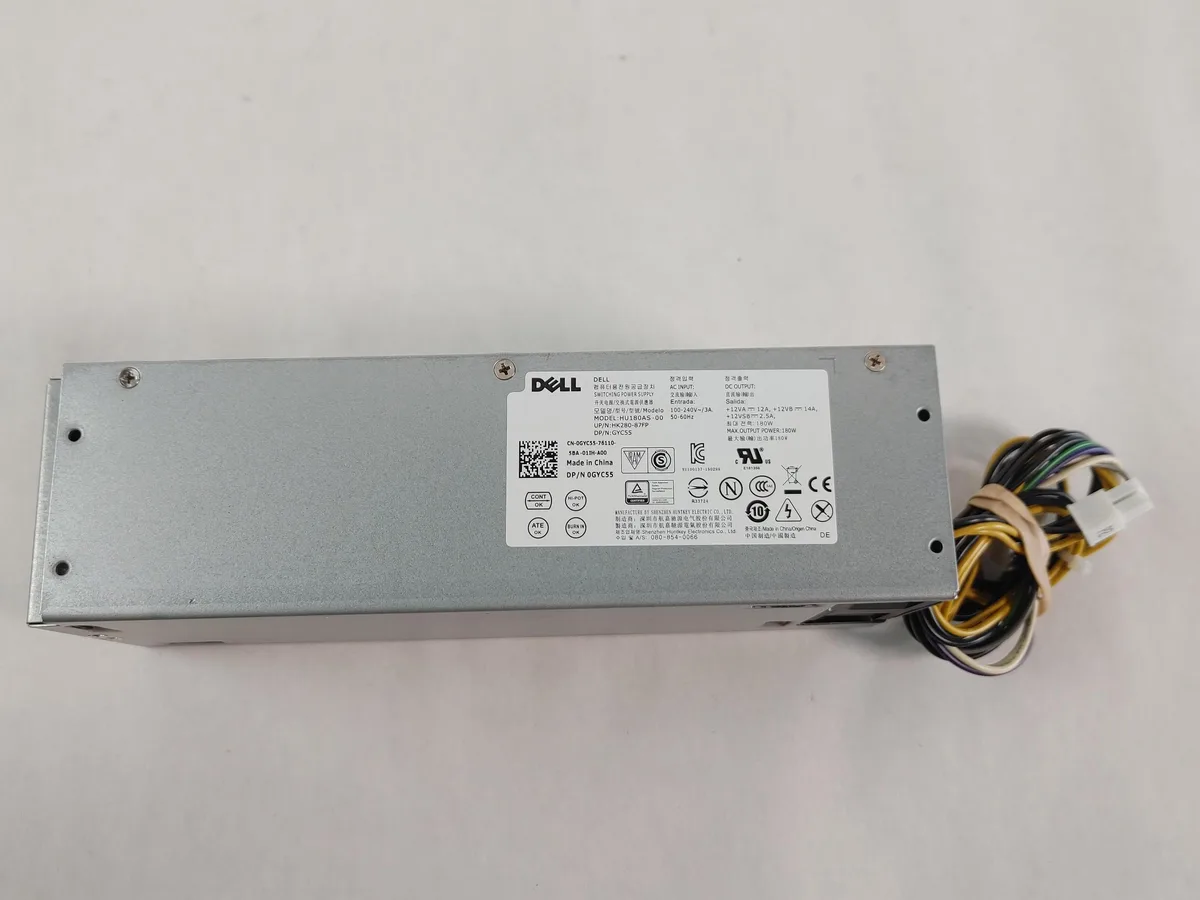
DELL GYC55 Optiplex 5040/7040 180W 8-Pin SFF Power Supply
An 180 W small-form-factor desktop power supply with an 8-pin connector for Optiplex 5040 and 7040 systems
- TypeDesktop Power Supply
- Maximum Power180 W
- Fans1 Fan
- ModularNo
- Weight5
- 180 W output powers Optiplex 5040 and 7040 SFF desktops
- 8-pin connector fits Dell GYC55 motherboard socket directly
- Single fan cools supply inside compact chassis
- Non-modular cabling keeps installation simple and tidy
- New unit tested and visually inspected for defects
Dell GYC55 SFF 180 W Power Supply
This Dell GYC55 power supply delivers 180 W for OptiPlex 5040 and 7040 small-form-factor desktops. It uses the proprietary 8-pin connector required by those chassis. The unit is new and includes only the cables shown in the product images. It fits the specific power cavity of the listed models.
Single Fan Non-Modular Thermal Design
A single internal fan cools the supply under normal desktop loads. The non-modular cable layout means all leads are fixed, which can restrict airflow in the tight SFF enclosure. Power draw stays within the 180 W rating during typical office workloads. Acoustic output is consistent with a standard OEM desktop supply.
Proprietary 8-Pin Connector Compatibility
The 8-pin connector is the deciding specification; it only mates with Dell OptiPlex 5040 and 7040 SFF mainboards. Builders using standard ATX boards or other Dell form factors cannot use this unit. Buyers who need a standard 24-pin ATX connector must choose a different power supply. No adapter is included or implied.
Highlights
- 180 W output powers Optiplex 5040 and 7040 SFF desktops
- 8-pin connector fits Dell GYC55 motherboard socket directly
- Single fan cools supply inside compact chassis
- Non-modular cabling keeps installation simple and tidy
- New unit tested and visually inspected for defects
Specifications
| Brand | DELL |
|---|---|
| Type | Desktop Power Supply |
| Maximum Power | 180 W |
| Fans | 1 Fan |
| Modular | No |
| Weight | 5 |
Questions about this item
How do I install the GYC55 power supply into an OptiPlex 5040 or 7040 SFF and which step is most often missed?
Slide the unit into the chassis until the latch clicks, then connect the 8-pin motherboard cable; the step most often missed is forgetting to plug in that 8-pin connector.
What maintenance or replacement will the GYC55 need over its life?
The single internal fan is the only moving part; expect to clean dust from its intake periodically and replace the fan if it becomes noisy or fails.
What limit appears first when the GYC55 runs under sustained load?
The 180 W maximum power rating is the first ceiling; continuous draw at or near that level will trigger protection or thermal throttling before any other limit.
Also in this aisle
People compared these
Same shelf, same checkout — eight coins and a 30-minute rate lock.


Silverstone Technology
Silverstone Decathlon R Gold 750W ATX 3.0 power supply
$146.99
0.00186984BTC
In stock
Silverstone Technology
Silverstone Technology FA311-B FARA 311 Micro-ATX PC case
- Micro ATX
$62.99
0.00080129BTC
In stock