


DELL
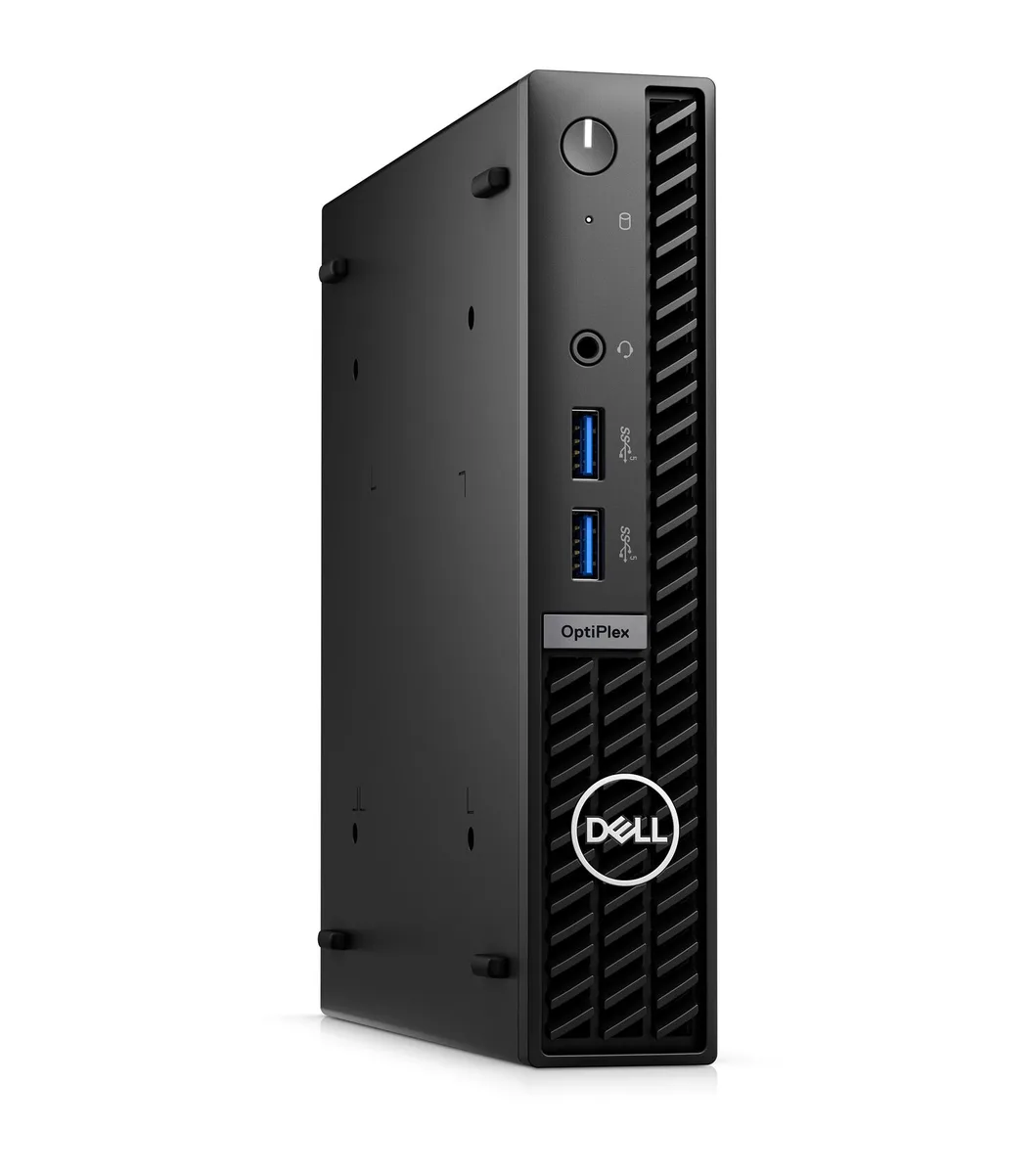
DELL J1-7010MA06 OptiPlex 7010 Micro i5-13500T 16GB 512GB NVMe mini PC
A refurbished micro desktop with a 13th Gen Intel Core i5-13500T, 16GB DDR4, 512GB NVMe, Windows 11 Pro, Wi-Fi and Bluetooth
- TypeBusiness Desktops & Workstations
- Form FactorMicro Tower
- UsageBusiness / Mainstream
- ColorBlack
- ProcessorIntel Core i5-13500T
- Memory16GB DDR4
- Refurbished micro desktop ready for business deployment
- Intel Core i5-13500T with 24 MB cache handles multitasking
- 16 GB DDR4 memory supports smooth everyday workloads
- 512 GB NVMe SSD provides fast boot and file access
- Windows 11 Pro 64-bit pre-installed for immediate productivity
Compact Business Micro PC
The Dell OptiPlex 7010 Micro is a refurbished mini PC built for office environments. It ships with Windows 11 Pro 64-bit, a USB keyboard and a USB mouse so it is ready to deploy immediately.
Suited for Standard Office Work
This system fits workers who need a small footprint PC for productivity applications, video calls and web-based tools. It is not for buyers who want discrete graphics performance, additional internal drive bays or user-upgradeable memory slots beyond the factory configuration.
512GB NVMe and 16GB DDR4 Capacity
The 512GB NVMe SSD provides fast boot and application load times for typical business workloads. The 16GB DDR4 memory handles multitasking across browser tabs and office suites, while heavier datasets or virtual machines will exhaust the available headroom.
Highlights
- Refurbished micro desktop ready for business deployment
- Intel Core i5-13500T with 24 MB cache handles multitasking
- 16 GB DDR4 memory supports smooth everyday workloads
- 512 GB NVMe SSD provides fast boot and file access
- Windows 11 Pro 64-bit pre-installed for immediate productivity
Specifications
| Brand | DELL |
|---|---|
| Series | OptiPlex |
| Model | 7010 |
| Part Number | J1-7010MA06 |
| Type | Business Desktops & Workstations |
| Form Factor | Micro Tower |
| Usage | Business / Mainstream |
| Color | Black |
| Processor | Intel Core i5-13500T |
| Memory | 16GB DDR4 |
| Storage | 512GB NVMe SSD |
| Keyboard | USB Keyboard |
| Mouse | USB Mouse |
| Operating System | Windows 11 Pro 64-bit |
| CPU Type | Intel Core i5 13th Gen |
| CPU Name | Intel Core i5-13500T |
| L3 Cache Per CPU | 24 MB |
| Memory Capacity | 16GB DDR4 |
| SSD | 512GB NVMe |
| WLAN | Yes |
| Bluetooth | Yes |
| Video Ports | 1 x DisplayPort 1.4a / 1 x HDMI |
| RJ45 | 1 port |
| Dimensions (H x W x D) | 7.17" x 1.42" x 7.01" |
| Weight | 2.87 lbs. |
| Shipping weight | 2.72 kg |
| Package size | 508 × 406 × 127 mm |
Questions about this item
Does the OptiPlex 7010 Micro require a separate monitor cable for its DisplayPort 1.4a or HDMI ports?
Yes, you must supply your own DisplayPort or HDMI cable because the unit only provides the video outputs themselves.
Will a legacy USB 2.0 keyboard and mouse work with the six USB-A ports on this i5-13500T system?
The six USB-A ports are backward compatible, so older USB 2.0 peripherals will function normally alongside newer devices.
How can I confirm the 16GB DDR4 and 512GB NVMe are recognised after first boot?
Open Windows 11 Pro Settings > System > About to verify 16GB installed RAM, then check Disk Management to see the 512GB NVMe listed as the primary drive.
Also in this aisle
People compared these
Same shelf, same checkout — eight coins and a 30-minute rate lock.



HPE
HPE P22020B21 2U Cable Management Arm for DL38X Gen10 Plus Rail Kit
$52.99$67.99−22%
0.00067501BTC
In stock
Lenovo
Lenovo ThinkSystem ST250 V3 7DCEA01YNA Tower Server Xeon E-2434 16 GB RAM
$1,267.99
0.01615233BTC
In stock