DELL
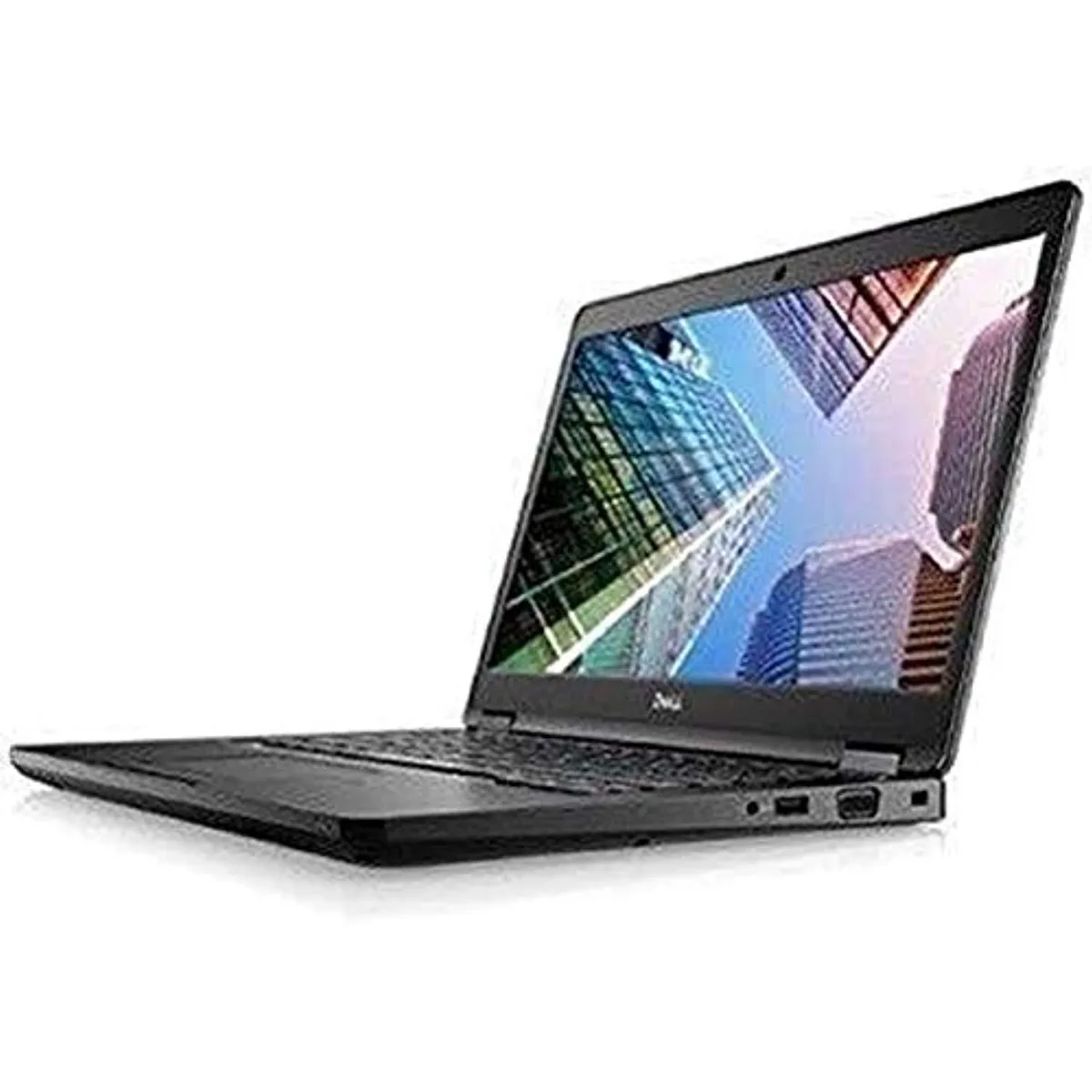
DELL Latitude 7490 -9718 laptop 14" i5-8250U 8GB 256GB
- 14.0"
- Home / Personal
$195.99
0.00249624BTC
In stockWe take cryptocurrency — so the coins you hold can buy real hardware.Pay in crypto, spend it on real hardware. Free insured shipping worldwide over $399. Plain, unbranded boxes, sent from Germany.Free insured shipping over $399. Your rate is locked for 30 minutes once checkout opens.Rate locked 30 minutes. Every item sealed, serial-checked and covered by a 24-month warranty.Sealed, 24-month warranty.


DELL
A 14-inch touchscreen business laptop with a quad-core Intel Core i7-1185G7, 32GB memory, 512GB SSD and Windows 11 Pro
This refurbished Latitude 7420 is built for mobile professionals who need a compact Windows 11 Pro machine with a responsive touchscreen. The quad-core Intel Core i7-1185G7 processor and 32 GB of memory handle office suites, video calls and browser-based workloads without delay. Integrated Intel Iris Xe graphics share system memory for everyday visual tasks. The 512 GB SSD provides fast boot and application launch times.
Under continuous load the quad-core processor maintains its 3.0 GHz base frequency while the shared-memory Iris Xe GPU scales dynamically with thermal headroom. The thin-and-light chassis at 0.68" thick relies on passive and low-profile active cooling, so extended compile jobs or long video conferences may throttle clock speeds slightly. The 12 MB L3 cache helps keep latency low during repeated data access. Battery life will vary with screen brightness and workload intensity.
Windows Autopilot enrolment lets IT teams ship the device directly to end users for zero-touch configuration, reducing on-site setup time. The 14.0" 1920 x 1080 touchscreen responds to finger and stylus input for annotation or navigation. Two Thunderbolt 4 ports, two USB 3.2 Gen 1 Type-A ports, HDMI 2.0 and a combo audio jack cover most peripheral needs. Buyers who need a dedicated GPU, additional Type-A ports or a larger display should consider other form factors.
| Brand | DELL |
|---|---|
| Series | Latitude |
| Model | 7420 |
| Color | Black |
| Cosmetic Condition | Grade A (Excellent) |
| CPU Type | Intel Core i7 11th Gen |
| Processor Name | Intel Core i7-1185G7 |
| Number of Cores | Quad-core Processor |
| CPU L3 Cache | 12 MB |
| Screen Size | 14.0" |
| Touchscreen | Touch Screen |
| Wide Screen Support | Yes |
| Resolution | 1920 x 1080 |
| GPU/VPU | Intel Iris Xe Graphics |
| Video Memory | Shared system memory |
| Graphic Type | Integrated Card |
| SSD | 512GB |
| Memory | 32GB |
| Optical Drive Type | No |
| USB | 2 x USB 3.2 Gen 1 Type-A |
| Thunderbolt | 2 x Thunderbolt 4 |
| HDMI | 1 x HDMI 2.0 |
| Audio Ports | 1 x Headphone/Microphone Combo Jack |
| Webcam | Yes |
| Style | Thin and Light |
| Type | Work / Business |
| Usage | Business |
| Dimensions (W x D x H) | 12.65" x 8.35" x 0.68" |
| Weight | 2.69 lbs. |
| Shipping weight | 1.81 kg |
| Package size | 460 × 305 × 127 mm |
The quad-core processor runs at a 3.0GHz base frequency with 12MB L3 cache; integrated Iris Xe graphics share system memory so there is no separate GPU fan, keeping noise and heat modest for typical business workloads.
The laptop provides two Thunderbolt 4 ports and one HDMI 2.0 output; plug one display into HDMI and the other into a Thunderbolt port using a compatible cable or dock.
Yes — the two USB 3.2 Gen 1 Type-A ports accept existing USB 3.0 drives directly, and the HDMI 2.0 port is backward-compatible with HDMI 1.4 displays.
Also in this aisle
Same shelf, same checkout — eight coins and a 30-minute rate lock.
What you pay in, and what you read prices in.
Sent from your wallet at checkout
Display only — the catalogue is priced in USD
No currency matches that.
Pick the language the site speaks to you in.
New here?
Already have one?
There is no automatic reset: this shop sends no mail, so there is no one-time link to ask for. Leave the address on the account and it gets picked up by hand.
Request noted
Nothing is on its way to your inbox — this shop sends no mail at all. Someone picks these up by hand.
Remembered it?