


DELL
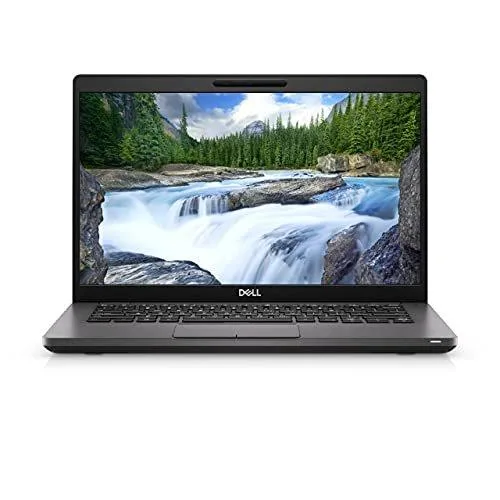
DELL J5-7420A26 laptop i5-1145G7 16GB 512GB NVMe 14" FHD Windows 11 Pro
Refurbished 14-inch FHD business laptop with Intel Core i5-1145G7, 16 GB memory and 512 GB NVMe storage running Windows 11 Pro
- ColorGray
- Cosmetic ConditionGrade A (Excellent)
- Operating SystemWindows 11 Pro 64-bit
- CPU TypeIntel Core i5 11th Gen
- Processor NameIntel Core i5-1145G7
- Core NameTiger Lake
- Ready for business with Intel Core i5-1145G7 quad-core performance
- 16 GB memory and 512 GB NVMe storage handle heavy workloads
- 14 inch FHD 1920 x 1080 display gives sharp visuals
- Windows 11 Pro 64-bit provides enterprise-grade security
- Two Thunderbolt 4 ports plus HDMI 2.0 connect peripherals fast
Product profile
The Dell Latitude 7420 is a refurbished 14.0-inch business laptop graded A for excellent cosmetic condition. It runs Windows 11 Pro 64-bit on an Intel Core i5-1145G7 quad-core processor with 8 MB L3 cache and 16 GB of system memory. A 512 GB NVMe solid-state drive provides the primary storage.
Who it suits
Professionals needing a thin-and-light device for office productivity, video calls and multi-monitor workflows will value the integrated Intel Iris Xe graphics, dual Thunderbolt 4 ports and HDMI 2.0 output. Buyers who want more storage, a dedicated graphics card, a touchscreen display or a larger screen should look at something else.
Setup checklist
Verify that your existing monitors accept HDMI 2.0 or Thunderbolt 4 video input for external displays. Confirm that your peripherals use USB 3.2 Gen 1 Type-A or Thunderbolt 4 connectors, as only two ports of each type are available. Ensure your workflow fits within 16 GB of shared memory and 512 GB of NVMe capacity.
Highlights
- Ready for business with Intel Core i5-1145G7 quad-core performance
- 16 GB memory and 512 GB NVMe storage handle heavy workloads
- 14 inch FHD 1920 x 1080 display gives sharp visuals
- Windows 11 Pro 64-bit provides enterprise-grade security
- Two Thunderbolt 4 ports plus HDMI 2.0 connect peripherals fast
Specifications
| Brand | DELL |
|---|---|
| Series | Latitude |
| Model | 7420 |
| Part Number | J5-7420A26 |
| Color | Gray |
| Cosmetic Condition | Grade A (Excellent) |
| Operating System | Windows 11 Pro 64-bit |
| CPU Type | Intel Core i5 11th Gen |
| Processor Name | Intel Core i5-1145G7 |
| Core Name | Tiger Lake |
| Number of Cores | Quad-core Processor |
| CPU L3 Cache | 8 MB |
| Screen Size | 14.0" |
| Touchscreen | Non-Touch Screen |
| Wide Screen Support | Yes |
| Display Type | FHD |
| Resolution | 1920 x 1080 |
| GPU/VPU | Intel Iris Xe Graphics |
| Video Memory | Shared system memory |
| Graphic Type | Integrated Card |
| SSD | 512GB NVMe |
| HDD | No |
| Memory | 16GB |
| Optical Drive Type | No |
| USB | 2 x USB 3.2 Gen 1 Type-A |
| Thunderbolt | 2 x Thunderbolt 4 |
| HDMI | 1 x HDMI 2.0 |
| Audio Ports | 1x Headphone/Microphone combo jack (3.5mm) |
| Webcam | Yes |
| Style | Thin and Light |
| Type | Work / Business |
| Usage | Business |
| Dimensions (W x D x H) | 12.96'' x 8.53'' x 0.83'' |
| Weight | 3.6 lbs. |
| Package Content | 1x refurbished Laptop, 1x Power Adapter |
| Shipping weight | 2.04 kg |
| Package size | 465 × 279 × 102 mm |
Questions about this item
What must I already own to power the Dell Latitude 7420 J5-7420A26?
The package includes a power adapter, so only a mains socket is required to charge the 512 GB NVMe laptop and run the Intel Core i5-1145G7.
Will my older USB-A peripherals work with the two USB 3.2 Gen 1 Type-A ports on this Latitude 7420?
Yes, the two USB 3.2 Gen 1 Type-A ports are backward compatible with existing USB-A devices such as mice, keyboards and flash drives.
How can I confirm the 14.0" 1920 x 1080 FHD display and Intel Iris Xe graphics are working after setup?
Open Settings > System > Display to verify the native 1920 x 1080 resolution and launch Task Manager > Performance > GPU to see Intel Iris Xe activity.
Also in this aisle
People compared these
Same shelf, same checkout — eight coins and a 30-minute rate lock.

MSI
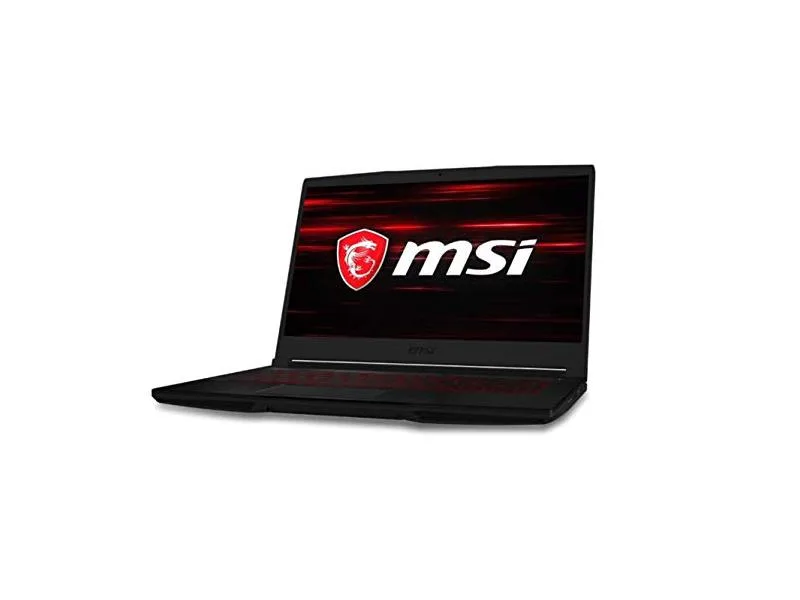
MSI GF63 Thin 10SCXR-222 15.6 laptop i5-10300H 8GB 256GB GTX 1650 4.1GB Black
- 15.6"
- Mainstream
$657.99
0.00836467BTC
In stock