

Micron Technology, Inc.
Micron Technology, Inc. MT4JTF12864AZ-1G4D1 1GB DDR3 1333 Desktop RAM
- 1GB
- DDR3 1333 (PC3 1060…
$28.99
0.00037491BTC
In stockWe take cryptocurrency — so the coins you hold can buy real hardware.Pay in crypto, spend it on real hardware. Free insured shipping worldwide over $399. Plain, unbranded boxes, sent from Germany.Free insured shipping over $399. Your rate is locked for 30 minutes once checkout opens.Rate locked 30 minutes. Every item sealed, serial-checked and covered by a 24-month warranty.Sealed, 24-month warranty.


DELL
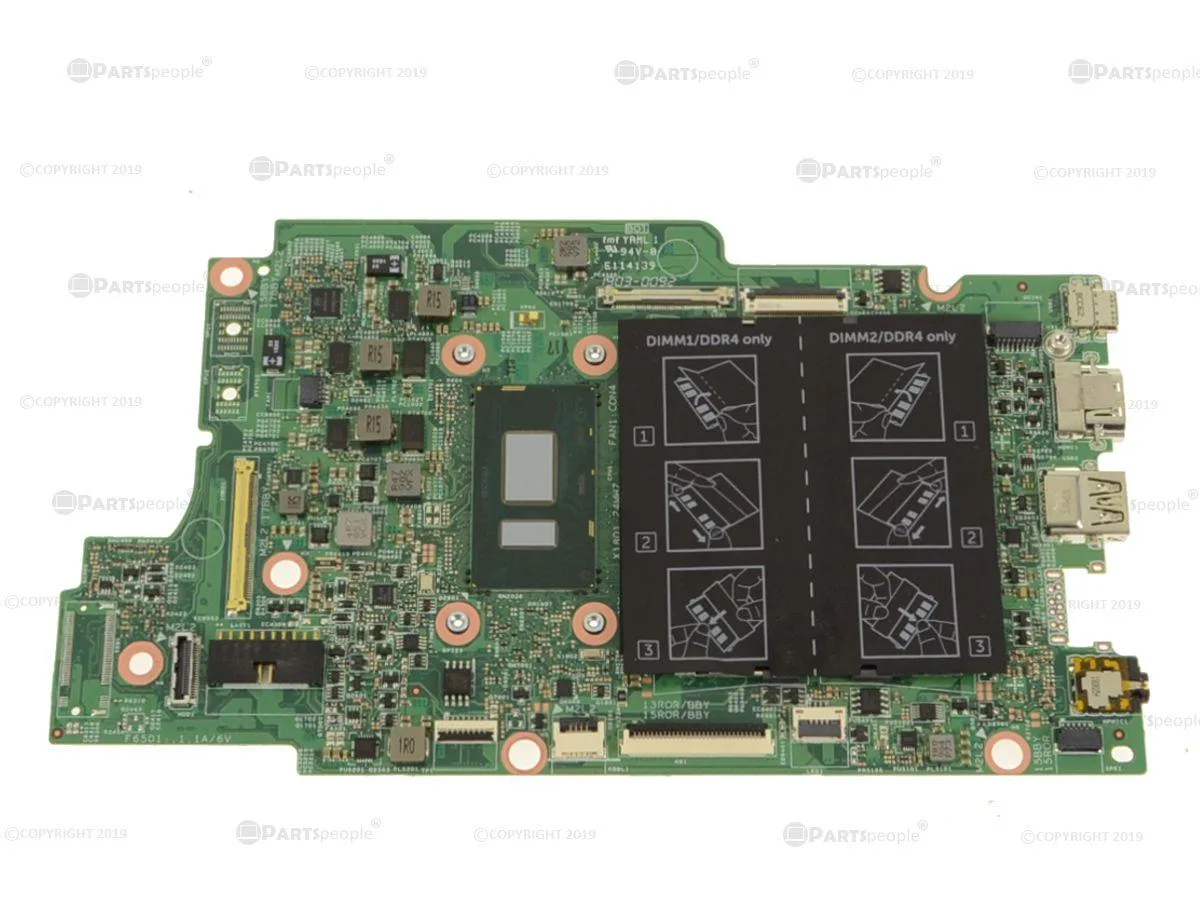
Genuine Dell replacement motherboard with on-board Intel Core i5-8350U 1.7 GHz quad-core processor for Latitude 3390 2-in-1 laptops
This is a genuine Dell OEM system board for the Latitude 3390 2-in-1 laptop. It arrives as the Dell part number 73TVN with an on-board Intel Core i5-8350U processor running at 1.7 GHz. The quad-core CPU is integrated directly onto the board for a direct replacement repair.
This motherboard fits exclusively in the Dell Latitude 3390 2-in-1 chassis. It will not work in any other laptop model or desktop system. Buyers who need a board for a different Latitude series or a standard ATX build should look elsewhere.
The processor is permanently soldered to this system board and cannot be upgraded or swapped separately. The quad-core i5-8350U defines the performance ceiling for the repair. Verify that this specific CPU meets the required workload before purchase.
| Brand | DELL |
|---|
Remove the battery first, then disconnect the display and antenna cables before unscrewing the old board. The step most often missed is forgetting to unplug the coin-cell battery connector, which can short the new 73TVN board on first power-up.
The CPU is soldered to the 73TVN board, so it cannot be replaced separately. Maintenance is limited to renewing thermal paste on the heatsink every few years and keeping the fan vents clear of dust.
The 1.7GHz quad-core i5-8350U hits its thermal ceiling first; the slim 2-in-1 chassis cannot dissipate heat fast enough, so clocks throttle down after several minutes of full utilisation.
Also in this aisle
Same shelf, same checkout — eight coins and a 30-minute rate lock.
What you pay in, and what you read prices in.
Sent from your wallet at checkout
Display only — the catalogue is priced in USD
No currency matches that.
Pick the language the site speaks to you in.
New here?
Already have one?
There is no automatic reset: this shop sends no mail, so there is no one-time link to ask for. Leave the address on the account and it gets picked up by hand.
Request noted
Nothing is on its way to your inbox — this shop sends no mail at all. Someone picks these up by hand.
Remembered it?



