


DELL
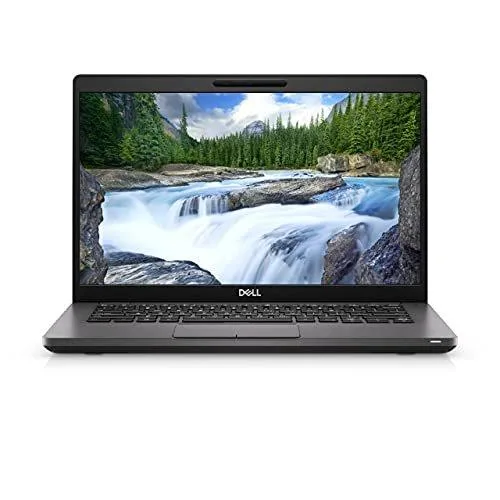
DELL Latitude 3520 laptop 2021 15.6 i5 11th Gen Quad 4.2 1920x1080 10
A 15.6-inch FHD business laptop with an 11th Gen Intel Core i5 quad-core processor, 8 GB memory and a 256 GB SSD running Windows 10 Pro
- ColorGray
- Operating SystemWindows 10 Pro
- CPU TypeIntel Core i5 11th Gen
- Processor NameIntel Core i5-1135G7
- Core NameTiger Lake
- Turbo Frequency4.20 GHz
- Quad-core i5-1135G7 reaches 4.2 GHz turbo for responsive multitasking
- 256 GB SSD plus 8 GB RAM deliver fast boot and smooth everyday workloads
- 6 inch 1920 x 1080 FHD non-touch display gives sharp visuals in a compact frame
- Windows 10 Pro pre-installed for immediate professional use
- 11ac wireless plus HDMI 1.4 and USB 3.2 Gen 1 ports connect peripherals and external screens
Ready for daily work
The Dell Latitude 3520 is a 15.6 inch laptop built for professionals who need a reliable Windows 10 Pro machine. Its Intel Core i5-1135G7 quad-core processor reaches 4.2 GHz with Turbo Boost, handling office suites, web apps and video calls without strain. The 1920 x 1080 FHD non-touch display gives clear text and enough screen space for side-by-side windows. Eight gigabytes of memory and a 256 GB SSD keep the system responsive during typical multitasking.
Practical connectivity
A wedge-shaped lock slot and 4.5 mm barrel power connector with status LED support desk security and quick docking. The RJ-45 port with its own LED provides a wired network link when wireless is unreliable. Two USB 3.2 Gen 1 Type-A ports and one USB 2.0 port cover legacy and current peripherals without adapters. HDMI 1.4 output drives an external monitor for presentations or extended desktop work. An optional uSIM tray and uSD 3.0 card reader add mobile data and quick media transfer options.
Essential accessories included
The integrated webcam enables video conferencing straight out of the box, removing the need for a separate camera. Wireless LAN 802.11ac and Bluetooth handle cable-free networking and peripheral pairing. Windows 10 Pro delivers business features such as BitLocker and Remote Desktop for managed environments. The bundled 4.5 mm power adapter matches the barrel connector, so the laptop charges immediately without hunting for a compatible tip.
Highlights
- Quad-core i5-1135G7 reaches 4.2 GHz turbo for responsive multitasking
- 256 GB SSD plus 8 GB RAM deliver fast boot and smooth everyday workloads
- 6 inch 1920 x 1080 FHD non-touch display gives sharp visuals in a compact frame
- Windows 10 Pro pre-installed for immediate professional use
- 11ac wireless plus HDMI 1.4 and USB 3.2 Gen 1 ports connect peripherals and external screens
Specifications
| Brand | DELL |
|---|---|
| Series | Latitude |
| Model | Latitude 3520 Laptop |
| Part Number | Latitude 3520 Laptop |
| Color | Gray |
| Operating System | Windows 10 Pro |
| CPU Type | Intel Core i5 11th Gen |
| Processor Name | Intel Core i5-1135G7 |
| Core Name | Tiger Lake |
| Turbo Frequency | 4.20 GHz |
| Number of Cores | 4 |
| Screen Size | 15.6" |
| Touchscreen | Non-Touch Screen |
| Display Type | FHD |
| Resolution | 1920 x 1080 |
| Graphic Type | Integrated Card |
| SSD | 256GB |
| HDD | 256GB |
| Memory | 8GB |
| WLAN | 802.11ac Wireless LAN |
| Bluetooth | Yes |
| Touchpad | Yes |
| Backlit Keyboard | Backlit |
| Webcam | Yes |
| Style | Standard |
| Type | Workstation |
| Usage | Business |
Questions about this item
What does the USB 3.2 Gen 1 Type-A port cap at in practice?
The USB 3.2 Gen 1 Type-A port runs at up to 5 Gbps, limiting external SSD or dock throughput to that ceiling.
What does the 15.6-inch chassis require to fit a wedge-shaped lock?
The built-in wedge-shaped lock slot accepts standard Kensington-compatible cables; no adapter or extra bracket is needed.
How is the 256 GB SSD installed, and what step do people miss?
The SSD is already fitted in the internal M.2 slot; the common mistake is forgetting to initialise and format the drive in Windows Disk Management before use.
Also in this aisle
People compared these
Same shelf, same checkout — eight coins and a 30-minute rate lock.

MSI
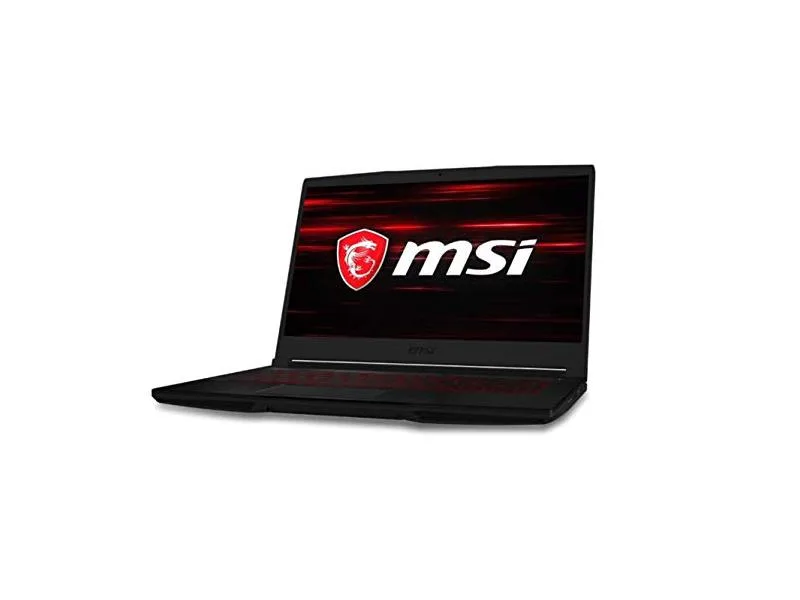
MSI GF63 Thin 10SCXR-222 15.6 laptop i5-10300H 8GB 256GB GTX 1650 4.1GB Black
- 15.6"
- Mainstream
$657.99
0.00838407BTC
In stock