DELL
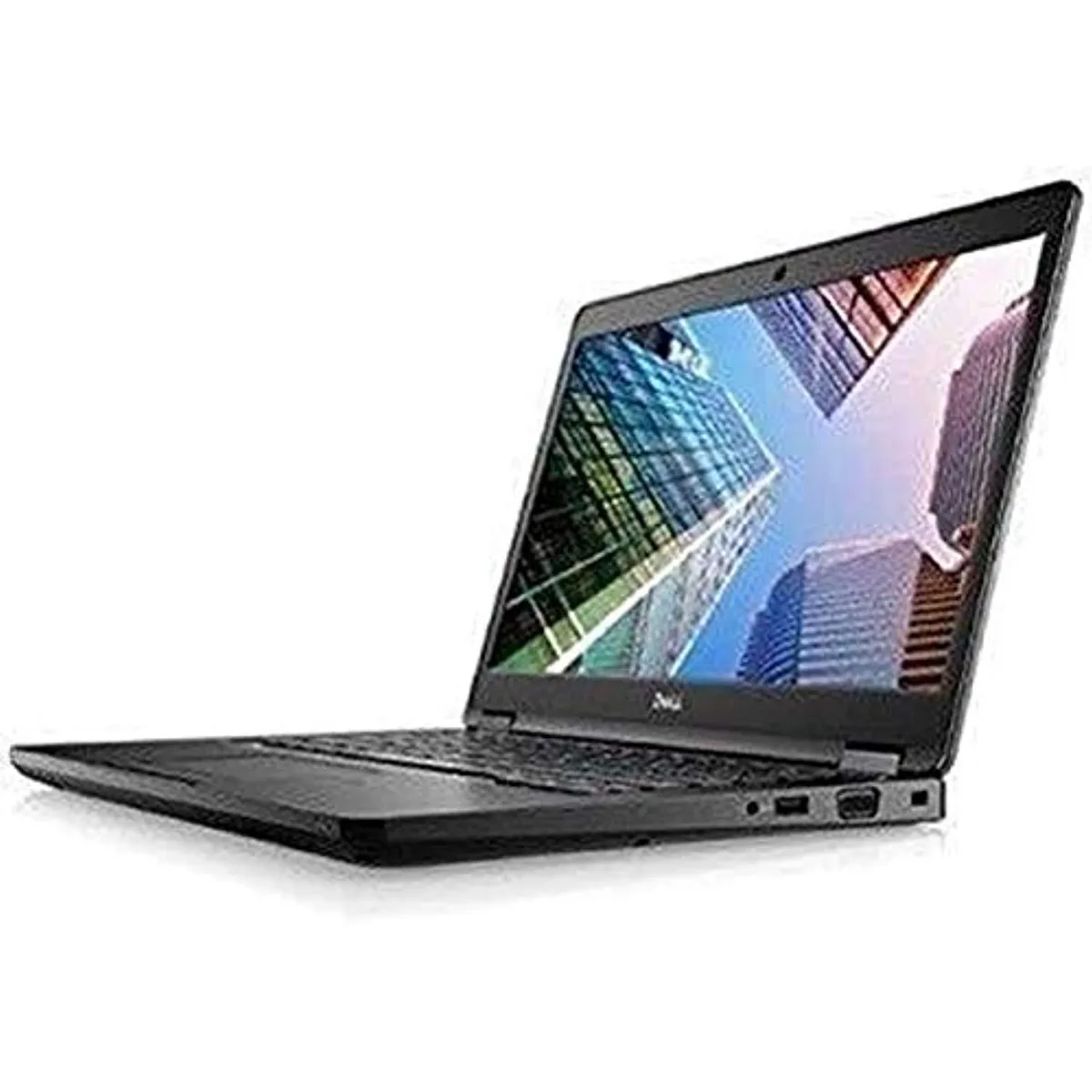
DELL Latitude 7490 -9718 laptop 14" i5-8250U 8GB 256GB
- 14.0"
- Home / Personal
$195.99
0.00249618BTC
In stockWe take cryptocurrency — so the coins you hold can buy real hardware.Pay in crypto, spend it on real hardware. Free insured shipping worldwide over $399. Plain, unbranded boxes, sent from Germany.Free insured shipping over $399. Your rate is locked for 30 minutes once checkout opens.Rate locked 30 minutes. Every item sealed, serial-checked and covered by a 24-month warranty.Sealed, 24-month warranty.

DELL
15.6-inch laptop with i5-1345U, 8 GB DDR5 RAM, 256 GB NVMe SSD, 1920 x 1080 IPS display, Wi-Fi 6E and HDMI 1.4
The Dell Latitude 3550 GCW0D is a 15.6-inch laptop built for business users who need reliable performance across office, home and travel environments. Its slim, lightweight chassis houses an Intel Core i5-1345U processor running at 1.6 GHz with a mix of performance and efficient cores. The system includes 8 GB of 2800 MHz DDR5 memory and a 256 GB NVMe solid-state drive for fast application loading. Windows 11 Pro comes pre-installed.
This configuration suits professionals handling email, documents, video calls and browser-based workflows on the move. The 15.6-inch IPS display delivers 1920 x 1080 resolution at 250 nits brightness with 45% NTSC colour coverage. Buyers who need more memory for large datasets, a larger storage pool for media libraries, or a higher colour-gamut screen for colour-critical design should look at other configurations. The integrated Intel Iris Xe graphics handle standard business visuals but are not intended for 3D rendering or modern gaming workloads.
The single specification that most determines fit is the port array: one USB4 port, three USB-A 3.2 Gen 1 ports, an HDMI 1.4 output, a 3.5 mm audio jack and a built-in Gigabit Ethernet RJ45 jack. Wireless connectivity uses Wi-Fi 6E and Bluetooth for cable-free peripherals. If your docking station, monitor chain or wired network infrastructure relies on a different port mix — such as multiple video outputs or legacy USB-A counts — verify compatibility before purchase.
| Screen Size | 15.6" |
|---|---|
| Type | Mainstream |
The laptop includes one USB4 port alongside three USB-A 3.2 Gen 1 ports, an HDMI 1.4 port and a 3.5 mm combo audio jack for peripheral connections.
The 256 GB M.2 NVMe SSD uses the standard M.2 form factor installed internally; no additional drive bays or caddies are required for the primary storage.
Boot from USB installation media, select the 256 GB NVMe drive, and ensure the Intel Iris Xe graphics and Wi-Fi 6E drivers are installed after setup completes.
Also in this aisle
Same shelf, same checkout — eight coins and a 30-minute rate lock.
What you pay in, and what you read prices in.
Sent from your wallet at checkout
Display only — the catalogue is priced in USD
No currency matches that.
Pick the language the site speaks to you in.
New here?
Already have one?
There is no automatic reset: this shop sends no mail, so there is no one-time link to ask for. Leave the address on the account and it gets picked up by hand.
Request noted
Nothing is on its way to your inbox — this shop sends no mail at all. Someone picks these up by hand.
Remembered it?