


DELL
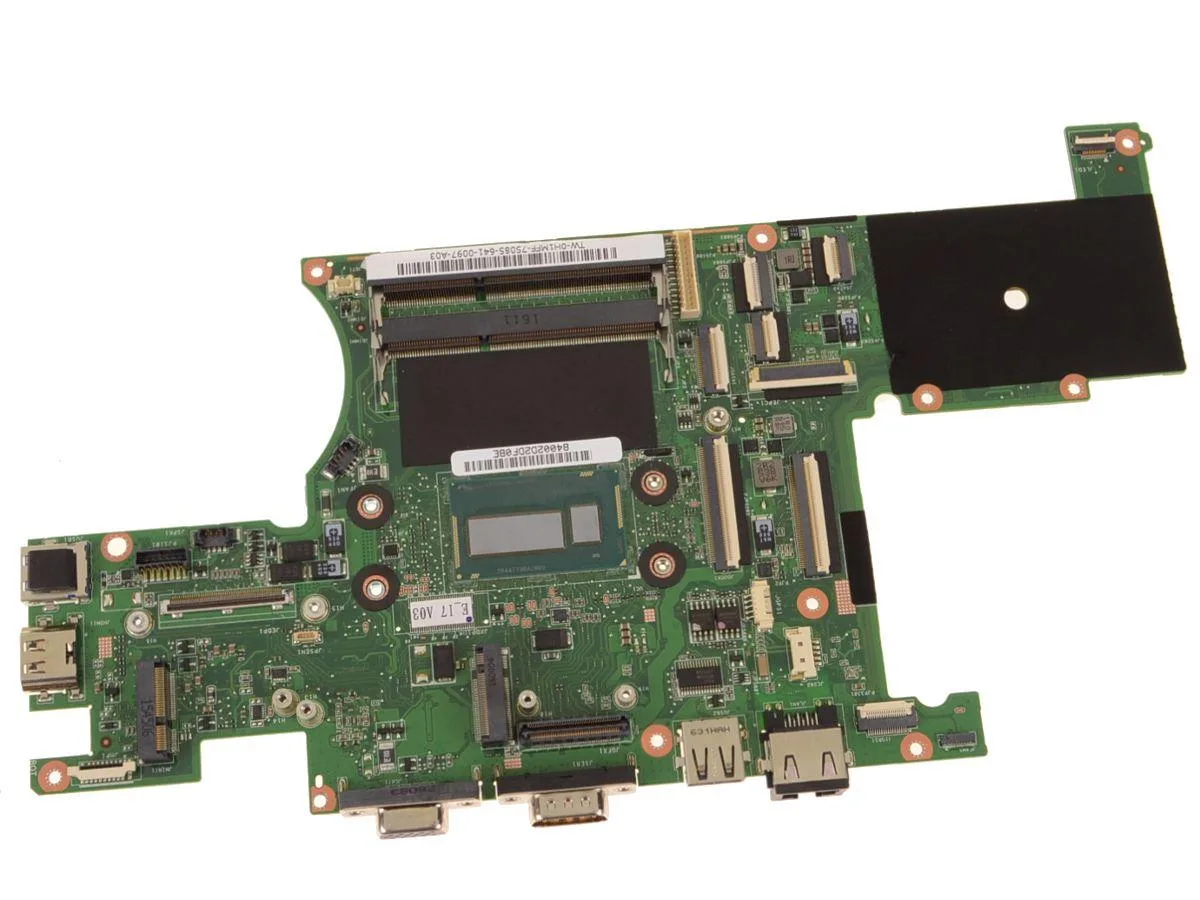
DELL Latitude 5404 Rugged Motherboard i7-4650U 1.7GHz H1MFF
Replacement 14-inch rugged motherboard with on-board Intel Core i7-4650U 1.7 GHz dual-core processor for Latitude 5404 and 7404 models
- Genuine Dell OEM part ensures exact fit for Latitude 5404 and 7404 Rugged
- On-board Intel Core i7-4650U dual-core processor delivers 1.7 GHz base performance
- System board replaces failed motherboard to restore full laptop functionality
- Designed for 14-inch rugged chassis withstanding harsh field conditions
- Dell part number H1MFF confirms authentic component matching service documentation
Genuine Dell Latitude 5404 Rugged Motherboard
This is a genuine Dell OEM system board with an on-board Intel Core i7-4650U processor running at 1.7 GHz. It serves as a direct replacement for the Latitude 14 Rugged 5404 and Latitude 14 Rugged Extreme 7404 laptops. The part number is H1MFF.
Thermals Noise and Power Draw in Normal Use
The integrated dual-core processor operates at a base frequency of 1.7 GHz within the rugged chassis design. Thermal management relies on the original laptop cooling assembly which this motherboard mates with. Power consumption follows the standard mobile ultra-low-voltage envelope for this CPU class.
Repair Upgrade Path and When the Jump Is Worth It
This board replaces a failed motherboard in compatible Latitude 5404 or 7404 units restoring full system function. It is not a performance upgrade since the CPU is soldered and cannot be swapped for a faster model. Buyers needing a newer processor generation or different platform features must replace the entire laptop.
Highlights
- Genuine Dell OEM part ensures exact fit for Latitude 5404 and 7404 Rugged
- On-board Intel Core i7-4650U dual-core processor delivers 1.7 GHz base performance
- System board replaces failed motherboard to restore full laptop functionality
- Designed for 14-inch rugged chassis withstanding harsh field conditions
- Dell part number H1MFF confirms authentic component matching service documentation
Specifications
| Brand | DELL |
|---|
Questions about this item
How do I install the H1MFF board into a Latitude 5404 Rugged chassis, and which step is most often missed?
Remove the battery, disconnect the display and I/O cables, then unbolt the old board. The step most often missed is re-seating the thermal pad onto the i7-4650U die before tightening the heatsink screws.
What maintenance or replacement will this motherboard need later?
The CMOS coin cell will need replacement when the system loses time. The on-board i7-4650U cannot be swapped separately, so a future CPU failure means replacing the whole board again.
What limit appears first during sustained heavy workloads on this i7-4650U board?
The 1.7 GHz dual-core processor hits its thermal ceiling quickly in the rugged chassis, so sustained loads throttle to protect the CPU before any other component becomes a bottleneck.
Also in this aisle
People compared these
Same shelf, same checkout — eight coins and a 30-minute rate lock.


PrimoChill
PrimoChill Praxis Wetbench Open-Air Test Bench 461.8mm
- Open-Air
$274.89
0.00355155BTC
In stock
Silverstone Technology
SilverStone Technology Strider 1200W 80 Plus Platinum Modular Power Supply
- ATX Mid Tower
- 1200W
$324.03
0.00418643BTC
In stock